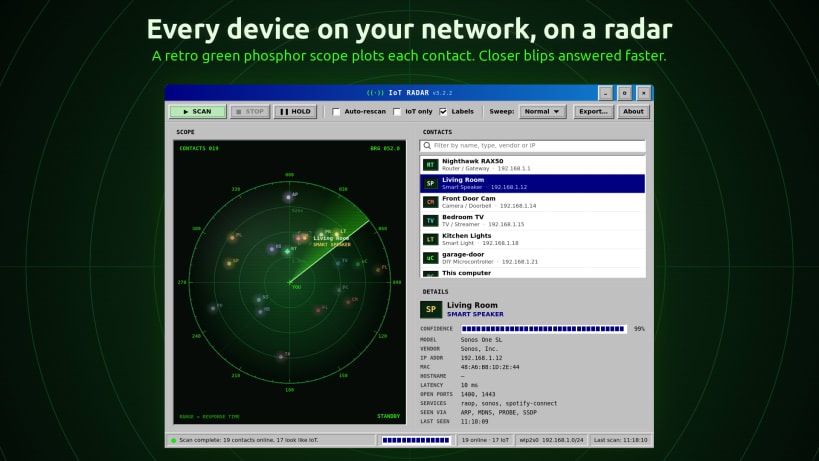
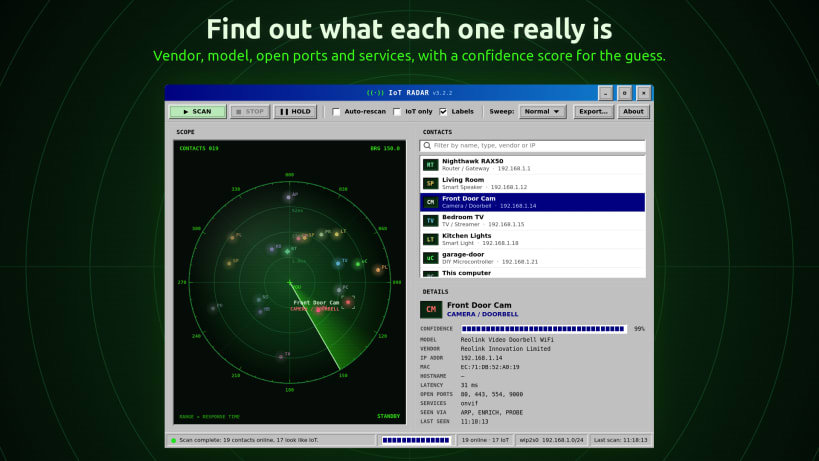
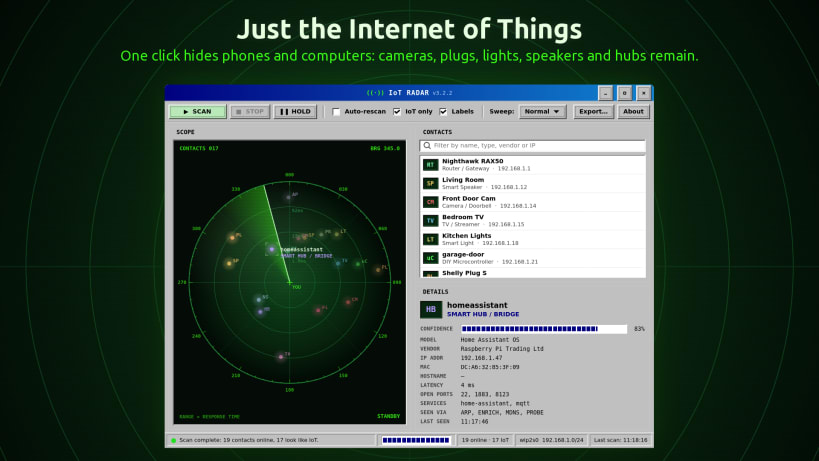
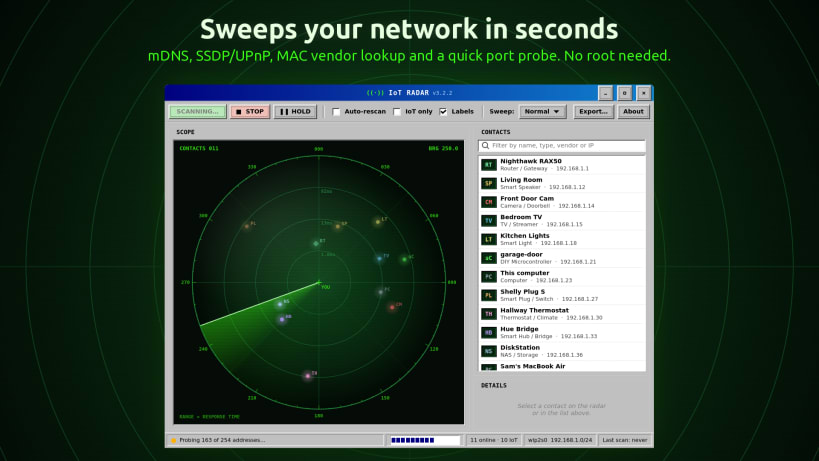
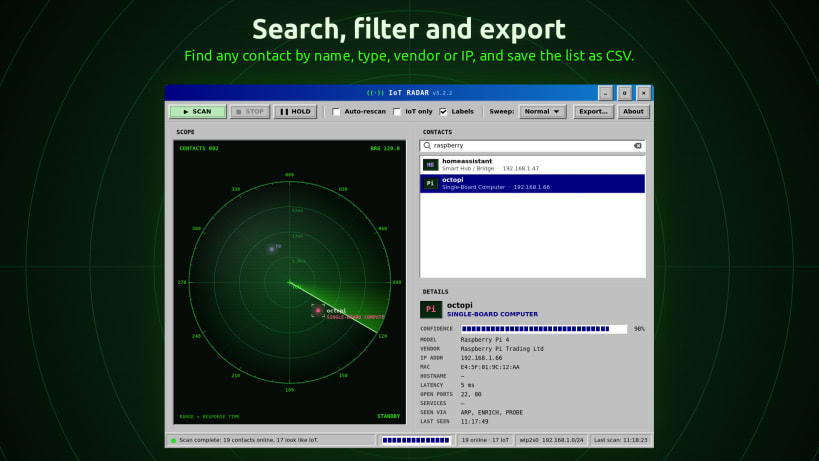
IoT Radar by Team of Monkeys .com sweeps your local network and plots every device it finds on a green phosphor radar scope, straight out of the 1990s. Then it tells you what each contact actually is.
Distance from the centre of the scope is how quickly a device answered on the network: closer blips answered faster.
No root access required. No telemetry and no accounts: nothing leaves your local network.
Show MAC addresses and vendors: IoT Radar reads your computer's ARP table for these. Allow it once with:
``` sudo snap connect iot-radar-monkeys:network-observe ```
Without it, IoT Radar still finds devices by probing, mDNS and SSDP.
Only scan networks you own or have permission to scan.
You are about to open
Do you wish to proceed?
Thank you for your report. Information you provided will help us investigate further.
There was an error while sending your report. Please try again later.
Snaps are applications packaged with all their dependencies to run on all popular Linux distributions from a single build. They update automatically and roll back gracefully.
Snaps are discoverable and installable from the Snap Store, an app store with an audience of millions.
Snap can be installed on elementary OS from the command line. Open Terminal from the Applications launcher and type the following:
sudo apt update
sudo apt install snapd
Either log out and back in again, or restart your system, to ensure snap’s paths are updated correctly.
To install IoT Radar, simply use the following command:
sudo snap install iot-radar-monkeys
Browse and find snaps from the convenience of your desktop using the snap store snap.

Interested to find out more about snaps? Want to publish your own application? Visit snapcraft.io now.


