
IoT Radar (iot-radar-monkeys)
Contact us about Snaps and IoT ›
Install latest/stable of IoT Radar
Ubuntu 16.04 or later?
Make sure snap support is enabled in your Desktop store.
Install using the command line
sudo snap install iot-radar-monkeysDon't have snapd? Get set up for snaps.
Details for IoT Radar
Package name
- iot-radar-monkeys
License
- MIT
Last updated
- 22 October 2026 - latest/stable
Websites
Contact
External link warning
You are about to open
Do you wish to proceed?
Report a Snap Store violation
Report IoT Radar for a Snap Store violation
Snap Store Violation Report submitted successfully
Thank you for your report. Information you provided will help us investigate further.
Error submitting report
There was an error while sending your report. Please try again later.
Share this snap
Generate an embeddable card to be shared on external websites.
A retro green radar that finds the IoT devices on your network
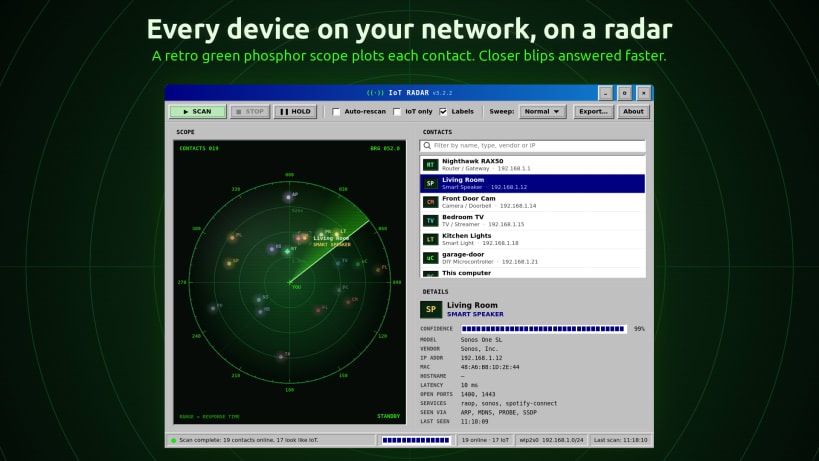
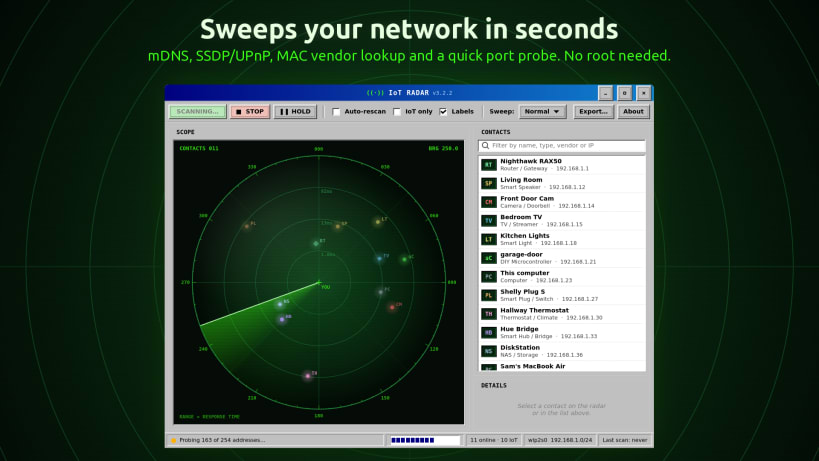
IoT Radar by Team of Monkeys .com sweeps your local network and plots every device it finds on a green phosphor radar scope, straight out of the 1990s. Then it tells you what each contact actually is.
- Smart speakers, TVs and streamers, cameras and doorbells, smart plugs and lights, thermostats, hubs, printers, NAS boxes, game consoles, Raspberry Pis, ESP32 boards, phones and computers: 19 device types in all
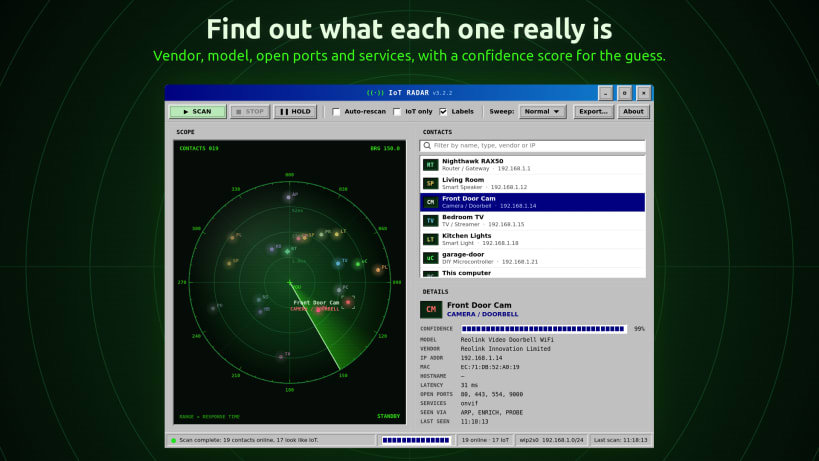
- Identifies devices from several clues: MAC address vendor (IEEE registry), mDNS / Bonjour (Chromecast, AirPlay, HomeKit, Matter, ESPHome...), SSDP / UPnP descriptions, open ports and web page titles
- A confidence score for every guess
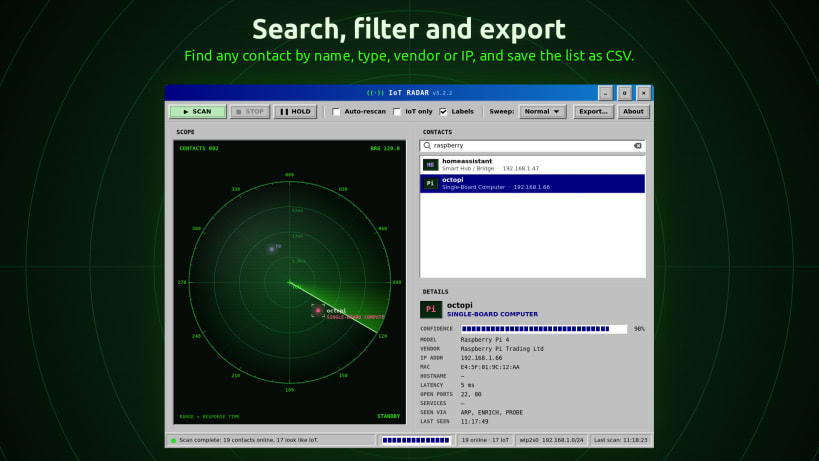
- Click a blip or a list entry to see the model, vendor, IP and MAC address, open ports and services
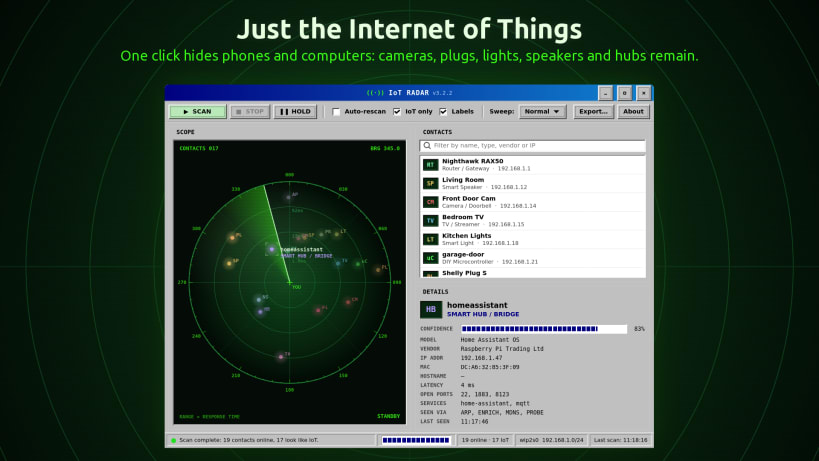
- IoT only: hide phones and computers with one click
- Search by name, type, vendor or IP, auto-rescan every minute, and export the contact list to CSV
Distance from the centre of the scope is how quickly a device answered on the network: closer blips answered faster.
No root access required. No telemetry and no accounts: nothing leaves your local network.
Show MAC addresses and vendors: IoT Radar reads your computer's ARP table for these. Allow it once with:
``` sudo snap connect iot-radar-monkeys:network-observe ```
Without it, IoT Radar still finds devices by probing, mDNS and SSDP.
Only scan networks you own or have permission to scan.
| Revision | Channel | Version | Build | Commit | Download SBOM |
|---|
The build and commit information is derived from build infrastructure records.
Install IoT Radar on your Linux distribution
Choose your Linux distribution to get detailed installation instructions. If yours is not shown, get more details on the installing snapd documentation.












