



Kodi is an open-source media center that lets you play movies, music, TV shows and more. This is an unofficial build which includes all available plugins from the official repository. This Snap contains the Omega branch and supports x11 and wayland.
You can start Kodi via terminal using kodi-omegaor by selecting it from the menu.
On the first start, Kodi will prompt you to enable or disable available addons , this may take a few minutes. Alternatively, you can simply _press "s" _, exit Kodi, then restart kodi-omega. This will disable all addons by default, allowing you to activate only the ones you actually need afterward.
Make sure to enable the necessary permissions for this Snap in GNOME (Settings → Apps) or KDE (Discover → Kodi-Omega → Change Permissions), otherwise Kodi may not work as expected.
You can also manage permissions via terminal by listing them with " snap connections kodi-omega " and enabling missing ones using " snap connect kodi-omega:dvb " for DVB access .
Or simply connect all :
snap connections kodi-omega | awk '$3 == "-" {print $2}' | while read plug; do sudo snap connect $plug; done
Or try my snap-permissions-manager script: https://github.com/Tibsun75/snap-permission-manager
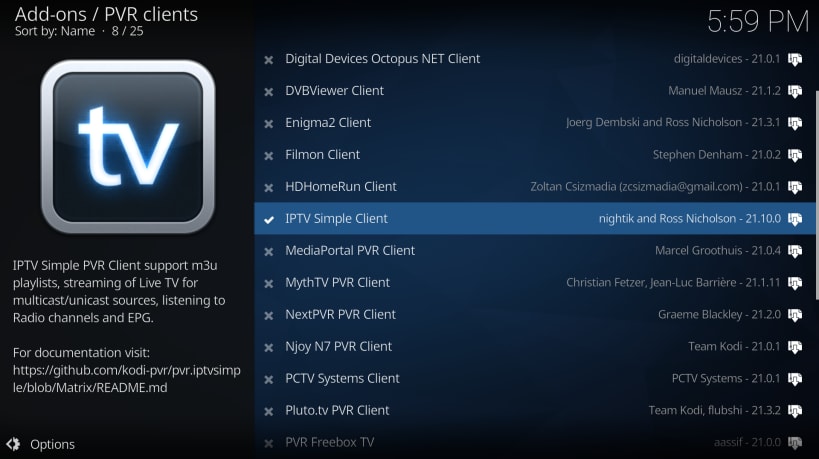
For IPTV, you will need an M3U playlist file or a membership with services such as Zattoo, Waipu, Pluto or similar providers.
Bluray KEYDB.cfg must be here : ~/snap/kodi-omega/current/.config/aacs/ , because of lack support bd+ for linux ... maybe will not work for all
Enjoy your media with Kodi Omega!
You are about to open
Do you wish to proceed?
Thank you for your report. Information you provided will help us investigate further.
There was an error while sending your report. Please try again later.
Snaps are applications packaged with all their dependencies to run on all popular Linux distributions from a single build. They update automatically and roll back gracefully.
Snaps are discoverable and installable from the Snap Store, an app store with an audience of millions.
If you’re running Kubuntu 16.04 LTS (Xenial Xerus) or later, including Kubuntu 18.04 LTS (Bionic Beaver) and Kubuntu 18.10 (Cosmic Cuttlefish), you don’t need to do anything. Snap is already installed and ready to go.
Versions of Kubuntu between 14.04 LTS (Trusty Tahr) and 15.10 (Wily Werewolf) don’t include snap by default, but snap can be installed from the command line as follows:
sudo apt update
sudo apt install snapd
To install kodi-omega, simply use the following command:
sudo snap install kodi-omega
Browse and find snaps from the convenience of your desktop using the snap store snap.

Interested to find out more about snaps? Want to publish your own application? Visit snapcraft.io now.