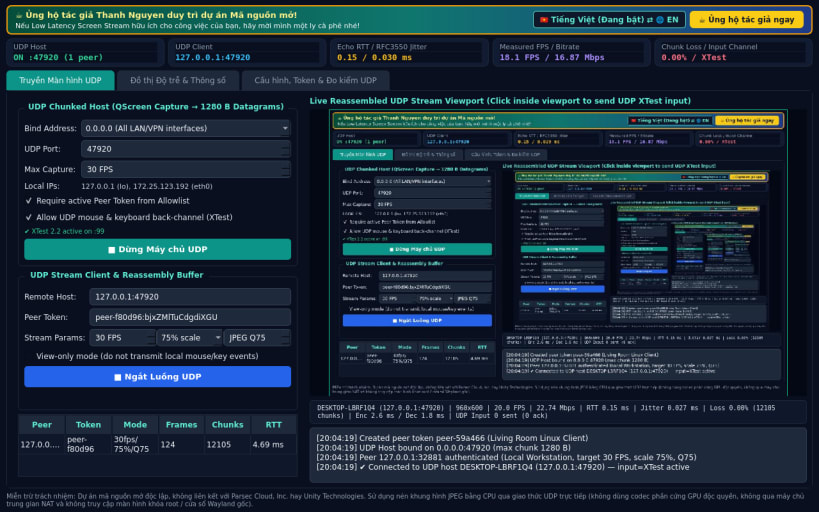
A lightweight Linux alternative to Parsec for UDP screen streaming & real-time latency telemetry inspired by Parsec workflows. Disclaimer: This project is an independent open-source tool and is not affiliated with, sponsored by, or endorsed by Parsec Cloud, Inc. or Unity Technologies. Uses CPU JPEG frame encoding over UDP rather than proprietary GPU hardware codecs.
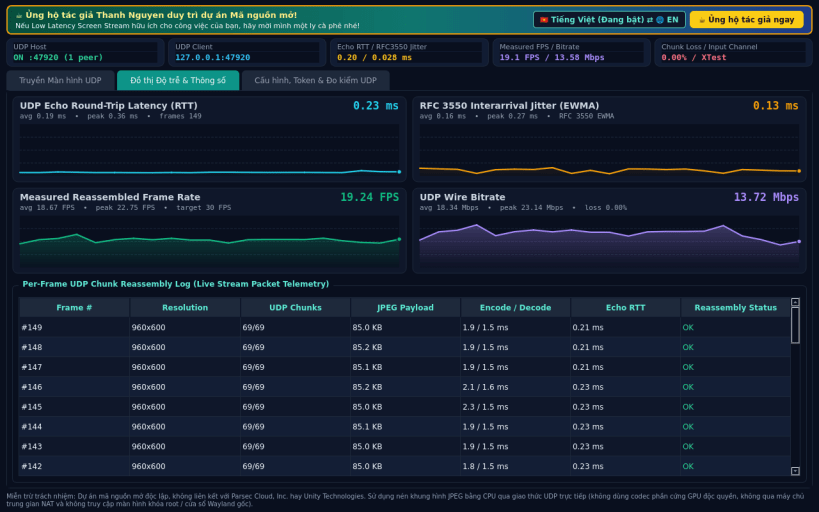
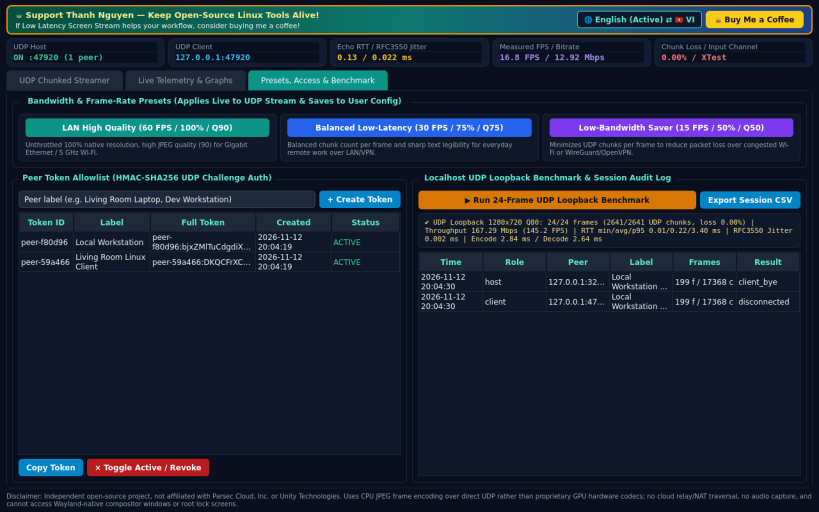
Key capabilities: • UDP Chunked Frame Streamer (Host & Client): captures X11 desktop frames via QScreen.grabWindow, encodes JPEG at configurable FPS (10-60), scale (50%-100%), and quality (30-95), splits frames into numbered UDP datagram chunks with microsecond timestamps, and reassembles frames in real time. • UDP Input Back-Channel: forwards mouse movement, clicks, scroll wheel, and keyboard events over UDP; applies input on X11 via XTest (libXtst) when available, or runs in honest view-only mode otherwise. • Live Real-Time Telemetry & Graphs: measures round-trip latency (RTT ms) via UDP timestamp echo, RFC 3550 EWMA jitter (ms), packet/chunk loss (%), measured FPS, and bitrate (Mbps) on live QPainter sparklines + frame log. • Stream Presets, Peer Access Control & Diagnostics: LAN High Quality / Balanced / Low-Bandwidth presets, HMAC peer token allowlist & session log, and a built-in localhost UDP loopback benchmark.
Honest limitations: direct UDP only (no cloud relay or NAT traversal; host UDP port must be reachable on LAN/VPN). Uses CPU JPEG frame encoding rather than GPU hardware H.264/HEVC codecs, does not stream audio, and cannot access Wayland-native compositor windows or root lock screens.
Support development: https://buymeacoffee.com/thanhnv128b
You are about to open
Do you wish to proceed?
Thank you for your report. Information you provided will help us investigate further.
There was an error while sending your report. Please try again later.
Snaps are applications packaged with all their dependencies to run on all popular Linux distributions from a single build. They update automatically and roll back gracefully.
Snaps are discoverable and installable from the Snap Store, an app store with an audience of millions.
On Arch Linux, snap can be installed from the Arch User Repository (AUR). The manual build process is the Arch-supported install method for AUR packages, and you’ll need the prerequisites installed before you can install any AUR package. You can then install snap with the following:
git clone https://aur.archlinux.org/snapd.git
cd snapd
makepkg -si
Once installed, the systemd unit that manages the main snap communication socket needs to be enabled:
sudo systemctl enable --now snapd.socket
If AppArmor is enabled in your system, enable the service which loads AppArmor profiles for snaps:
sudo systemctl enable --now snapd.apparmor.service
To enable classic snap support, enter the following to create a symbolic link between /var/lib/snapd/snap and /snap:
sudo ln -s /var/lib/snapd/snap /snap
Either log out and back in again, or restart your system, to ensure snap’s paths are updated correctly.
To install Low Latency Screen Stream, simply use the following command:
sudo snap install low-latency-screen-stream
Browse and find snaps from the convenience of your desktop using the snap store snap.
Interested to find out more about snaps? Want to publish your own application? Visit snapcraft.io now.