
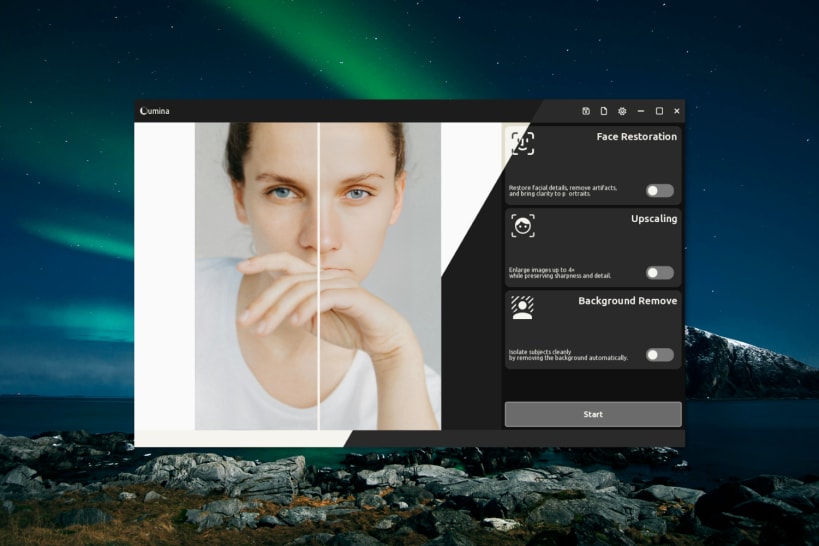
Lumina – AI-Powered Face & Photo Enhancer
Lumina is a fast, lightweight desktop app that enhances portraits and cleans up images using advanced AI models. Powered by real-time deep learning, it offers:
Model Downloads
When run for the first time Lumina will download each required model files from [Releases page](https://github.com/RameshRavone/lumina-dev/releases) of the Lumina Dev GitHub repository and place them in $SNAP_DIR_COMMON/.cache/lumina/models folder
$SNAP_DIR_COMMON = $HOME/snap/lumina/common (Usually)
Installation
Install Lumina on any Linux distribution that supports Snap with: snap install lumina
How to use
Lumina a support both CLI-Terminal and GUI-Editor mode
GUI  -  lumina editor --vsync
CLI   -  lumina cli -i <INPUT IMAGE> -o <OUTPUT> --actions face upscale`
Bug Reports and Feedback
Found a bug or have a feature request?
Please submit issues via our public [Issue Tracker Repository](https://github.com/RameshRavone/lumina-dev/issues).
Built natively with performance in mind, Lumina runs entirely offline — no internet connection needed. Perfect for photographers, designers, or anyone looking to upscale or restore images with ease.
You are about to open
Do you wish to proceed?
Thank you for your report. Information you provided will help us investigate further.
There was an error while sending your report. Please try again later.
Snaps are applications packaged with all their dependencies to run on all popular Linux distributions from a single build. They update automatically and roll back gracefully.
Snaps are discoverable and installable from the Snap Store, an app store with an audience of millions.
Snap can be installed from the command line on openSUSE Leap 15.x and Tumbleweed.
You need first add the snappy repository from the terminal. Choose the appropriate command depending on your installed openSUSE flavor.
Tumbleweed:
sudo zypper addrepo --refresh https://download.opensuse.org/repositories/system:/snappy/openSUSE_Tumbleweed snappy
Leap 15.x:
sudo zypper addrepo --refresh https://download.opensuse.org/repositories/system:/snappy/openSUSE_Leap_15.6 snappy
If needed, Swap out openSUSE_Leap_15. for, openSUSE_Leap_16.0 if you’re using a different version of openSUSE.
With the repository added, import its GPG key:
sudo zypper --gpg-auto-import-keys refresh
Finally, upgrade the package cache to include the new snappy repository:
sudo zypper dup --from snappy
Snap can now be installed with the following:
sudo zypper install snapd
You then need to either reboot, logout/login or source /etc/profile to have /snap/bin added to PATH.
Additionally, enable and start both the snapd and the snapd.apparmor services with the following commands:
sudo systemctl enable --now snapd
sudo systemctl enable --now snapd.apparmor
To install Lumina, simply use the following command:
sudo snap install lumina --edge
Browse and find snaps from the convenience of your desktop using the snap store snap.

Interested to find out more about snaps? Want to publish your own application? Visit snapcraft.io now.