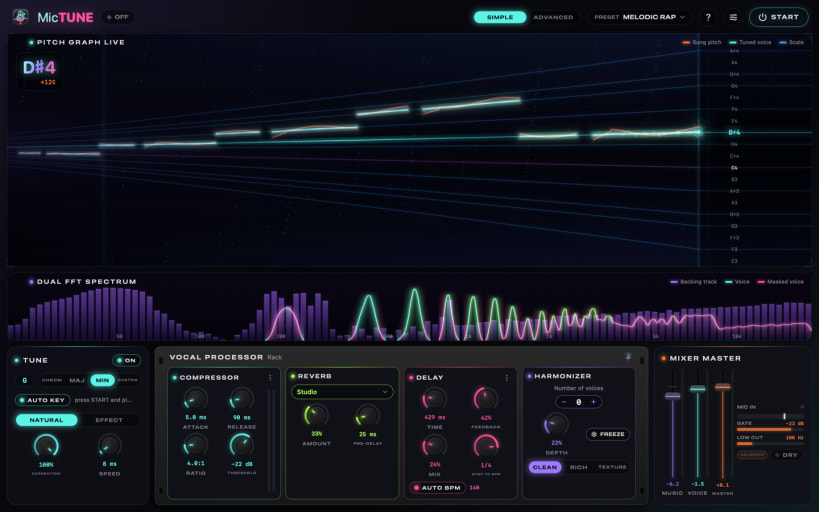
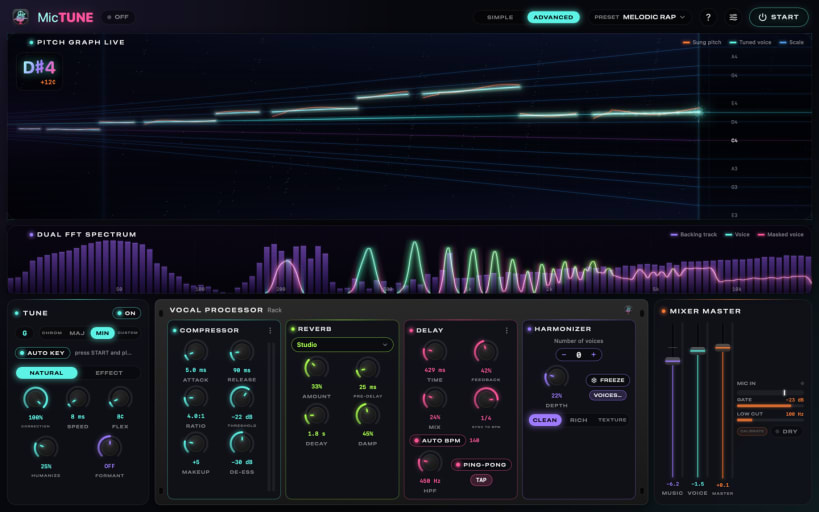
MicTune turns your computer into a vocal processor for live singing: real-time pitch correction, studio effects (reverb, delay, compression, harmonies) and the backing track taken straight from YouTube, Spotify, VLC or your karaoke player, all at very low latency.
Your voice is processed on your computer and is never recorded or sent. Needs PipeWire (default on Ubuntu) and a microphone; wired headphones are recommended.
After installing, connect PipeWire, the microphone and MIDI once:
snap connect mictune:pipewiresnap connect mictune:audio-recordsnap connect mictune:alsaYou are about to open
Do you wish to proceed?
Thank you for your report. Information you provided will help us investigate further.
There was an error while sending your report. Please try again later.
Snaps are applications packaged with all their dependencies to run on all popular Linux distributions from a single build. They update automatically and roll back gracefully.
Snaps are discoverable and installable from the Snap Store, an app store with an audience of millions.
Snap can be installed from the command line. Open the Konsole terminal and enter the following:
sudo apt update
sudo apt install snapd
To install MicTune, simply use the following command:
sudo snap install mictune
Browse and find snaps from the convenience of your desktop using the snap store snap.
Interested to find out more about snaps? Want to publish your own application? Visit snapcraft.io now.