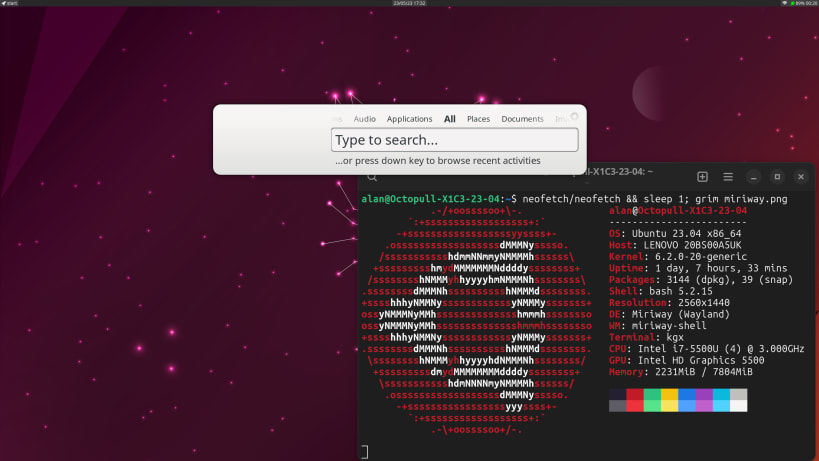
Miriway is a generic Wayland compositor implementing a traditional floating window management policy. It handles native Wayland extensions, supports legacy X11 applications via Xwayland, and leverages the robust Mir display server library to bring dynamic workspaces, hybrid graphics, and remote desktop support to your environment.
Getting Started
Miriway is highly configurable. When you run this snap, it looks for configuration components in ~/.config.
To get you up and running instantly, Miriway ships with example setup scripts for popular lightweight desktop environments. These create the configuration files needed in ~/.config and, optionally, install the components of these desktop environments:
ls  /snap/miriway/current/example-configs/
Budgie.bash  LXQt.bash  MATE.bash  SWAY.bash  XFCE.bash  alan_g.bash
You can easily test them and/or use them as a blueprint for your own custom setup. Note that these are provided on a "best effort" basis as they rely on the corresponding components on the host OS and we cannot test everything everywhere.
Detailed setup instructions, example scripts, and configuration guides are available in our documentation: https://github.com/Miriway/Miriway/
Perfect for Desktop Migrations
Miriway acts as a production-ready, off-the-shelf compositor designed to help modular, resource-light desktop environments (like Budgie, LXQt, and Xfce) transition away from X11 without having to develop a compositor from scratch. To provide a starting point here are some setup scripts:
Miriway is based on Mir: https://mir-server.io/
You are about to open
Do you wish to proceed?
Thank you for your report. Information you provided will help us investigate further.
There was an error while sending your report. Please try again later.
Snaps are applications packaged with all their dependencies to run on all popular Linux distributions from a single build. They update automatically and roll back gracefully.
Snaps are discoverable and installable from the Snap Store, an app store with an audience of millions.
Snap can be installed on Pop!_OS from the command line. Open Terminal from the Applications launcher and type the following:
sudo apt update
sudo apt install snapd
Either log out and back in again, or restart your system, to ensure snap’s paths are updated correctly.
To install miriway, simply use the following command:
sudo snap install miriway --classic
Browse and find snaps from the convenience of your desktop using the snap store snap.

Interested to find out more about snaps? Want to publish your own application? Visit snapcraft.io now.