
miriway

Install latest/stable of miriway
Ubuntu 16.04 or later?
Make sure snap support is enabled in your Desktop store.
Install using the command line
sudo snap install miriway --classicDon't have snapd? Get set up for snaps.
Details for miriway
Package name
- miriway
License
- GPL-3.0
Last updated
- 30 September 2026 - latest/stable
- 14 October 2026 - latest/beta
Websites
Contact
Source code
Report a bug
External link warning
You are about to open
Do you wish to proceed?
Report a Snap Store violation
Report miriway for a Snap Store violation
Snap Store Violation Report submitted successfully
Thank you for your report. Information you provided will help us investigate further.
Error submitting report
There was an error while sending your report. Please try again later.
Share this snap
Generate an embeddable card to be shared on external websites.
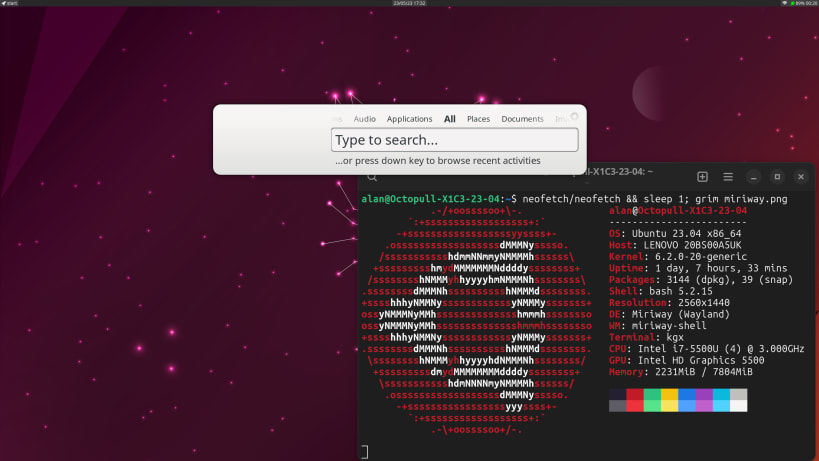
Miriway: a Wayland compositor for your desktop environment
Miriway is a generic Wayland compositor implementing a traditional floating window management policy. It handles native Wayland extensions, supports legacy X11 applications via Xwayland, and leverages the robust Mir display server library to bring dynamic workspaces, hybrid graphics, and remote desktop support to your environment.
Getting Started
Miriway is highly configurable. When you run this snap, it looks for configuration components in ~/.config.
To get you up and running instantly, Miriway ships with example setup scripts for popular lightweight desktop environments. These create the configuration files needed in ~/.config and, optionally, install the components of these desktop environments:
ls  /snap/miriway/current/example-configs/
Budgie.bash  LXQt.bash  MATE.bash  SWAY.bash  XFCE.bash  alan_g.bash
You can easily test them and/or use them as a blueprint for your own custom setup. Note that these are provided on a "best effort" basis as they rely on the corresponding components on the host OS and we cannot test everything everywhere.
Detailed setup instructions, example scripts, and configuration guides are available in our documentation: https://github.com/Miriway/Miriway/
Perfect for Desktop Migrations
Miriway acts as a production-ready, off-the-shelf compositor designed to help modular, resource-light desktop environments (like Budgie, LXQt, and Xfce) transition away from X11 without having to develop a compositor from scratch. To provide a starting point here are some setup scripts:
Miriway is based on Mir: https://mir-server.io/
| Revision | Channel | Version | Build | Commit | Download SBOM |
|---|
The build and commit information is derived from build infrastructure records.
Install miriway on your Linux distribution
Choose your Linux distribution to get detailed installation instructions. If yours is not shown, get more details on the installing snapd documentation.












