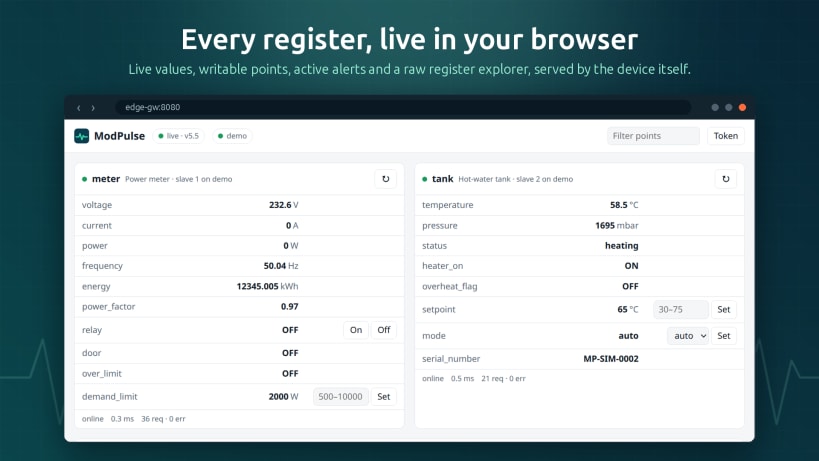
ModPulse by Team of Monkeys turns an Ubuntu Core or Ubuntu device, such as an industrial PC or a Raspberry Pi with an RS-485 adapter, into a Modbus gateway. It polls energy meters, PLCs, inverters, drives, sensors and I/O modules over Modbus RTU (RS-485) or Modbus TCP, and makes their registers available as a JSON REST API, MQTT topics and a live web dashboard, ready for Node-RED, Home Assistant, Grafana, Telegraf, SCADA systems or your own code.
- Register map in TOML, YAML or JSON: slave ids, addresses (also 40001-style), data types (16/32/64-bit integers, floats, strings, single bits), word order, scale, offset, units and value labels; templates for many identical devices
- REST API to read values and write coils and holding registers, protected by an API token, plus raw register access and a live event stream
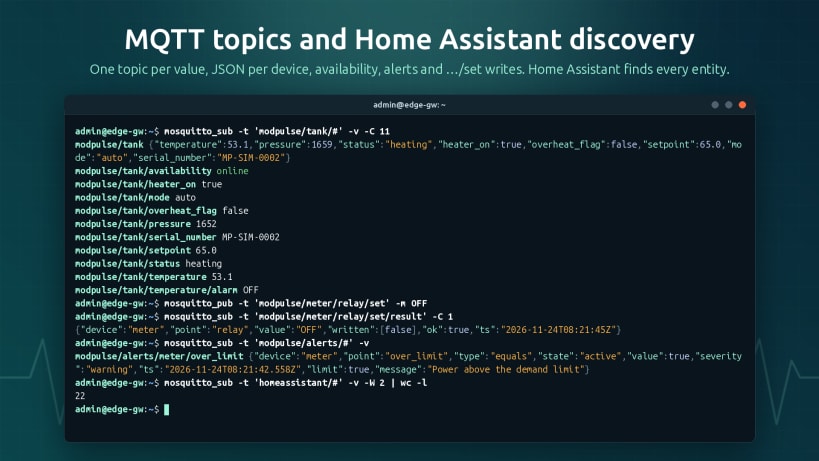
- MQTT: one topic per value, a JSON message per device, availability, and writes through …/set topics; Home Assistant discovery creates the entities automatically
- Threshold alerts with hysteresis and delay, published to MQTT the instant a limit is crossed, and optionally sent to a webhook
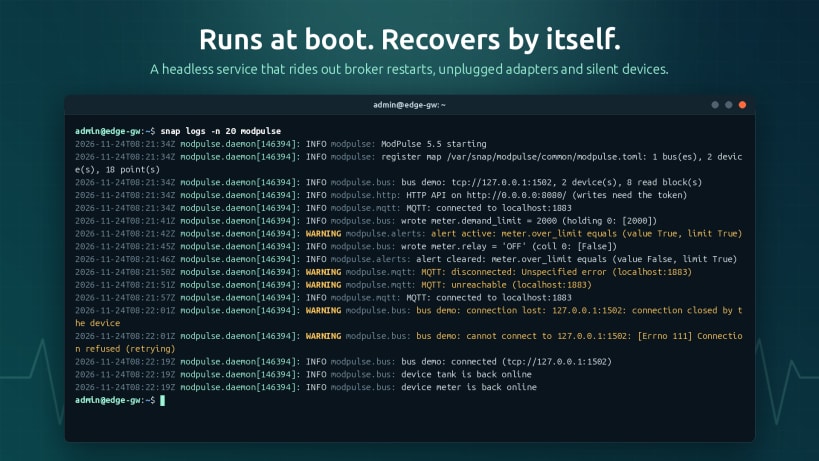
- Serial auto-reconnect when a USB adapter is unplugged, and automatic baud-rate and parity detection
- Smart polling: merged reads, per-point intervals, report-by-exception with deadbands, and back-off for silent devices so one dead meter never slows the line
- Modbus TCP gateway so SCADA and PLCs can reach serial devices through ModPulse while it keeps polling
- Web dashboard with a register explorer, Prometheus metrics, and commissioning tools: port listing, baud detection, slave scan, direct read/write and a built-in device simulator
- Edit the map on a headless device by uploading it to the API; changes apply within seconds, and a broken map is refused, never half-applied
Getting started:
 sudo modpulse init
 sudo snap start --enable modpulse.simulator
 modpulse status
Then open http://<device>:8080/.
Modbus TCP devices and serial device servers work straight away. For a USB RS-485 adapter, allow serial access once with sudo snap connect modpulse:raw-usb (on-board UARTs: sudo snap connect modpulse:serial-port <slot>); ModPulse picks the port up immediately. Then add your bus and devices to /var/snap/modpulse/common/modpulse.toml.
ModPulse is not a safety system: do not use it for safety-critical or protective functions.
Modbus is a trademark of Schneider Electric, used to identify the protocol; this app is not affiliated with or endorsed by Schneider Electric or the Modbus Organization.