
ModPulse
Contact us about Snaps and IoT ›
Install latest/stable of ModPulse
Ubuntu 16.04 or later?
Make sure snap support is enabled in your Desktop store.

Details for ModPulse
Package name
- modpulse
License
- Proprietary
Last updated
- Today - latest/stable
Websites
Contact
External link warning
You are about to open
Do you wish to proceed?
Report a Snap Store violation
Report ModPulse for a Snap Store violation
Snap Store Violation Report submitted successfully
Thank you for your report. Information you provided will help us investigate further.
Error submitting report
There was an error while sending your report. Please try again later.
Share this snap
Generate an embeddable card to be shared on external websites.
Modbus RTU/TCP to REST API and MQTT gateway for industrial devices
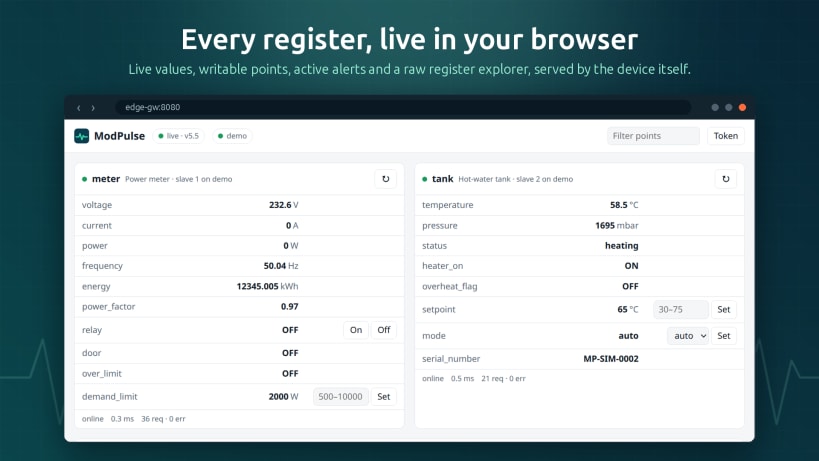
ModPulse by Team of Monkeys turns an Ubuntu Core or Ubuntu device, such as an industrial PC or a Raspberry Pi with an RS-485 adapter, into a Modbus gateway. It polls energy meters, PLCs, inverters, drives, sensors and I/O modules over Modbus RTU (RS-485) or Modbus TCP, and makes their registers available as a JSON REST API, MQTT topics and a live web dashboard, ready for Node-RED, Home Assistant, Grafana, Telegraf, SCADA systems or your own code.
- Register map in TOML, YAML or JSON: slave ids, addresses (also 40001-style), data types (16/32/64-bit integers, floats, strings, single bits), word order, scale, offset, units and value labels; templates for many identical devices
- REST API to read values and write coils and holding registers, protected by an API token, plus raw register access and a live event stream
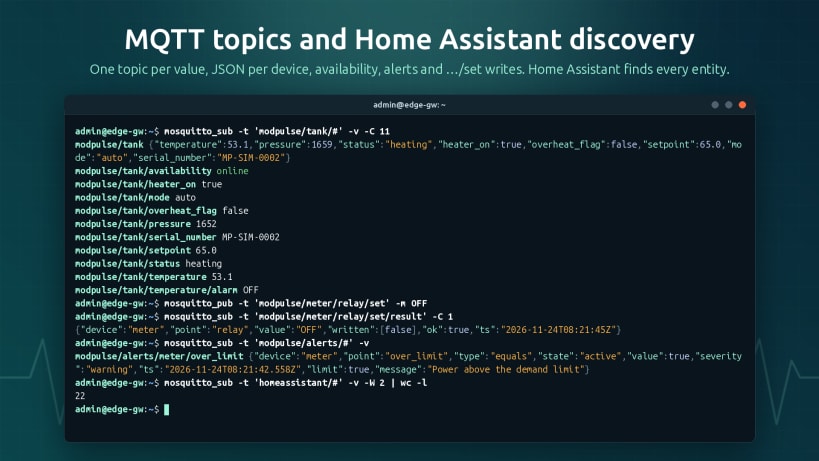
- MQTT: one topic per value, a JSON message per device, availability, and writes through …/set topics; Home Assistant discovery creates the entities automatically
- Threshold alerts with hysteresis and delay, published to MQTT the instant a limit is crossed, and optionally sent to a webhook
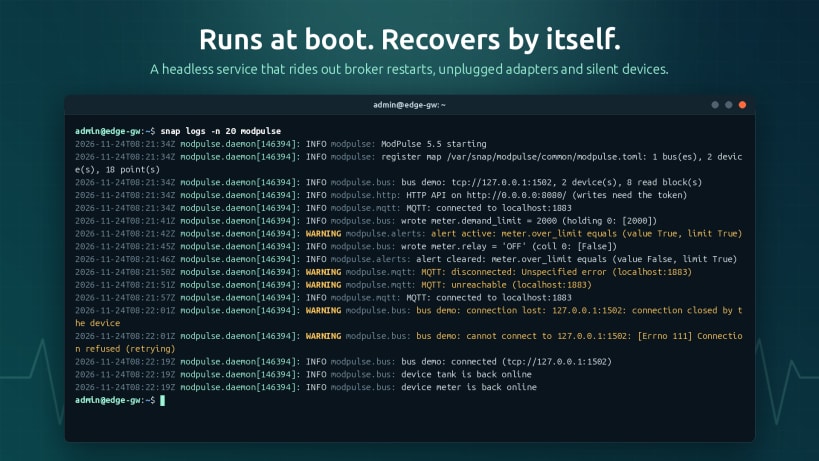
- Serial auto-reconnect when a USB adapter is unplugged, and automatic baud-rate and parity detection
- Smart polling: merged reads, per-point intervals, report-by-exception with deadbands, and back-off for silent devices so one dead meter never slows the line
- Modbus TCP gateway so SCADA and PLCs can reach serial devices through ModPulse while it keeps polling
- Web dashboard with a register explorer, Prometheus metrics, and commissioning tools: port listing, baud detection, slave scan, direct read/write and a built-in device simulator
- Edit the map on a headless device by uploading it to the API; changes apply within seconds, and a broken map is refused, never half-applied
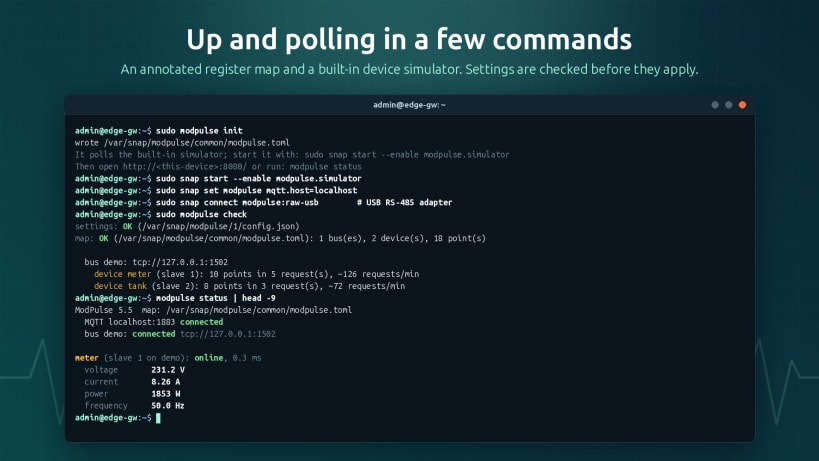
Getting started:
 sudo modpulse init
 sudo snap start --enable modpulse.simulator
 modpulse status
Then open http://<device>:8080/.
Modbus TCP devices and serial device servers work straight away. For a USB RS-485 adapter, allow serial access once with sudo snap connect modpulse:raw-usb (on-board UARTs: sudo snap connect modpulse:serial-port <slot>); ModPulse picks the port up immediately. Then add your bus and devices to /var/snap/modpulse/common/modpulse.toml.
ModPulse is not a safety system: do not use it for safety-critical or protective functions.
Modbus is a trademark of Schneider Electric, used to identify the protocol; this app is not affiliated with or endorsed by Schneider Electric or the Modbus Organization.
| Revision | Channel | Version | Build | Commit | Download SBOM |
|---|
The build and commit information is derived from build infrastructure records.
Install ModPulse on your Linux distribution
Choose your Linux distribution to get detailed installation instructions. If yours is not shown, get more details on the installing snapd documentation.