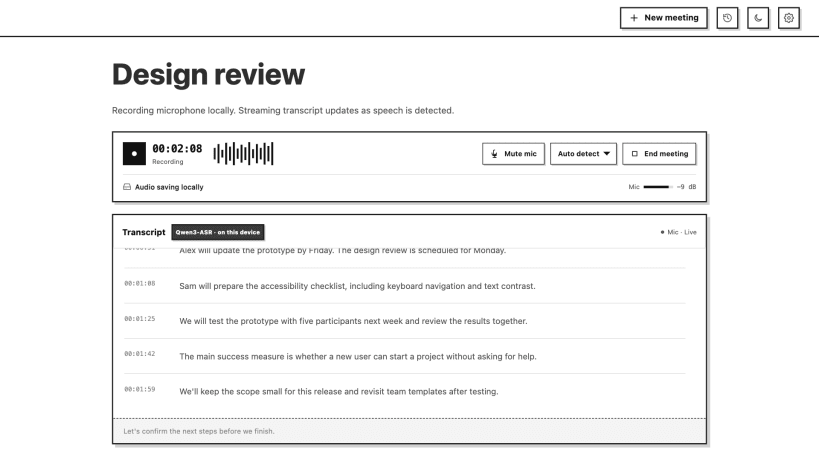
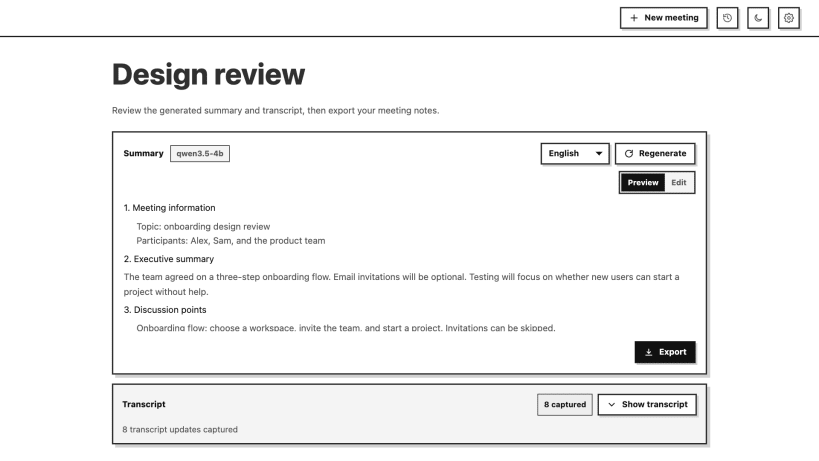
Molly records your microphone, transcribes speech, and creates meeting notes. Use local Qwen models, your own Molly server, or your own OpenAI API account.
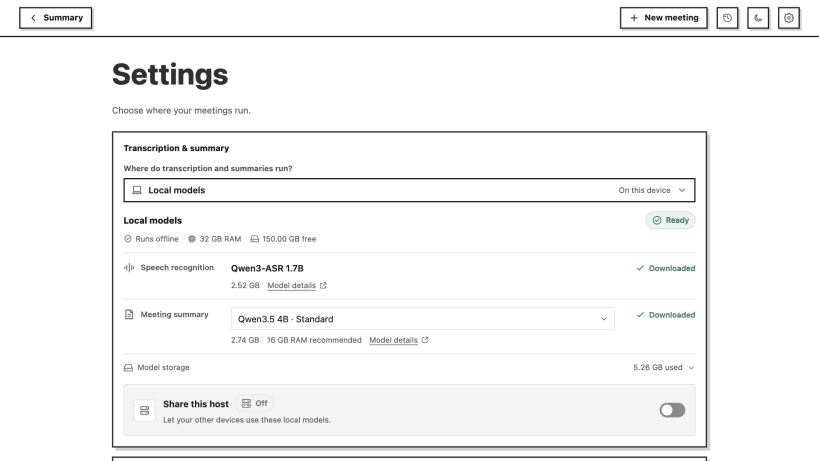
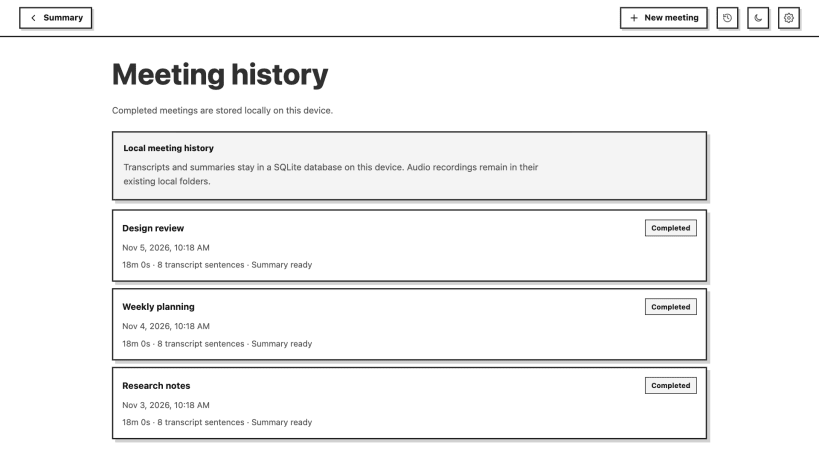
Local models run on your CPU. Download model weights in Settings after installation. The default speech and summary models need about 5.3 GB. Recordings and meeting history stay on this device. Cloud modes send audio or transcript text to the provider you select and use your own API credits.
Enable microphone and password-manager permissions in App Center before recording or saving a key. You can also run: sudo snap connect molly-meeting-notes:audio-record sudo snap connect molly-meeting-notes:password-manager-service
This Linux release captures the default microphone. System audio capture and automatic enumeration of Tailscale devices are not included in this Snap package. Add remote Molly servers with a connection code or address.
You are about to open
Do you wish to proceed?
Thank you for your report. Information you provided will help us investigate further.
There was an error while sending your report. Please try again later.
Snaps are applications packaged with all their dependencies to run on all popular Linux distributions from a single build. They update automatically and roll back gracefully.
Snaps are discoverable and installable from the Snap Store, an app store with an audience of millions.
On Debian 9 (Stretch) and newer, snap can be installed directly from the command line:
sudo apt update
sudo apt install snapd
After this, install the snapd snap in order to get the latest snapd:
sudo snap install snapd
To install Molly Meeting Notes, simply use the following command:
sudo snap install molly-meeting-notes
Browse and find snaps from the convenience of your desktop using the snap store snap.
Interested to find out more about snaps? Want to publish your own application? Visit snapcraft.io now.