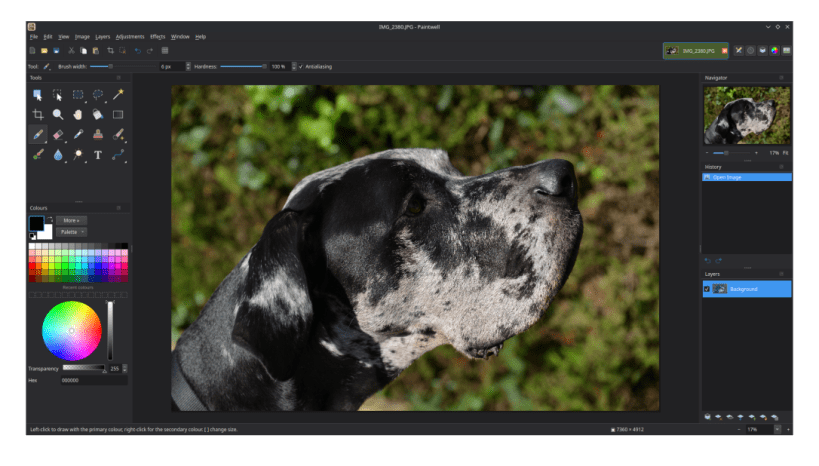
Paintwell is a photo editor and paint program for Linux that's easy to pick up, with a lot more under the bonnet than a basic image editor. Smart photo fixes, real layers, text you can always re-edit, a full set of adjustments and 50+ effects, all in a clean, familiar layout.
SMART PHOTO FIXES
- Content-Aware Fill: select something you don't want and Paintwell fills the gap using the picture around it.
- Remove tool: brush over small blemishes, spots, wires or unwanted objects to blend them away.
- Red Eye: one click, natural-looking results.
- Clone Stamp, Dodge, Burn, Sponge, Blur, Sharpen and Smudge for touch-ups by hand.
Results depend on the picture. The smart fixes work best on smaller areas with simple, even surroundings such as sky, grass, sand or walls. Large or detailed areas may need finishing with the Clone Stamp.
PRO-STYLE SELECTIONS
- Magic Wand that updates live as you move the Tolerance slider.
- Magnetic Lasso that snaps to edges as you trace around an object.
- Rectangle, ellipse and freehand lasso, plus add to and subtract from any selection.
LAYERS AND TEXT
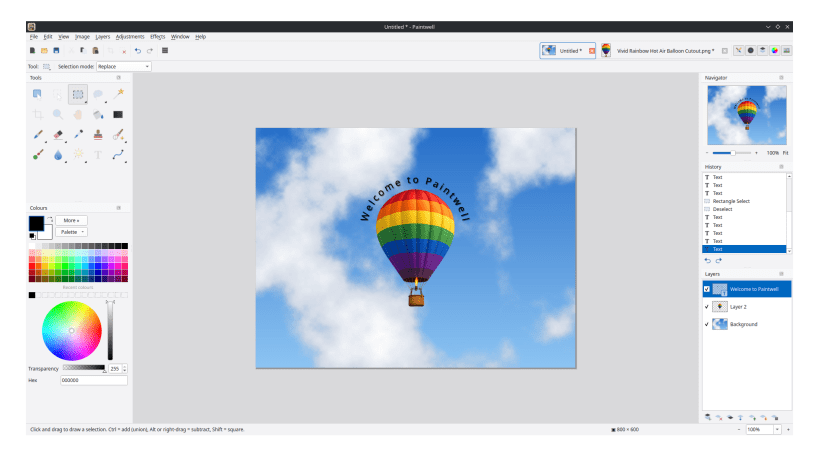
- Layers with blend modes and opacity, saved in the open, layered OpenRaster (.ora) format.
- Text on its own layer that you can re-edit at any time: horizontal, vertical, on an arc or a wave, with rotation, outlines, drop shadows and letter and line spacing.
ADJUSTMENTS AND 50+ EFFECTS
- Live previews: effects and adjustments update on the picture as you drag their sliders.
- Adjustments: Levels, Curves, Hue / Saturation, Brightness / Contrast, Auto-Level, Black and White, Sepia, Posterise and Invert.
- Artistic: Oil Painting, Watercolour, Pencil Sketch, Ink Sketch, Cartoon and Halftone.
- Photo: Glow, Old Photo, Soften Portrait, Sharpen and Vignette.
- Object: Align Object moves a shape, logo or cut-out to the centre, or to any edge or corner, of the picture or selection in one click. Feather Object softens its edges.
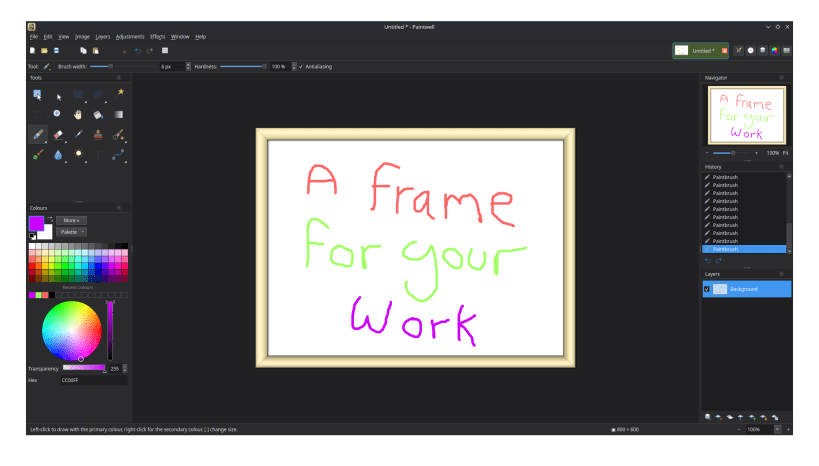
- Frames and borders: picture frames (moulded, wood, gold, silver and more, with a mount), drop shadows, rounded corners, and soft or rough edges.
- Render: realistic clouds and skies, Lens Flare, Lighting Effects, Starfield with nebula, Rain and Snow, Sunburst, Julia and Mandelbrot fractals, Plasma, and wood, marble and granite textures.
- Blurs, Distort, Noise and Stylise: Motion, Radial and Zoom Blur, Bulge, Twist, Frosted Glass, Pixelate, Emboss, Edge Detect and more.
MADE FOR GETTING WORK DONE
- Several images open at once in tabs.
- Unlimited undo, with a History panel to jump back to any step.
- Navigator, rulers and guides, and a pixel grid.
- Dockable Tools, Colours, History, Layers and Navigator panels you can arrange how you like.
- Print with a preview and size options, and scan straight into Paintwell, including from network printer-scanners without extra drivers.
- Opens and saves PNG, JPEG and other common formats, plus layered OpenRaster.
- When saving a JPEG or WebP, see the exact file size as you choose the quality.
Free and open source, licensed under GPL-3.0-or-later.
Update v1.6:
- Effects, adjustments, frames, Layer Properties and Layer Rotate / Zoom no longer darken the
picture while their window is open, so you see exactly how the result will look. (KDE and
some other desktops dim the window behind a dialog.)
- While one of these windows is open you can scroll and zoom the picture to look closer.