🚀 PDF Master Studio – Powerful PDF Editor for Windows and Linux
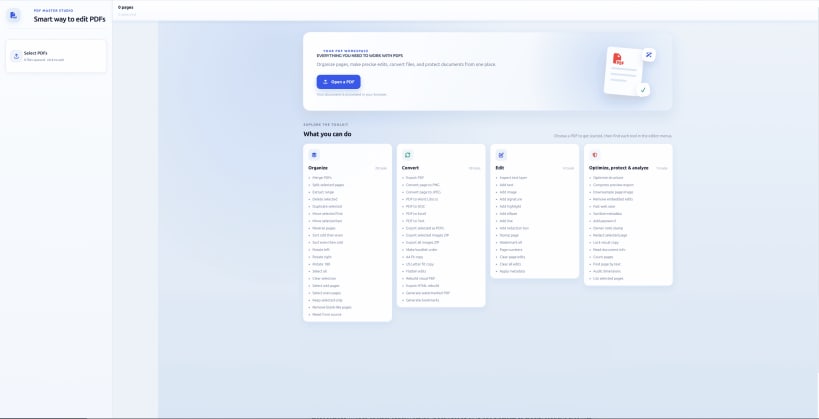
PDF Master Studio is a desktop PDF editing and document management application designed to help you work with PDF files efficiently. Organize, edit, convert, compress, and manage documents from one convenient workspace.
Built with a local-first approach, PDF Master Studio supports on-device processing for supported features, helping you maintain greater control over your documents. Selected features can be used offline, depending on their requirements.
💻 Available for Windows and Linux
Download the desktop application or explore the online version below.
🔗 DOWNLOAD PDF MASTER STUDIO
🌐 Snap Store (Ubuntu / Linux):
https://snapcraft.io/pdf-master-studio
📦 GitHub Releases (Desktop Downloads):
https://github.com/praveenpl03/pdf-master-studio/releases/tag/Stable
💻 Source Code on GitHub:
https://github.com/praveenpl03/pdf-master-studio
🌍 Use Online:
https://theconvertor--converter-97c1d.asia-southeast1.hosted.app/
✨ KEY FEATURES
📄 Merge multiple PDF files
✂️ Split PDFs and extract selected pages
↕️ Reorder, rotate, and organize PDF pages
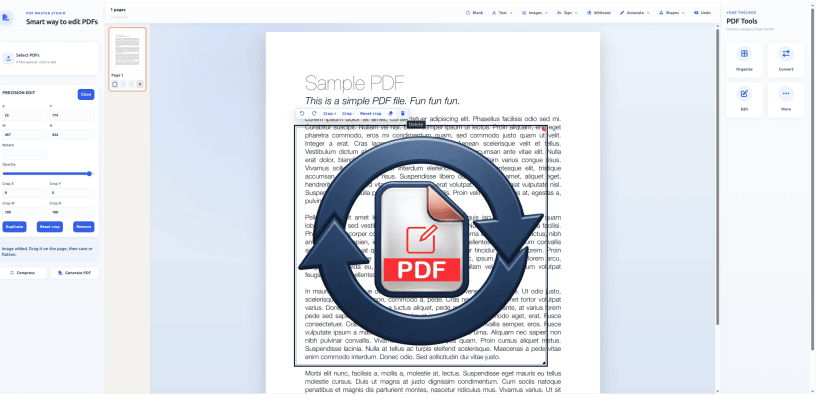
📝 Edit supported text and document elements
🗜️ Compress PDFs to help reduce file size
🔍 Extract text and use supported OCR features
🔄 Convert and export supported document content
🖼️ Work with PDF pages and images
🔒 Local-first processing for supported operations
⚡ A convenient desktop workspace for document management
🎯 WHO IS IT FOR?
PDF Master Studio is useful for students, professionals, office users, developers, and anyone who regularly works with PDF documents.
Whether you need to organize reports, prepare documents, extract text, or manage multiple PDF files, PDF Master Studio brings essential tools together in one place.
📢 SUPPORT THE PROJECT
⭐ Try PDF Master Studio and share your feedback.
👍 Like this video if you find it useful.
💬 Comment with the PDF features you'd like to see next.
🔔 Subscribe for more updates and development videos.
🌐 Official Links
Snap Store: https://snapcraft.io/pdf-master-studio
GitHub: https://github.com/praveenpl03/pdf-master-studio
GitHub Releases: https://github.com/praveenpl03/pdf-master-studio/releases/tag/Stable
Online Version: https://theconvertor--converter-97c1d.asia-southeast1.hosted.app/
#PDFMasterStudio #PDFEditor #LinuxApps #Ubuntu #PDFTools #OpenSource #WindowsApps #DocumentManagement
You are about to open
Do you wish to proceed?
Thank you for your report. Information you provided will help us investigate further.
There was an error while sending your report. Please try again later.
Snaps are applications packaged with all their dependencies to run on all popular Linux distributions from a single build. They update automatically and roll back gracefully.
Snaps are discoverable and installable from the Snap Store, an app store with an audience of millions.
If you’re running Kubuntu 16.04 LTS (Xenial Xerus) or later, including Kubuntu 18.04 LTS (Bionic Beaver) and Kubuntu 18.10 (Cosmic Cuttlefish), you don’t need to do anything. Snap is already installed and ready to go.
Versions of Kubuntu between 14.04 LTS (Trusty Tahr) and 15.10 (Wily Werewolf) don’t include snap by default, but snap can be installed from the command line as follows:
sudo apt update
sudo apt install snapd
To install PDF Master Studio, simply use the following command:
sudo snap install pdf-master-studio
Browse and find snaps from the convenience of your desktop using the snap store snap.

Interested to find out more about snaps? Want to publish your own application? Visit snapcraft.io now.