
PDF Master Studio
Install latest/stable of PDF Master Studio
Ubuntu 16.04 or later?
Make sure snap support is enabled in your Desktop store.
Install using the command line
sudo snap install pdf-master-studioDon't have snapd? Get set up for snaps.
Details for PDF Master Studio
Package name
- pdf-master-studio
License
- MIT
Last updated
- 18 October 2026 - latest/stable
- 13 October 2026 - latest/edge
Websites
Contact
Source code
Report a bug
External link warning
You are about to open
Do you wish to proceed?
Report a Snap Store violation
Report PDF Master Studio for a Snap Store violation
Snap Store Violation Report submitted successfully
Thank you for your report. Information you provided will help us investigate further.
Error submitting report
There was an error while sending your report. Please try again later.
Share this snap
Generate an embeddable card to be shared on external websites.
Open-source, local-first desktop workspace engineered to do every editing on PDF
🚀 PDF Master Studio – Powerful PDF Editor for Windows and Linux
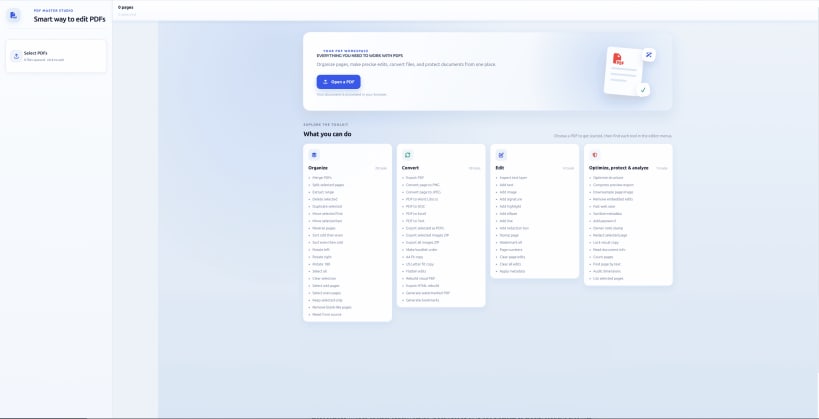
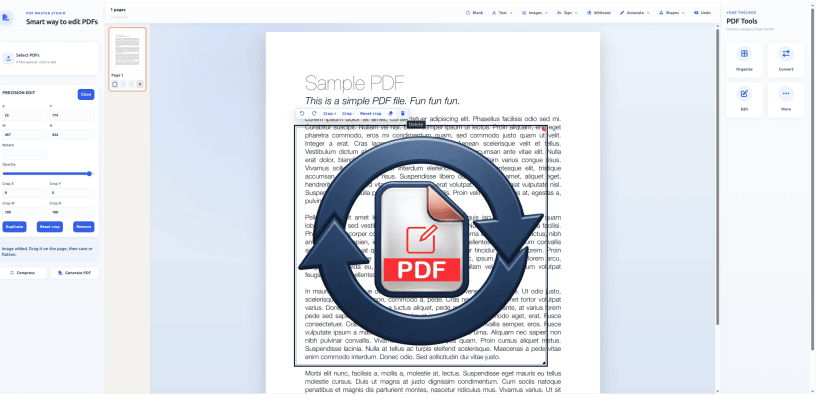
PDF Master Studio is a desktop PDF editing and document management application designed to help you work with PDF files efficiently. Organize, edit, convert, compress, and manage documents from one convenient workspace.
Built with a local-first approach, PDF Master Studio supports on-device processing for supported features, helping you maintain greater control over your documents. Selected features can be used offline, depending on their requirements.
💻 Available for Windows and Linux
Download the desktop application or explore the online version below.
🔗 DOWNLOAD PDF MASTER STUDIO
🌐 Snap Store (Ubuntu / Linux):
https://snapcraft.io/pdf-master-studio
📦 GitHub Releases (Desktop Downloads):
https://github.com/praveenpl03/pdf-master-studio/releases/tag/Stable
💻 Source Code on GitHub:
https://github.com/praveenpl03/pdf-master-studio
🌍 Use Online:
https://theconvertor--converter-97c1d.asia-southeast1.hosted.app/
✨ KEY FEATURES
📄 Merge multiple PDF files
✂️ Split PDFs and extract selected pages
↕️ Reorder, rotate, and organize PDF pages
📝 Edit supported text and document elements
🗜️ Compress PDFs to help reduce file size
🔍 Extract text and use supported OCR features
🔄 Convert and export supported document content
🖼️ Work with PDF pages and images
🔒 Local-first processing for supported operations
⚡ A convenient desktop workspace for document management
🎯 WHO IS IT FOR?
PDF Master Studio is useful for students, professionals, office users, developers, and anyone who regularly works with PDF documents.
Whether you need to organize reports, prepare documents, extract text, or manage multiple PDF files, PDF Master Studio brings essential tools together in one place.
📢 SUPPORT THE PROJECT
⭐ Try PDF Master Studio and share your feedback.
👍 Like this video if you find it useful.
💬 Comment with the PDF features you'd like to see next.
🔔 Subscribe for more updates and development videos.
🌐 Official Links
Snap Store: https://snapcraft.io/pdf-master-studio
GitHub: https://github.com/praveenpl03/pdf-master-studio
GitHub Releases: https://github.com/praveenpl03/pdf-master-studio/releases/tag/Stable
Online Version: https://theconvertor--converter-97c1d.asia-southeast1.hosted.app/
#PDFMasterStudio #PDFEditor #LinuxApps #Ubuntu #PDFTools #OpenSource #WindowsApps #DocumentManagement
| Revision | Channel | Version | Build | Commit | Download SBOM |
|---|
The build and commit information is derived from build infrastructure records.
Install PDF Master Studio on your Linux distribution
Choose your Linux distribution to get detailed installation instructions. If yours is not shown, get more details on the installing snapd documentation.











