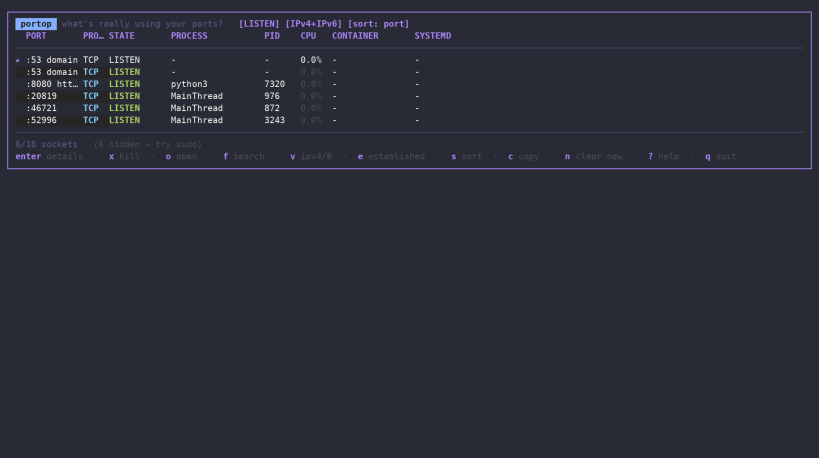
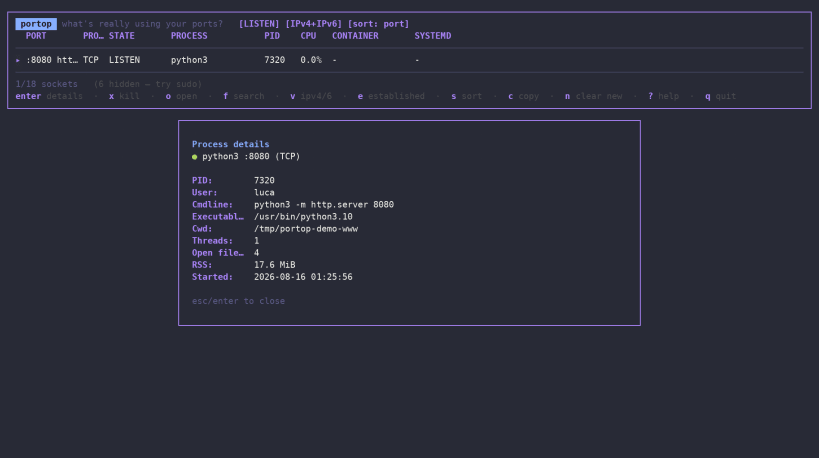
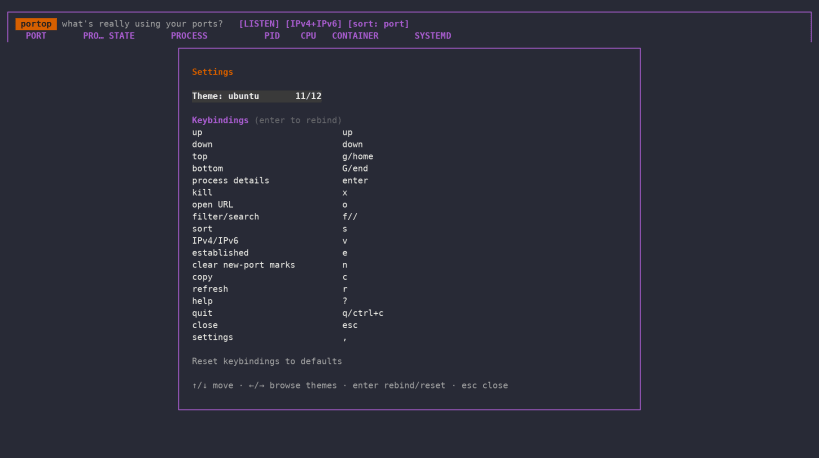
Portop is a fast, interactive network port monitor for Linux — available in your terminal, browser, and Cockpit.
Portop gives you an htop-style view of TCP and UDP sockets and the processes behind them, helping you quickly answer a simple question:
What's really using your ports?
Terminal UI
Run portop for a lightweight, keyboard-driven TUI with real-time network and process information.
Features include:
Web Dashboard
Run:
portop --web
to launch a local web dashboard with live TCP/UDP socket and process information.
The dashboard provides:
By default, the web server listens only on the local loopback interface.
Optional authentication can be enabled with:
portop --web --web-auth
Portop also supports custom bind addresses and HTTPS using your own TLS certificate and key, making it possible to securely access the dashboard from another machine.
Cockpit integration
Portop can also be installed as a Cockpit add-on.
Once installed, open:
Tools → Ports (portop)
to get the same live port and process inspection directly from the Cockpit web interface.
The integration uses Cockpit's own bridge and user permissions, so no additional Portop daemon or network service is required.
Three ways to use Portop
Terminal: portop
Browser: portop --web
Cockpit: Tools → Ports (portop)
Portop is designed for developers, system administrators, DevOps engineers and Linux users who need a fast way to understand network activity and identify the processes behind it.
Lightweight, open source and released under the MIT License.
You are about to open
Do you wish to proceed?
Thank you for your report. Information you provided will help us investigate further.
There was an error while sending your report. Please try again later.
Snaps are applications packaged with all their dependencies to run on all popular Linux distributions from a single build. They update automatically and roll back gracefully.
Snaps are discoverable and installable from the Snap Store, an app store with an audience of millions.
On Arch Linux, snap can be installed from the Arch User Repository (AUR). The manual build process is the Arch-supported install method for AUR packages, and you’ll need the prerequisites installed before you can install any AUR package. You can then install snap with the following:
git clone https://aur.archlinux.org/snapd.git
cd snapd
makepkg -si
Once installed, the systemd unit that manages the main snap communication socket needs to be enabled:
sudo systemctl enable --now snapd.socket
If AppArmor is enabled in your system, enable the service which loads AppArmor profiles for snaps:
sudo systemctl enable --now snapd.apparmor.service
To enable classic snap support, enter the following to create a symbolic link between /var/lib/snapd/snap and /snap:
sudo ln -s /var/lib/snapd/snap /snap
Either log out and back in again, or restart your system, to ensure snap’s paths are updated correctly.
To install Portop, simply use the following command:
sudo snap install portop

Browse and find snaps from the convenience of your desktop using the snap store snap.

Interested to find out more about snaps? Want to publish your own application? Visit snapcraft.io now.