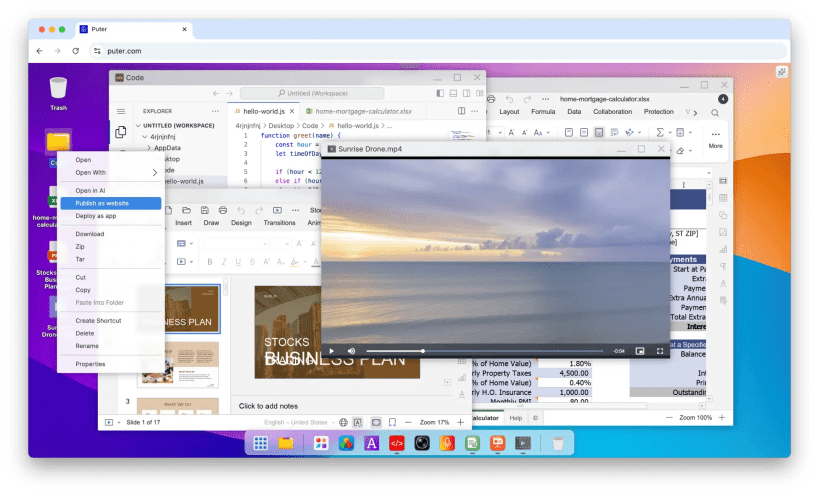
Puter is a self-hosted web desktop: a desktop, file manager, text editor and app store in the browser, with cloud storage for your files, an app and website hosting platform, and the Puter.js API for building apps on top of it.
This snap runs the self-hosted server with upstream's built-in storage: an SQLite database and local file storage, with no other services to install.
Getting started
The service starts right after installation and listens on 127.0.0.1:4100 (this machine only). Open http://puter.localhost:4100 and sign in as admin. The generated password is printed in the service log until you change it:
sudo snap logs puter -n=all | grep "password for admin"
Settings
sudo snap set puter port=4100 host=127.0.0.1
sudo snap set puter domain=puter.example.com
sudo snap set puter protocol=https pub-port=443
Puter routes by subdomain (api.<domain>, site.<domain>, app.<domain>), so a domain other than puter.localhost needs wildcard DNS. Other upstream settings go in /var/snap/puter/common/config.json.
You are about to open
Do you wish to proceed?
Thank you for your report. Information you provided will help us investigate further.
There was an error while sending your report. Please try again later.
Snaps are applications packaged with all their dependencies to run on all popular Linux distributions from a single build. They update automatically and roll back gracefully.
Snaps are discoverable and installable from the Snap Store, an app store with an audience of millions.
Snap can be installed on Pop!_OS from the command line. Open Terminal from the Applications launcher and type the following:
sudo apt update
sudo apt install snapd
Either log out and back in again, or restart your system, to ensure snap’s paths are updated correctly.
To install Puter, simply use the following command:
sudo snap install puter
Browse and find snaps from the convenience of your desktop using the snap store snap.
Interested to find out more about snaps? Want to publish your own application? Visit snapcraft.io now.