
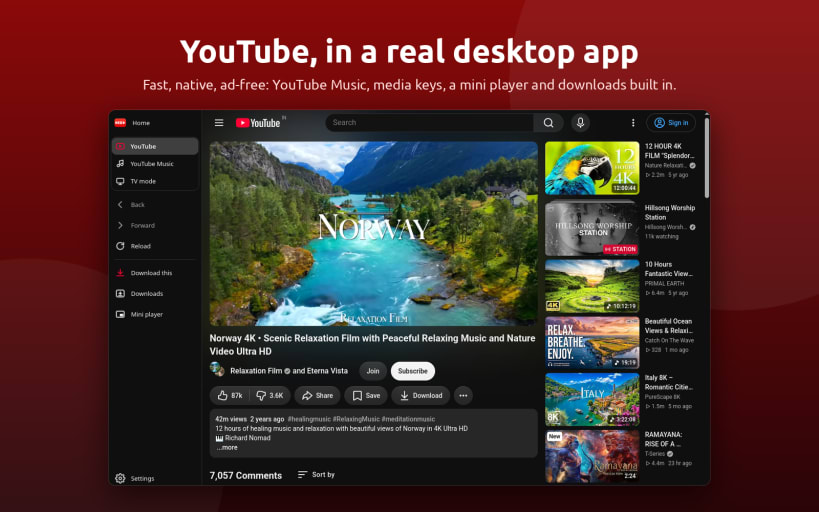

Red is a Native YouTube client for the Linux desktop: real YouTube/TV/Music in a native, lightweight, feature rich window.
Three modes
Desktop — Full YouTube website with light/dark/system theme and a floating mini-player that stays above other windows.
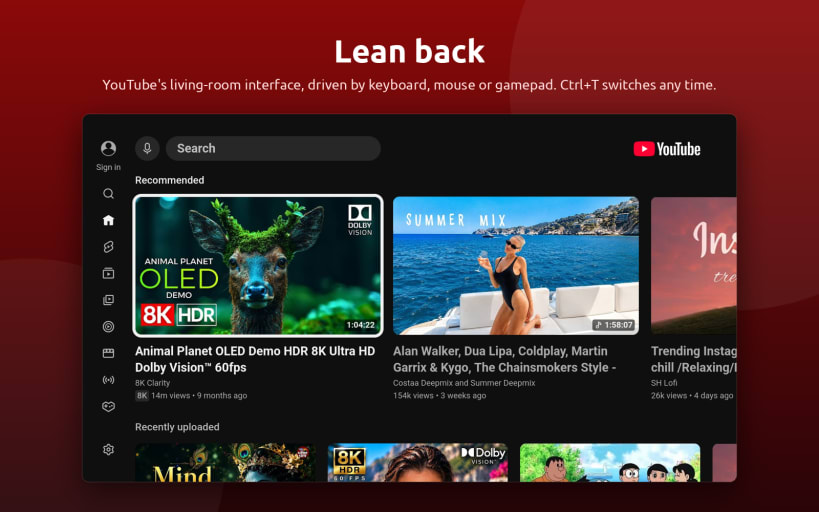
TV — YouTube Leanback in full-screen. Use your keyboard, mouse, or game controller. Ideal for media centers, living-room PCs, TVs, and handhelds. Press Ctrl+T to switch modes, with your current video carried over.
Music — YouTube Music in the same window with Ctrl+M. Keep music playing while browsing, use media keys and the system tray, and get desktop media controls with album artwork and track information. One-click audio downloads are also supported.
Watch without interruptions
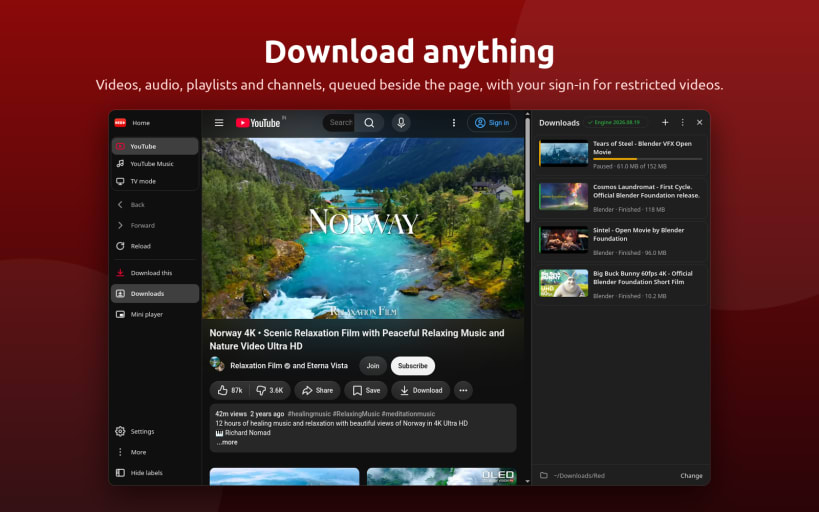
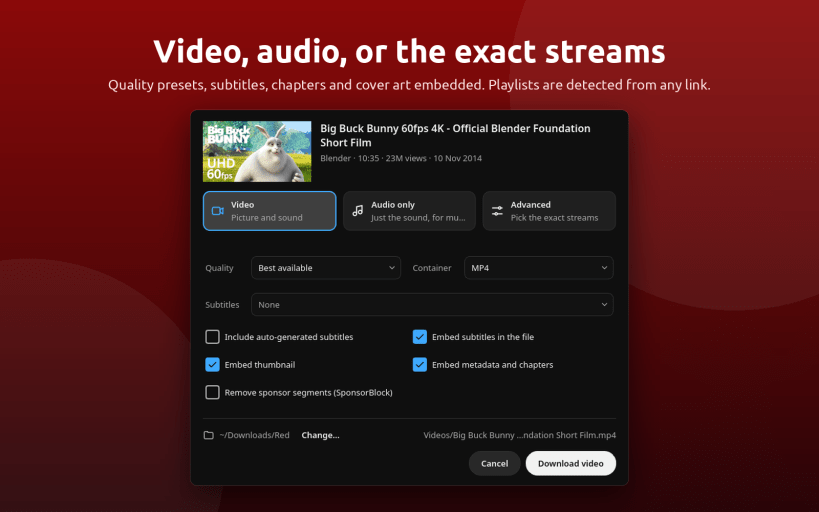
Built-in downloader
Desktop
Command line
Open a YouTube link, queue a download, or start directly in TV mode.
Keywords: YouTube Downloader, 4kTube, Ytdl, Youtube to MP3,
Hashtags: #YouTubeDownloader #4KVideoDownloader #YouTubeToMP3 #SnapDownloader #DownloadYouTubeVideos #MP3Converter #InstagramVideoDownloader #PlaylistDownloader #NoAdsVideoStreaming #BatchDownloadVideos #YouTubePlaylistDownloader #YouTubeToMP3Converter #DownloadOnlineVideos #VideoDownloaderApp #FreeVideoDownloader
You are about to open
Do you wish to proceed?
Thank you for your report. Information you provided will help us investigate further.
There was an error while sending your report. Please try again later.
Snaps are applications packaged with all their dependencies to run on all popular Linux distributions from a single build. They update automatically and roll back gracefully.
Snaps are discoverable and installable from the Snap Store, an app store with an audience of millions.
Snap is available for CentOS 7.6+, and Red Hat Enterprise Linux 7.6+, from the Extra Packages for Enterprise Linux (EPEL) repository. The EPEL repository can be added to your system with the following command:
sudo yum install epel-release
Snap can now be installed as follows:
sudo yum install snapd
Once installed, the systemd unit that manages the main snap communication socket needs to be enabled:
sudo systemctl enable --now snapd.socket
To enable classic snap support, enter the following to create a symbolic link between /var/lib/snapd/snap and /snap:
sudo ln -s /var/lib/snapd/snap /snap
Either log out and back in again, or restart your system, to ensure snap’s paths are updated correctly.
To install Red - YouTube client for Linux, simply use the following command:
sudo snap install red-app

Browse and find snaps from the convenience of your desktop using the snap store snap.

Interested to find out more about snaps? Want to publish your own application? Visit snapcraft.io now.