

Red - YouTube client for Linux (red-app)

Install latest/stable of Red - YouTube client for Linux
Ubuntu 16.04 or later?
Make sure snap support is enabled in your Desktop store.
Details for Red - YouTube client for Linux
Package name
- red-app
License
- GPL-3.0+
Last updated
- Today - latest/stable
- Today - latest/edge
Websites
Contact
Donations
Source code
Report a bug
External link warning
You are about to open
Do you wish to proceed?
Report a Snap Store violation
Report Red - YouTube client for Linux for a Snap Store violation
Snap Store Violation Report submitted successfully
Thank you for your report. Information you provided will help us investigate further.
Error submitting report
There was an error while sending your report. Please try again later.
Share this snap
Generate an embeddable card to be shared on external websites.
YouTube and YouTube Music without ads, TV mode, SponsorBlock, downloads
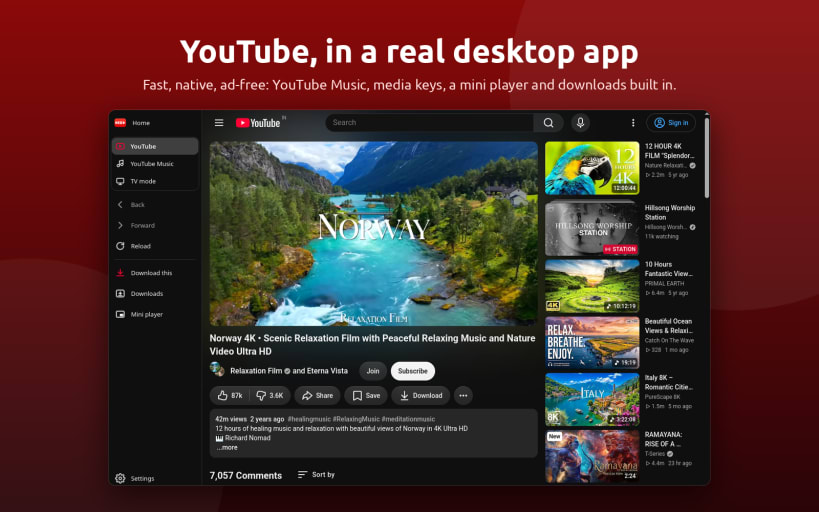
Red is a Open Source Native YouTube client for the Linux desktop: real YouTube/TV/Music in a native, lightweight, feature rich window.
Three modes
Desktop — Full YouTube website with light/dark/system theme and a floating mini-player that stays above other windows.
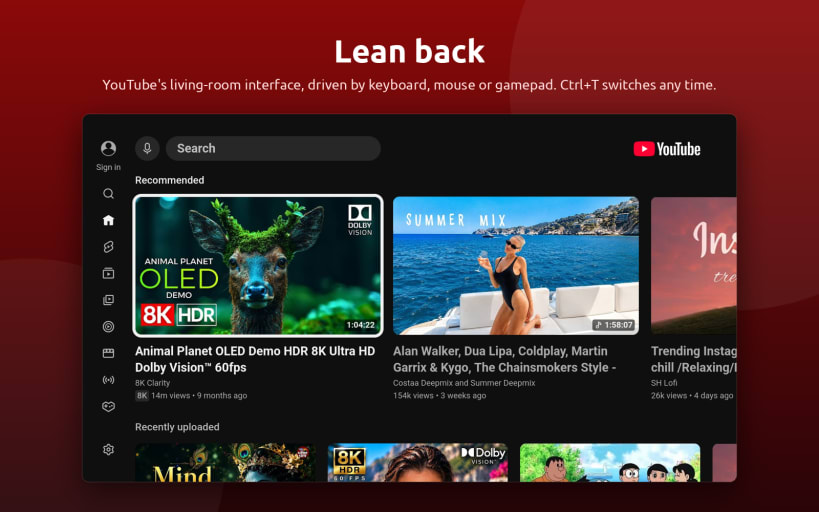
TV — YouTube Leanback in full-screen. Use your keyboard, mouse, or game controller. Ideal for media centers, living-room PCs, TVs, and handhelds. Press
Ctrl+Tto switch modes, with your current video carried over.Music — YouTube Music in the same window with
Ctrl+M. Keep music playing while browsing, use media keys and the system tray, and get desktop media controls with album artwork and track information. One-click audio downloads are also supported.
Watch without interruptions
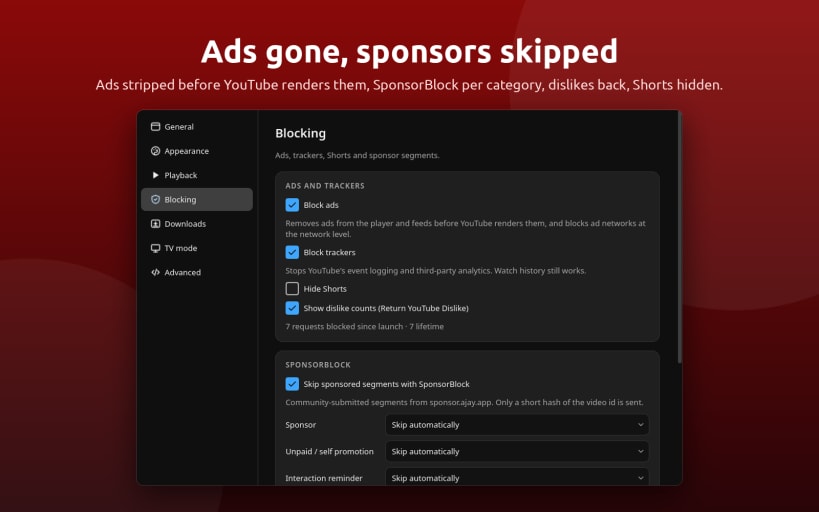
- Built-in ad blocker — Removes video ads, banners, and sponsored feed items before the page renders. Playback traffic is untouched.
- Tracker blocking
- SponsorBlock — Skip sponsors, intros, reminders, and other supported segments.
- Return YouTube Dislike — Restore dislike counts where available.
- Hide Shorts — Optionally remove YouTube Shorts from the interface.
Built-in downloader
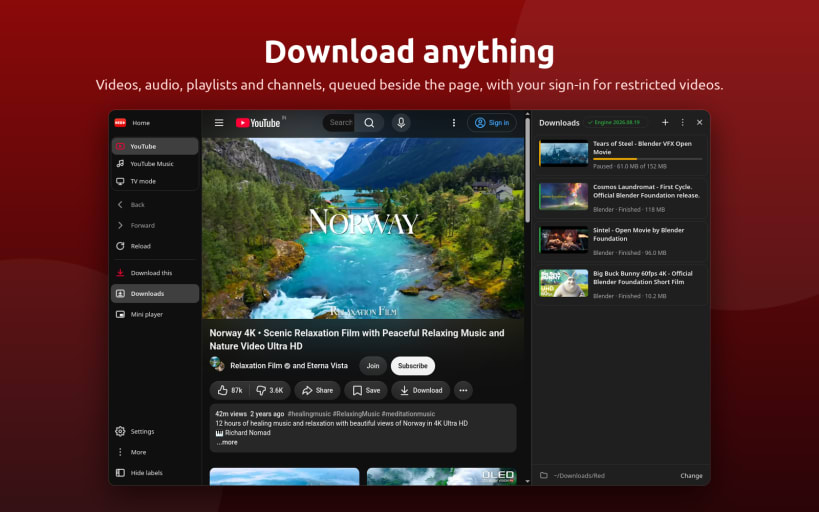
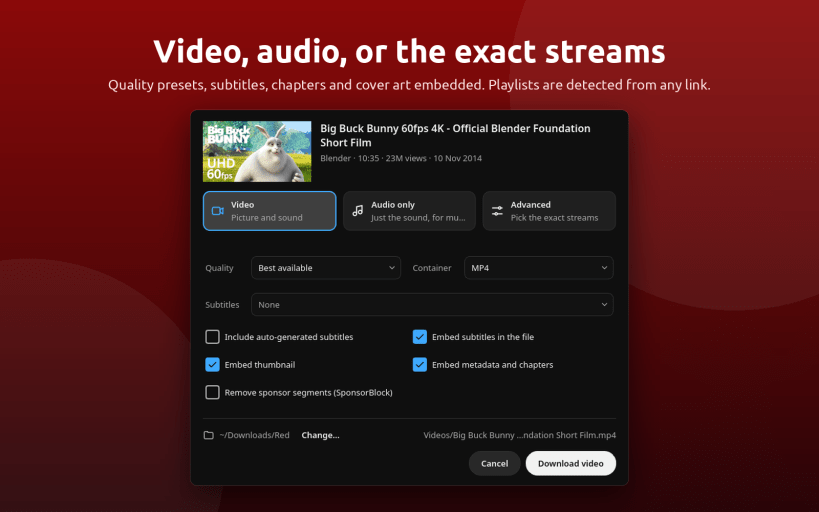
- Video downloads — Download videos, playlists, and channels as MP4, MKV, or WebM, up to 4K.
- Audio downloads — Extract audio as MP3, M4A, Opus, FLAC, or WAV.
- Subtitles and metadata — Download subtitles and embed thumbnails, metadata, and chapters.
- SponsorBlock integration — Optionally cut sponsor segments from downloads.
- Playlist detection — Detect playlists directly from links and select individual entries.
- Download queue — Pause, resume, and retry downloads.
- Age-restricted content — Reuse your YouTube sign-in to download age-restricted videos.
- Automatic updates — The download engine is configured on first use and updates itself.
Desktop
- Media keys and MPRIS support.
- System tray controls for play, pause, and skip.
- Keep screen awake while video plays.
- Background playback continues while the window is hidden.
- Hardware decoding for video playback.
- Wayland and X11 support.
- Download notifications when downloads finish.
- Single instance support.
Command line
- red-app <youtube-link>
- red-app --download <link>
- red-app --tv
Open a YouTube link, queue a download, or start directly in TV mode.
Keywords: YouTube Downloader, 4kTube, Ytdl, Youtube to MP3,
Hashtags: #YouTubeDownloader #4KVideoDownloader #YouTubeToMP3 #SnapDownloader #DownloadYouTubeVideos #MP3Converter #InstagramVideoDownloader #PlaylistDownloader #NoAdsVideoStreaming #BatchDownloadVideos #YouTubePlaylistDownloader #YouTubeToMP3Converter #DownloadOnlineVideos #VideoDownloaderApp #FreeVideoDownloader
| Revision | Channel | Version | Build | Commit | Download SBOM |
|---|
The build and commit information is derived from build infrastructure records.
Install Red - YouTube client for Linux on your Linux distribution
Choose your Linux distribution to get detailed installation instructions. If yours is not shown, get more details on the installing snapd documentation.












