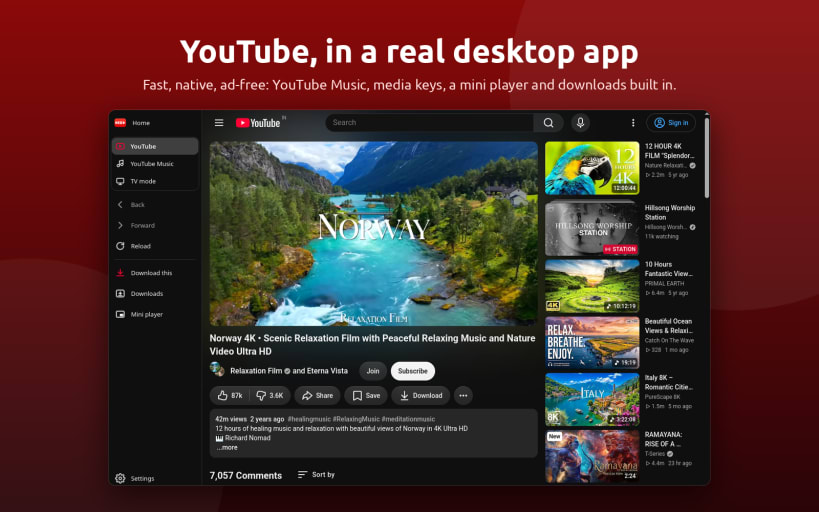
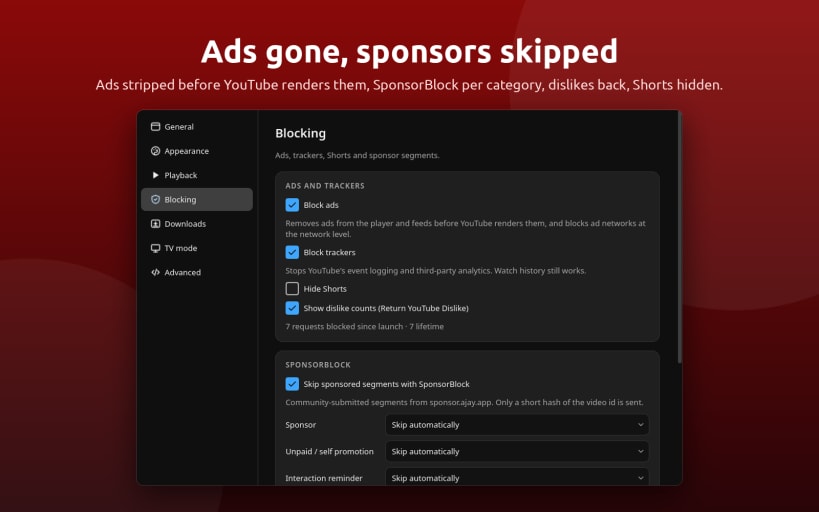
Red is a Open Source Native YouTube client for the Linux desktop: real YouTube/TV/Music in a native, lightweight, feature rich window.
Three modes
Desktop — Full YouTube website with light/dark/system theme and a floating mini-player that stays above other windows.
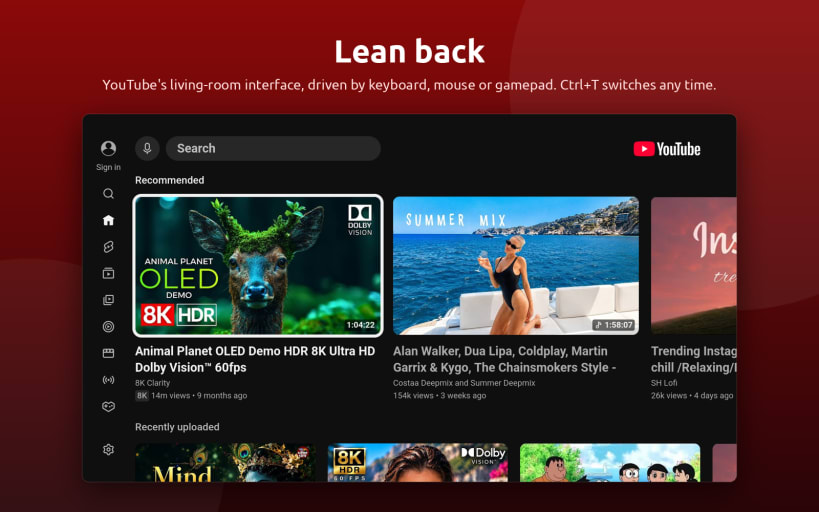
TV — YouTube Leanback in full-screen. Use your keyboard, mouse, or game controller. Ideal for media centers, living-room PCs, TVs, and handhelds. Press Ctrl+T to switch modes, with your current video carried over.
Music — YouTube Music in the same window with Ctrl+M. Keep music playing while browsing, use media keys and the system tray, and get desktop media controls with album artwork and track information. One-click audio downloads are also supported.
Watch without interruptions
- Built-in ad blocker — Removes video ads, banners, and sponsored feed items before the page renders. Playback traffic is untouched.
- Tracker blocking
- SponsorBlock — Skip sponsors, intros, reminders, and other supported segments.
- Return YouTube Dislike — Restore dislike counts where available.
- Hide Shorts — Optionally remove YouTube Shorts from the interface.
Built-in downloader
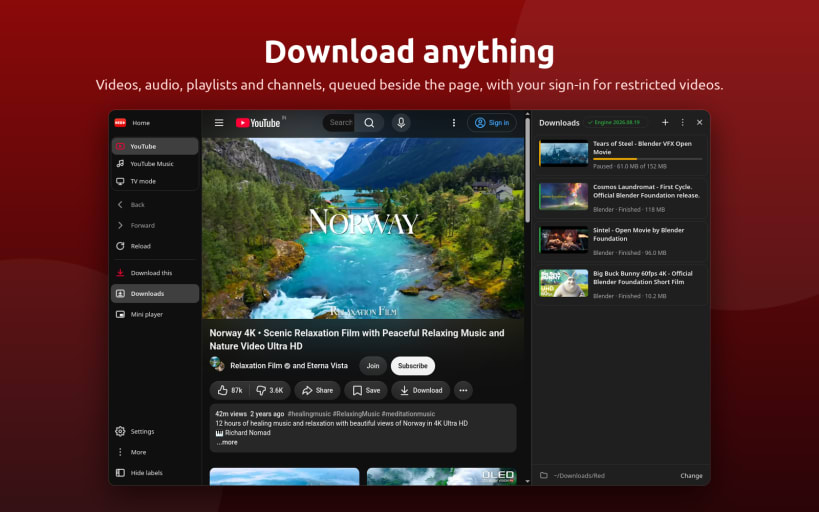
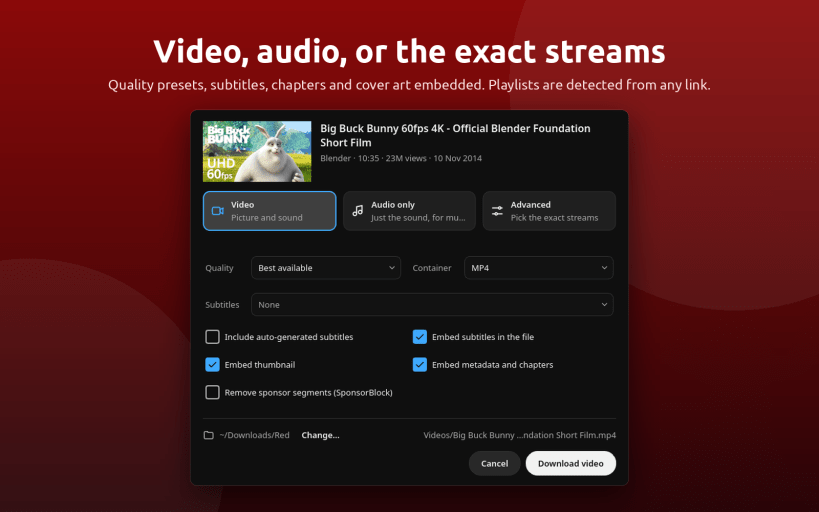
- Video downloads — Download videos, playlists, and channels as MP4, MKV, or WebM, up to 4K.
- Audio downloads — Extract audio as MP3, M4A, Opus, FLAC, or WAV.
- Subtitles and metadata — Download subtitles and embed thumbnails, metadata, and chapters.
- SponsorBlock integration — Optionally cut sponsor segments from downloads.
- Playlist detection — Detect playlists directly from links and select individual entries.
- Download queue — Pause, resume, and retry downloads.
- Age-restricted content — Reuse your YouTube sign-in to download age-restricted videos.
- Automatic updates — The download engine is configured on first use and updates itself.
Desktop
- Media keys and MPRIS support.
- System tray controls for play, pause, and skip.
- Keep screen awake while video plays.
- Background playback continues while the window is hidden.
- Hardware decoding for video playback.
- Wayland and X11 support.
- Download notifications when downloads finish.
- Single instance support.
Command line
- red-app <youtube-link>
- red-app --download <link>
- red-app --tv
Open a YouTube link, queue a download, or start directly in TV mode.
Keywords: YouTube Downloader, 4kTube, Ytdl, Youtube to MP3,
Hashtags:
#YouTubeDownloader #4KVideoDownloader #YouTubeToMP3 #SnapDownloader #DownloadYouTubeVideos #MP3Converter #InstagramVideoDownloader #PlaylistDownloader #NoAdsVideoStreaming #BatchDownloadVideos #YouTubePlaylistDownloader #YouTubeToMP3Converter #DownloadOnlineVideos #VideoDownloaderApp #FreeVideoDownloader