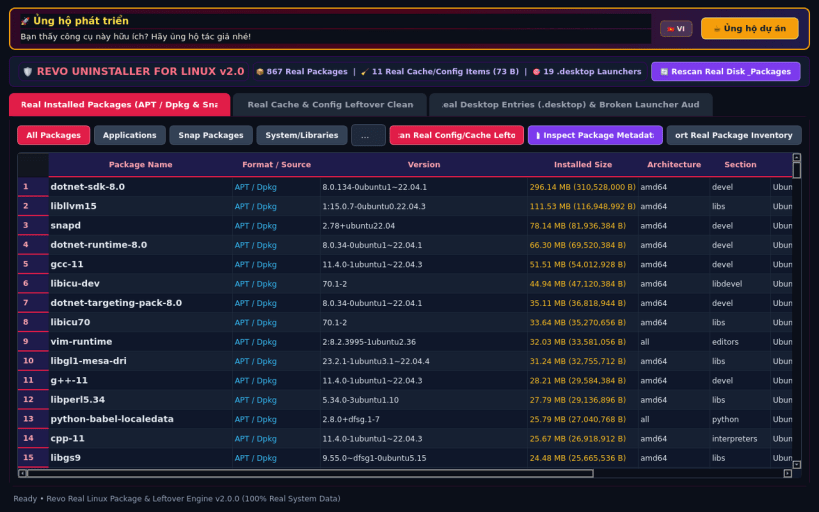
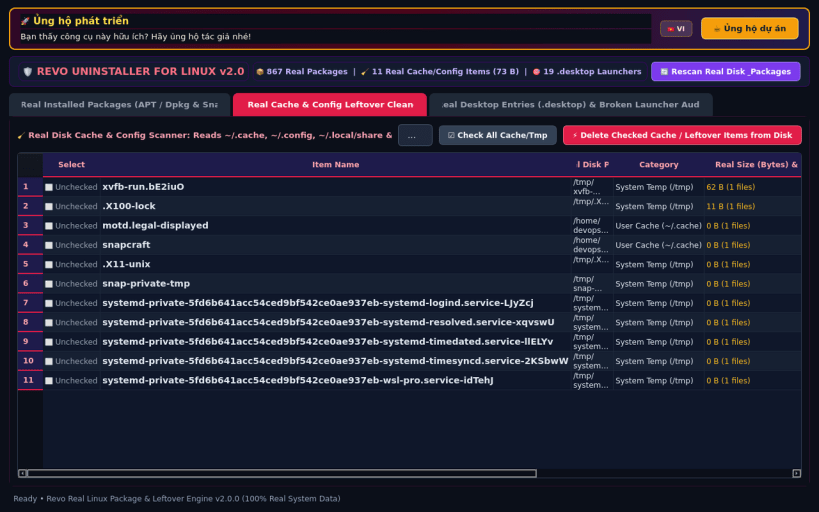
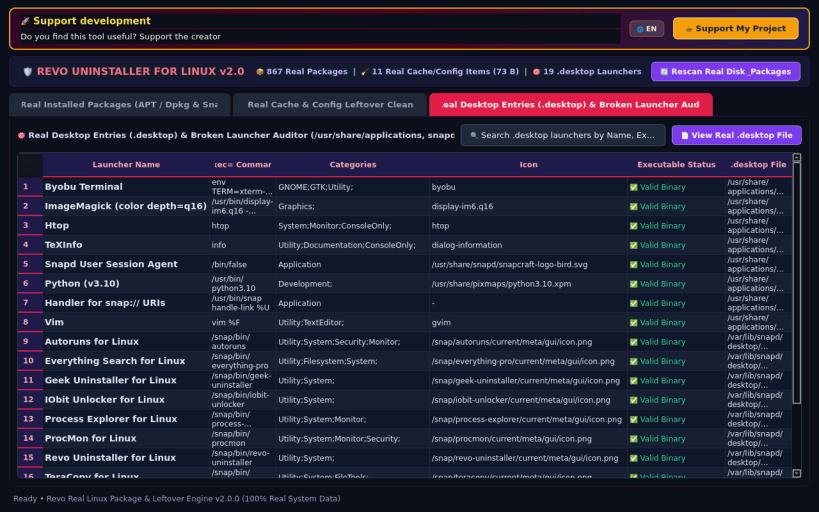
Revo Uninstaller for Linux brings the iconic deep-uninstallation and post-removal leftover hunting workflow to Linux desktops. Easily inspect and remove installed APT/DEB, Snap, Flatpak, and AppImage applications while hunting down gigabytes of orphaned configuration files, shader/bytecode caches, and leftover Dconf keys.
KEY FEATURES: • Unified Multi-Format Package Manager: Browse APT/DEB, Snap, Flatpak, and AppImage packages with version, size, install date, publisher, and estimated leftover trace footprints. • Deep Leftover Hunter (Config / Cache / Dconf): Scan ~/.config, ~/.cache, ~/.local/share, /etc, /var/lib, and Dconf keys with safety badges (Safe to Purge vs Review) and one-click shredding. • Hunter Mode & Auto-Clean Audit Log: Trace any binary path or desktop launcher back to its owning package and review historical reclaimed disk space.
SUPPORT & DONATE: • Created by Thanh Nguyen — Support ongoing development: https://buymeacoffee.com/thanhnv128b
You are about to open
Do you wish to proceed?
Thank you for your report. Information you provided will help us investigate further.
There was an error while sending your report. Please try again later.
Snaps are applications packaged with all their dependencies to run on all popular Linux distributions from a single build. They update automatically and roll back gracefully.
Snaps are discoverable and installable from the Snap Store, an app store with an audience of millions.
Snap can be installed on elementary OS from the command line. Open Terminal from the Applications launcher and type the following:
sudo apt update
sudo apt install snapd
Either log out and back in again, or restart your system, to ensure snap’s paths are updated correctly.
To install Revo Residual Cache Cleaner, simply use the following command:
sudo snap install revo-uninstaller
Browse and find snaps from the convenience of your desktop using the snap store snap.
Interested to find out more about snaps? Want to publish your own application? Visit snapcraft.io now.