

Revo Residual Cache Cleaner (revo-uninstaller)
Install latest/stable of Revo Residual Cache Cleaner
Ubuntu 16.04 or later?
Make sure snap support is enabled in your Desktop store.
Install using the command line
sudo snap install revo-uninstallerDon't have snapd? Get set up for snaps.
Details for Revo Residual Cache Cleaner
Package name
- revo-uninstaller
License
- MIT
Last updated
- Today - latest/stable
Websites
Contact
External link warning
You are about to open
Do you wish to proceed?
Report a Snap Store violation
Report Revo Residual Cache Cleaner for a Snap Store violation
Snap Store Violation Report submitted successfully
Thank you for your report. Information you provided will help us investigate further.
Error submitting report
There was an error while sending your report. Please try again later.
Share this snap
Generate an embeddable card to be shared on external websites.
Deep package uninstaller & leftover config, cache, and Dconf trace hunter
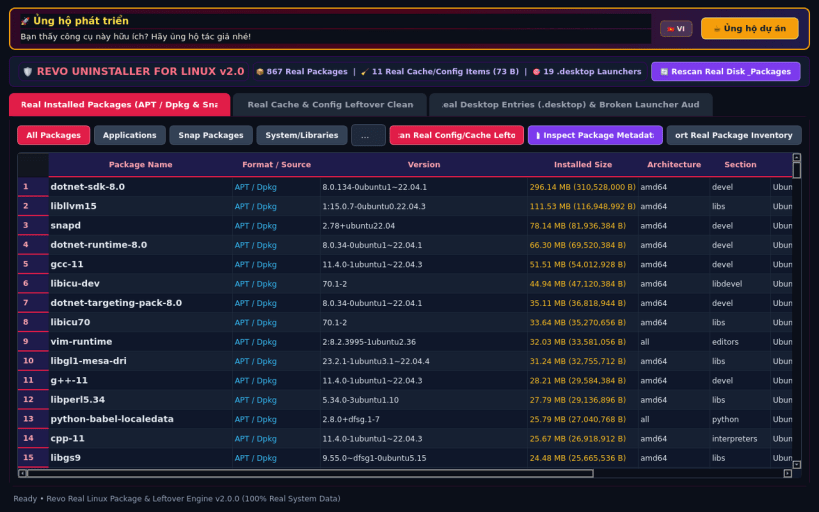
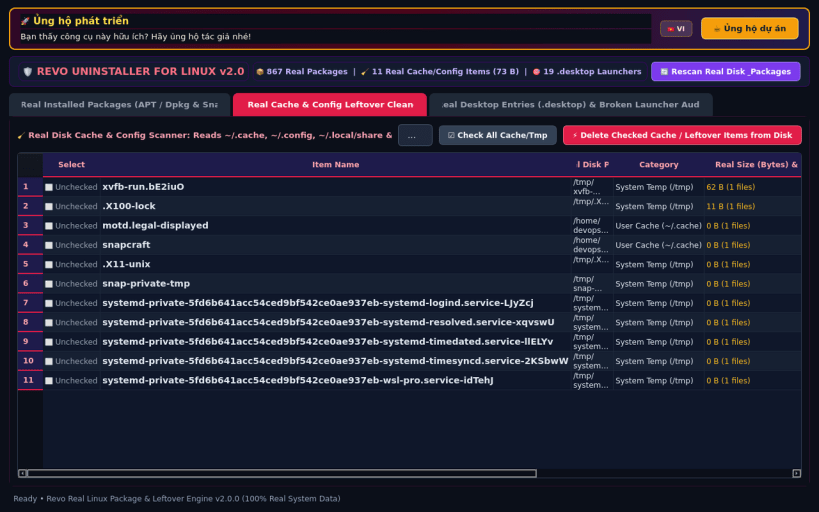
Revo Uninstaller for Linux brings the iconic deep-uninstallation and post-removal leftover hunting workflow to Linux desktops. Easily inspect and remove installed APT/DEB, Snap, Flatpak, and AppImage applications while hunting down gigabytes of orphaned configuration files, shader/bytecode caches, and leftover Dconf keys.
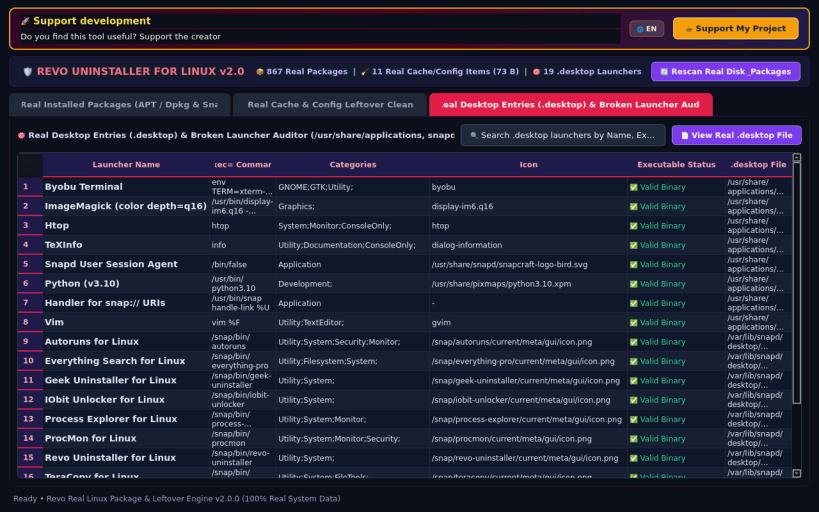
KEY FEATURES: • Unified Multi-Format Package Manager: Browse APT/DEB, Snap, Flatpak, and AppImage packages with version, size, install date, publisher, and estimated leftover trace footprints. • Deep Leftover Hunter (Config / Cache / Dconf): Scan ~/.config, ~/.cache, ~/.local/share, /etc, /var/lib, and Dconf keys with safety badges (Safe to Purge vs Review) and one-click shredding. • Hunter Mode & Auto-Clean Audit Log: Trace any binary path or desktop launcher back to its owning package and review historical reclaimed disk space.
SUPPORT & DONATE: • Created by Thanh Nguyen — Support ongoing development: https://buymeacoffee.com/thanhnv128b
| Revision | Channel | Version | Build | Commit | Download SBOM |
|---|
The build and commit information is derived from build infrastructure records.
Install Revo Residual Cache Cleaner on your Linux distribution
Choose your Linux distribution to get detailed installation instructions. If yours is not shown, get more details on the installing snapd documentation.


