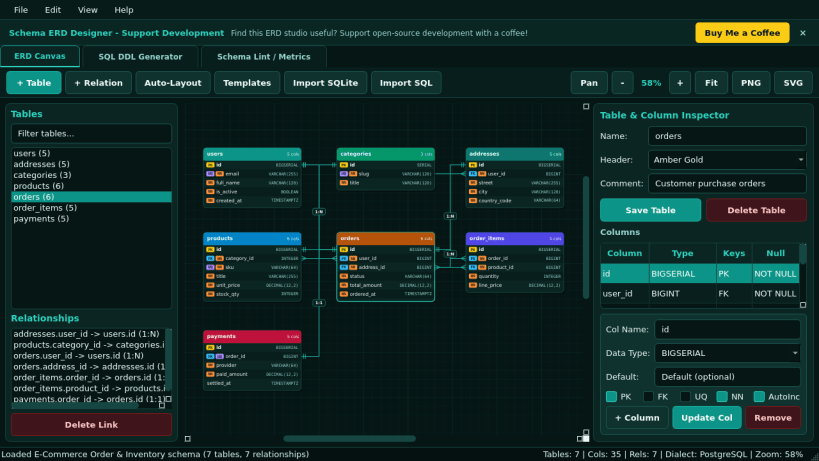
Schema ERD Designer is a fast, offline visual database modeling, SQLite reverse-engineering, and multi-dialect SQL DDL generation studio for Linux desktops. Design entity-relationship diagrams on a crisp interactive dark canvas with draggable table cards, live PK/FK/UQ/NN column badges, and dynamically routed orthogonal Crow's-Foot connectors (1:1, 1:N, N:M).
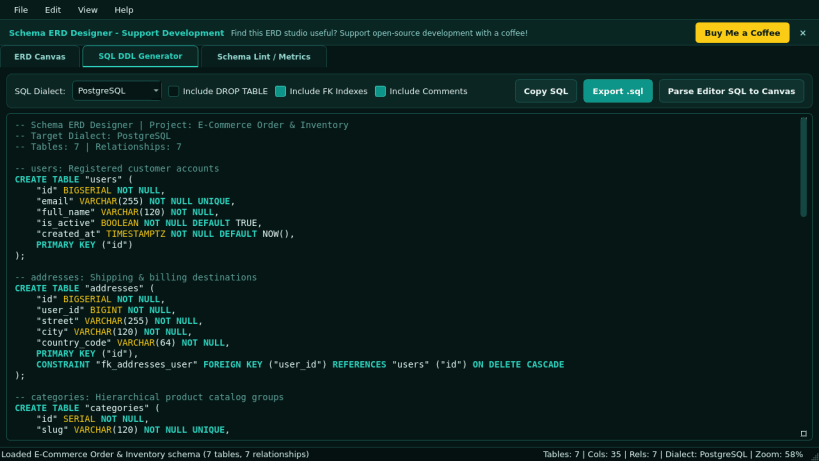
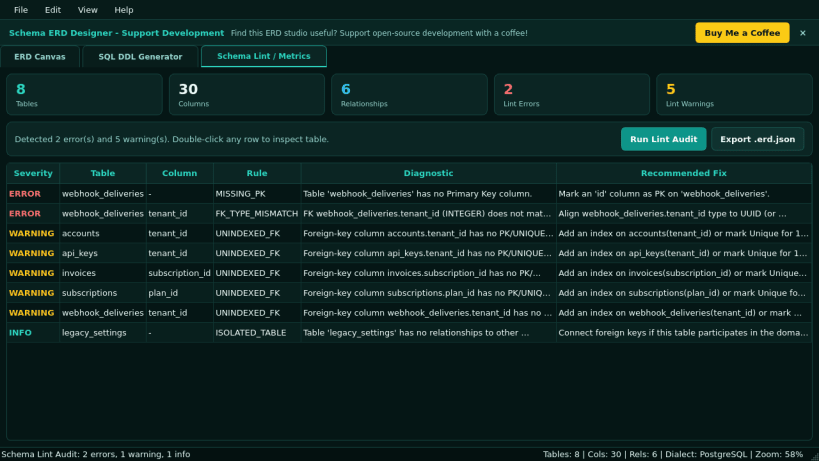
Reverse-engineer existing SQLite databases directly from real .sqlite or .db files by inspecting table schemas, unique indexes, and foreign-key metadata, or parse CREATE TABLE SQL DDL files into an organized visual diagram with automatic grid layout. Generate clean forward SQL DDL for PostgreSQL, MySQL, MariaDB, and SQLite, audit schemas with the built-in Lint Analyzer for missing primary keys, unindexed foreign keys, or column type mismatches, and export diagrams to .erd.json, .sql, high-DPI .png, or crisp vector .svg.
Released under the MIT License.
You are about to open
Do you wish to proceed?
Thank you for your report. Information you provided will help us investigate further.
There was an error while sending your report. Please try again later.
Snaps are applications packaged with all their dependencies to run on all popular Linux distributions from a single build. They update automatically and roll back gracefully.
Snaps are discoverable and installable from the Snap Store, an app store with an audience of millions.
Snap can be installed on elementary OS from the command line. Open Terminal from the Applications launcher and type the following:
sudo apt update
sudo apt install snapd
Either log out and back in again, or restart your system, to ensure snap’s paths are updated correctly.
To install Schema ERD Designer, simply use the following command:
sudo snap install schema-erd-designer

Browse and find snaps from the convenience of your desktop using the snap store snap.

Interested to find out more about snaps? Want to publish your own application? Visit snapcraft.io now.