A Linux X11 alternative to Caffeine. Independent open-source project, not affiliated with or endorsed by Zhorn Software.
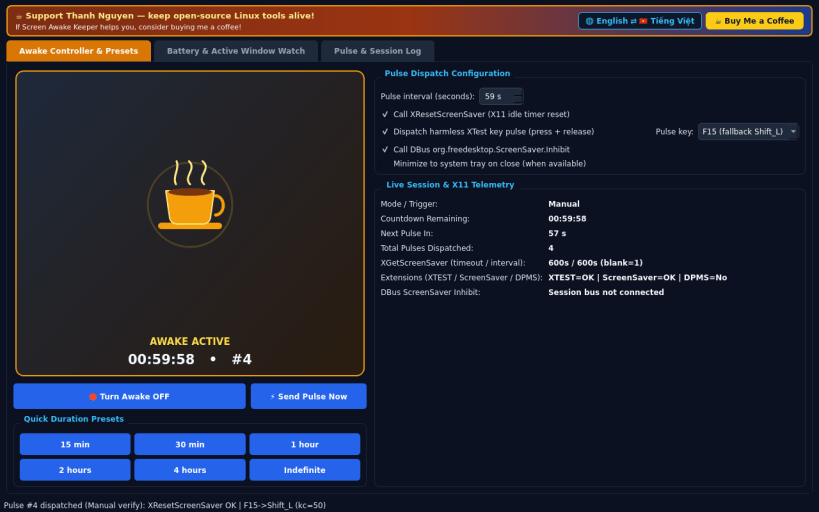
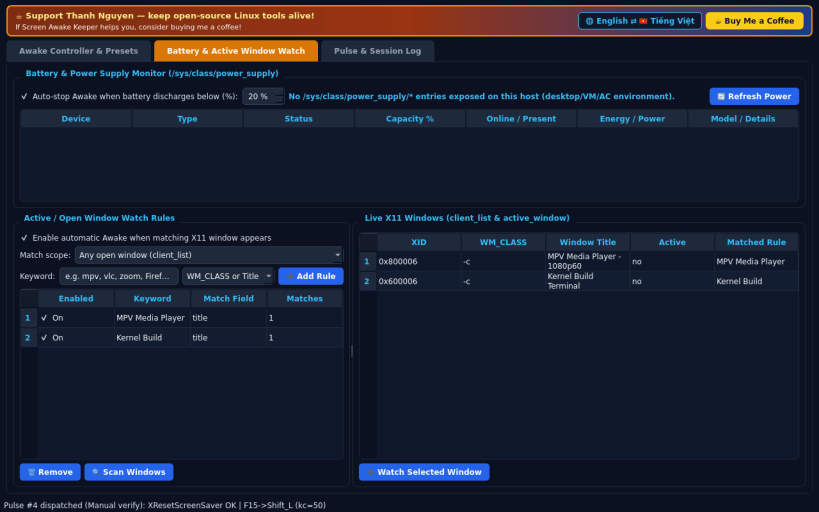
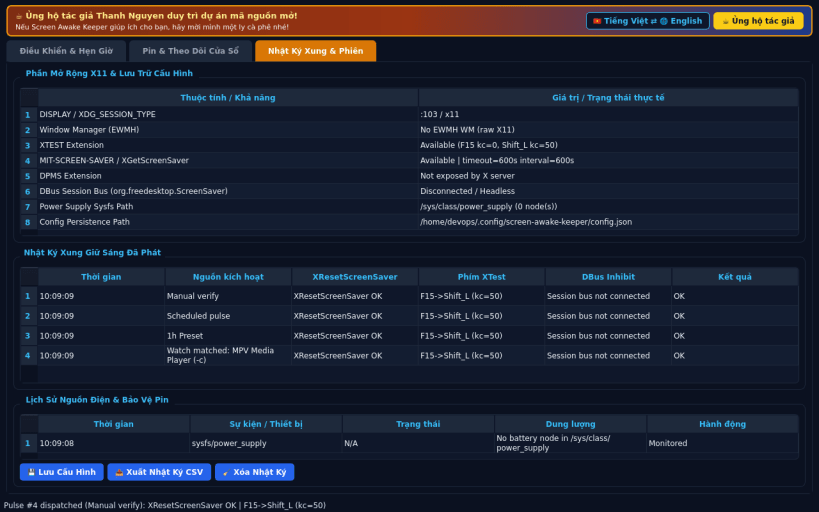
FEATURES • Awake Controller & Presets: quick coffee-cup state toggle, one-click presets (15 min, 30 min, 1 hour, 2 hours, 4 hours, Indefinite), configurable pulse interval (default 59s), real X11 XResetScreenSaver calls, optional XTest harmless key pulse (F15 / Shift_L), and optional DBus org.freedesktop.ScreenSaver.Inhibit integration when the session bus is available. • Battery & Active Window Watch: reads real power supply metrics from /sys/class/power_supply/ to auto-stop when discharging below a chosen battery threshold, and watches X11 client/active windows against WM_CLASS or title keywords to keep the display awake automatically. • Pulse & Session Log: live table of dispatched pulses, X11 extension diagnostics (XTEST, DPMS, MIT-SCREEN-SAVER), battery event history, and persistent JSON settings.
SUPPORT & DONATE • Created by Thanh Nguyen — https://buymeacoffee.com/thanhnv128b
You are about to open
Do you wish to proceed?
Thank you for your report. Information you provided will help us investigate further.
There was an error while sending your report. Please try again later.
Snaps are applications packaged with all their dependencies to run on all popular Linux distributions from a single build. They update automatically and roll back gracefully.
Snaps are discoverable and installable from the Snap Store, an app store with an audience of millions.
On Debian 9 (Stretch) and newer, snap can be installed directly from the command line:
sudo apt update
sudo apt install snapd
After this, install the snapd snap in order to get the latest snapd:
sudo snap install snapd
To install Screen Awake Keeper, simply use the following command:
sudo snap install screen-awake-keeper
Browse and find snaps from the convenience of your desktop using the snap store snap.
Interested to find out more about snaps? Want to publish your own application? Visit snapcraft.io now.