
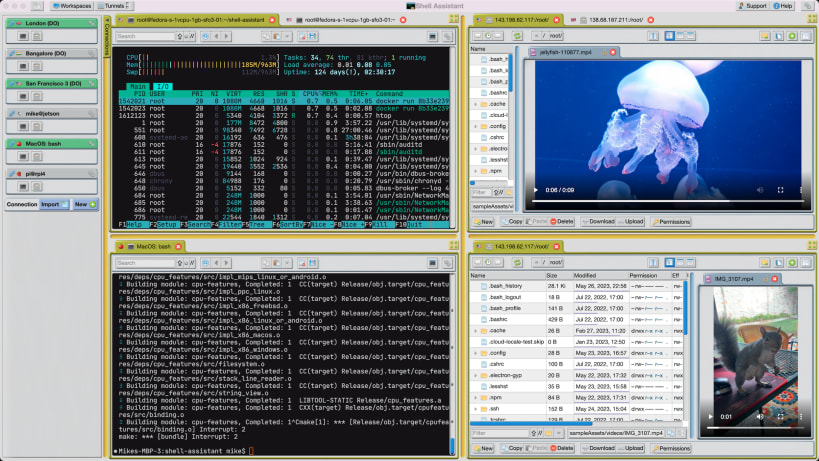
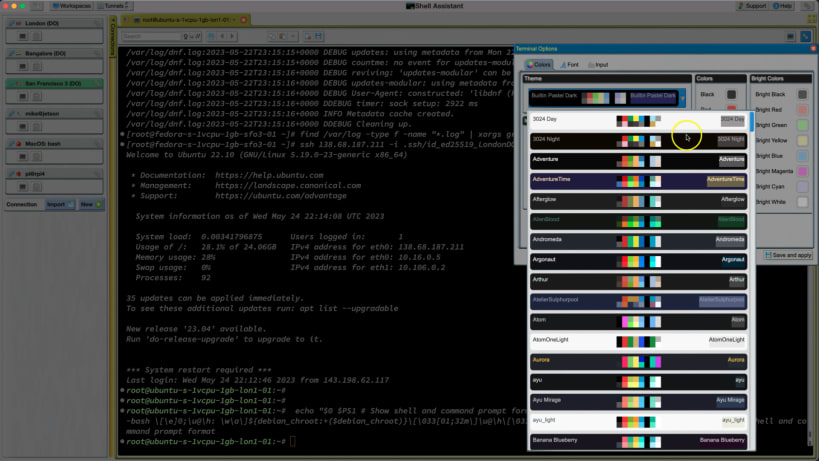
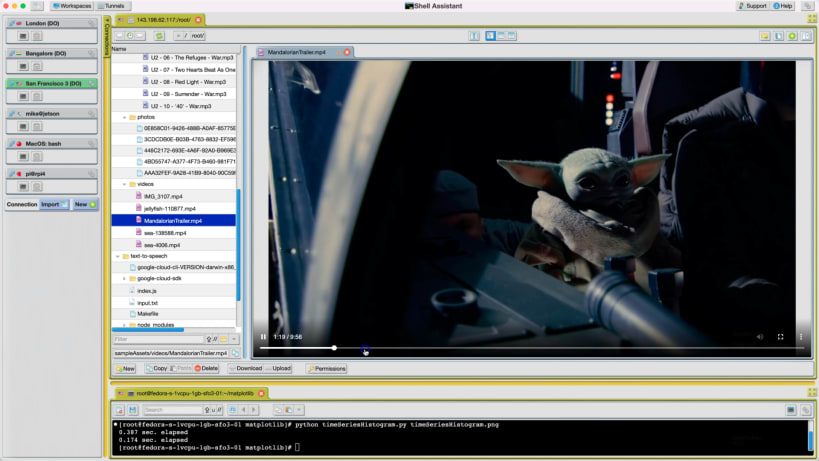
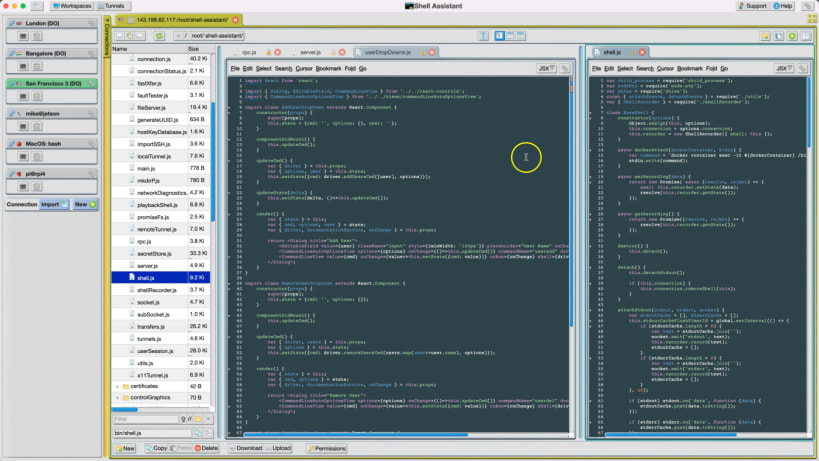
•SSH and SFTP client •Shell Terminal •SFTP File manager •SFTP code editor •Custom tab & split window layouts •Switch between workspaces •Connection, key & password management •Stream audio and video, view images and pdf's, edit code over SFTP •Tunnel network ports •Text editor-like command editing •Paste history •Free & ad-free •Respects your privacy
Connect to remote hosts over SSH, including Amazon Web Service EC2, Linodes, Digital Ocean or Raspberry Pis. Connect to local unix-like installations running Mac OS, Linux, MinGW, Cygwin, Git-bash and Windows Subsystem for Linux. A great tool for your toolbox if you work with Unix, Linux, Mac Command Line, Raspberry Pi's or anything that uses a Command Line Interface.
Shell Terminal - A productive and customizable Shell Terminal with many innovative features. Prompt & scrollbar markers. Text editor commands in bash/zsh. Build commands quickly with Paste history.
SFTP File manager - Manage files on remote and local systems, command-line style. View images, pdf and source files. Stream audio & video. Color file listings. Size/time bars.
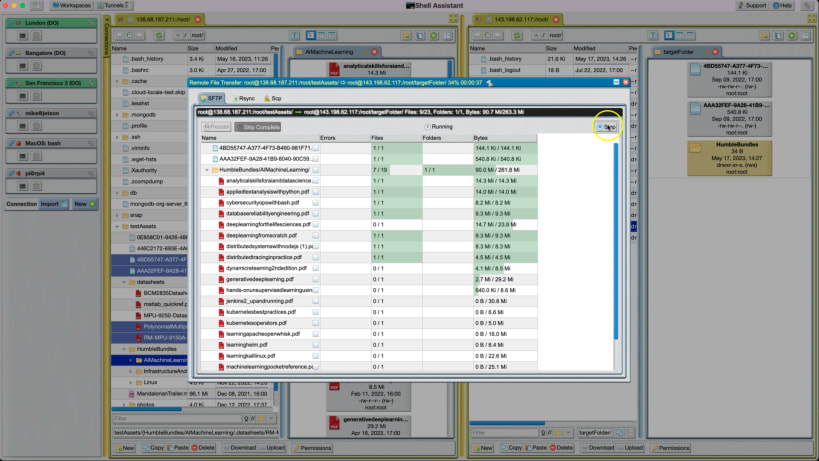
File Transfers - Drag & drop or Copy & Paste to transfer files between Unix hosts over SFTP. Generate command lines to copy files using rsync, sftp, mv, cp etc.
SFTP Code Editor - Develop code projects in the cloud. Edit source and configuration files. Many customization options. Code folding, quick find, bookmarks, tabs, multi-selections/cursors.
Tab and split layouts - drag Shells or File Managers to create custom tab and split window arrangements. Rearrange while you are working.
Workspaces - Create separate layouts to branch off on new tasks. Switch between them. Save to reload the next time you start.
Connection Management - Create or import configurations for many hosts for fast login. Drag and drop a connection to create a shell or file manager.
Key and password secret management for password-free logins. Use the authorized_keys editor to quickly authorize and manage your public keys.
Tunnels - Tunnel network connections to and from remote databases and servers over a secure connection.
You are about to open
Do you wish to proceed?
Thank you for your report. Information you provided will help us investigate further.
There was an error while sending your report. Please try again later.
Snaps are applications packaged with all their dependencies to run on all popular Linux distributions from a single build. They update automatically and roll back gracefully.
Snaps are discoverable and installable from the Snap Store, an app store with an audience of millions.
If you’re running Ubuntu 16.04 LTS (Xenial Xerus) or later, including Ubuntu 18.04 LTS (Bionic Beaver) and Ubuntu 20.04 LTS (Focal Fossa), you don’t need to do anything. Snap is already installed and ready to go.
For versions of Ubuntu between 14.04 LTS (Trusty Tahr) and 15.10 (Wily Werewolf), as well as Ubuntu flavours that don’t include snap by default, snap can be installed from the Ubuntu Software Centre by searching for snapd.
Alternatively, snapd can be installed from the command line:
sudo apt update
sudo apt install snapd
Either log out and back in again, or restart your system, to ensure snap’s paths are updated correctly.
To install Shell Assistant, simply use the following command:
sudo snap install shell-assistant --classic
Browse and find snaps from the convenience of your desktop using the snap store snap.

Interested to find out more about snaps? Want to publish your own application? Visit snapcraft.io now.