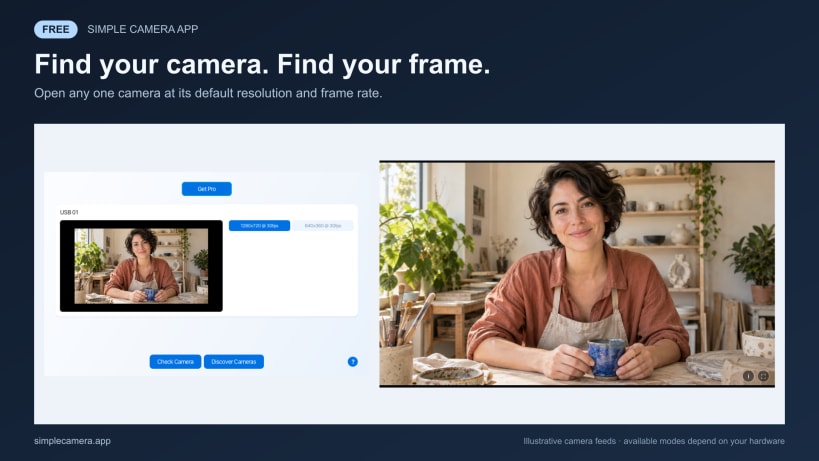
Simple Camera App is a focused camera viewer for Linux. It discovers built-in, USB, virtual and other V4L2 cameras, shows the resolutions and frame rates each device reports, and opens a clean live preview without adding a recording or editing workflow.
Use it to:
Free: open any one camera at a time at its default resolution and frame rate. Check your framing and explore the modes your camera reports.
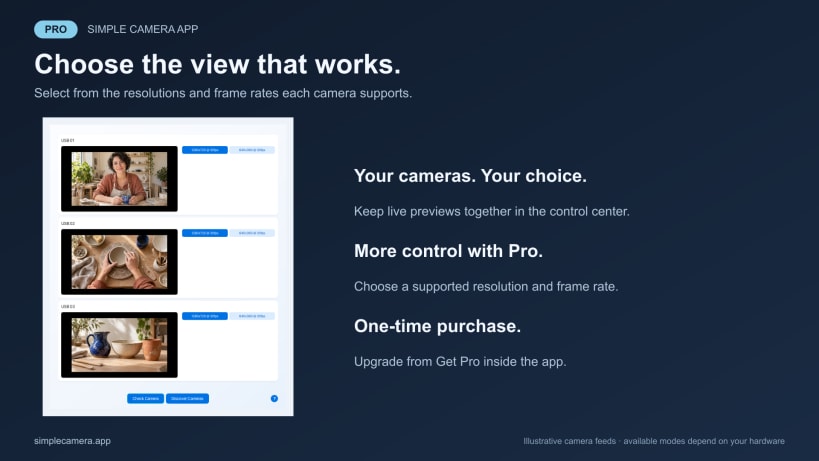
Simple Camera Pro: open several camera windows at once and choose from the resolutions and frame rates each camera supports. Pro is an optional, one-time purchase. On Linux, choose Get Pro in the app to open secure browser checkout.
Camera feeds stay on your Linux desktop. The app does not record or upload
video. Camera preview requires no account, analytics or background service.
The installed command is simple-camera-app.
Learn more at https://simplecamera.app.
You are about to open
Do you wish to proceed?
Thank you for your report. Information you provided will help us investigate further.
There was an error while sending your report. Please try again later.
Snaps are applications packaged with all their dependencies to run on all popular Linux distributions from a single build. They update automatically and roll back gracefully.
Snaps are discoverable and installable from the Snap Store, an app store with an audience of millions.
On Debian 9 (Stretch) and newer, snap can be installed directly from the command line:
sudo apt update
sudo apt install snapd
After this, install the snapd snap in order to get the latest snapd:
sudo snap install snapd
To install Simple Camera App, simply use the following command:
sudo snap install simple-camera-app
Browse and find snaps from the convenience of your desktop using the snap store snap.
Interested to find out more about snaps? Want to publish your own application? Visit snapcraft.io now.