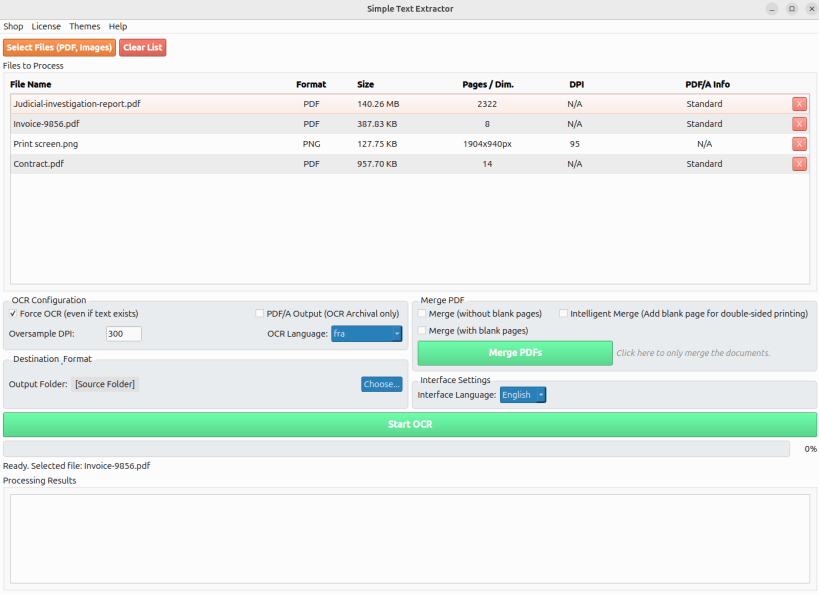
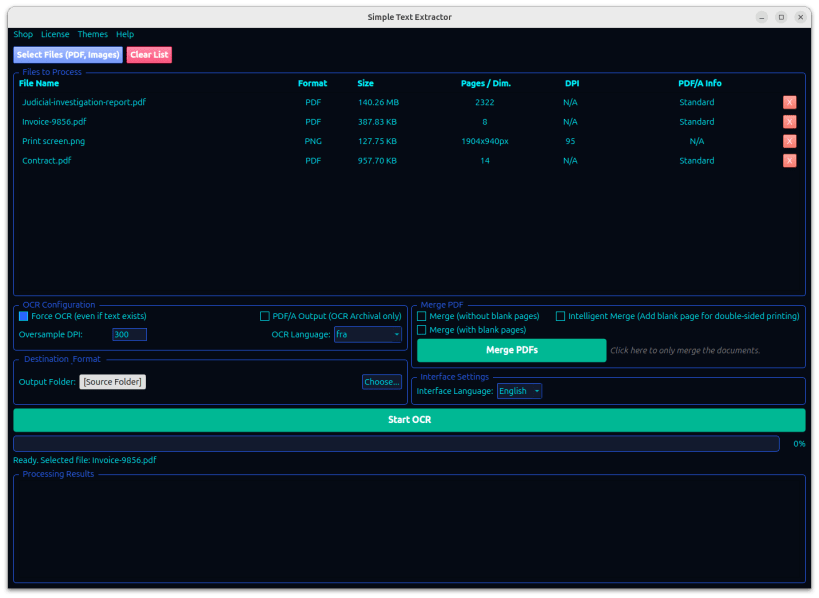
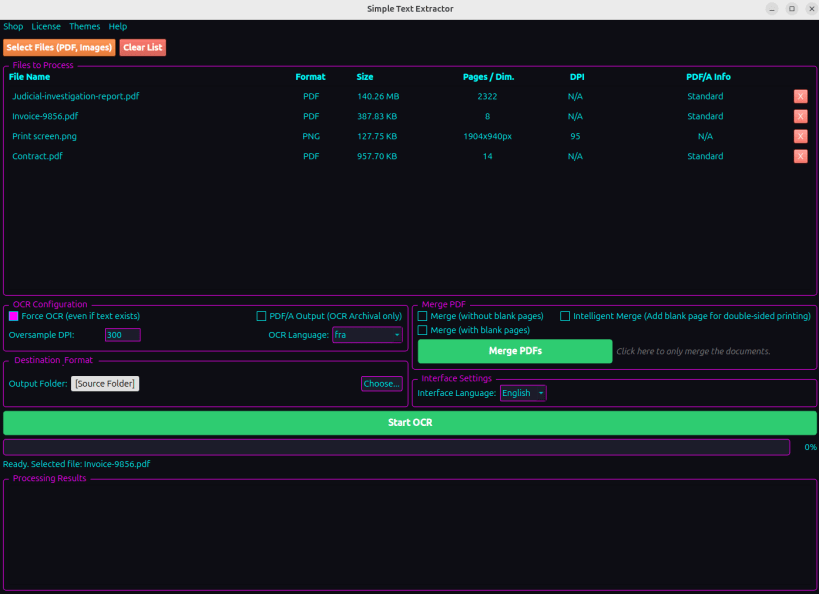
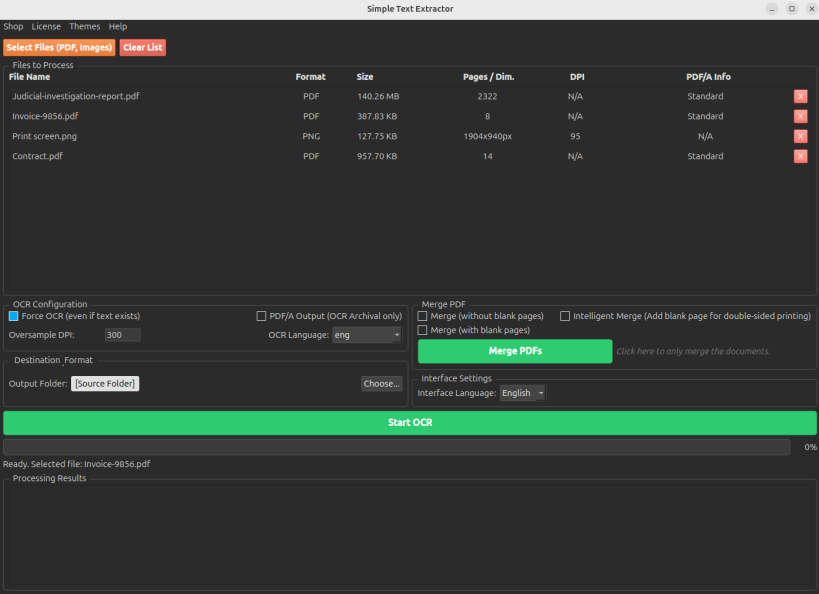
Simple Text Extractor is a high-performance, 100% offline local document workstation. Going far beyond basic text extraction, it seamlessly combines industrial-grade OCR (for PDFs, XPS, OXPS, and images like PNG, JPG, TIFF, BMP), smart document merging, and a Secure Viewer to let you process, inspect, and manage your sensitive files with absolute privacy.
The application comes bundled with its own Tesseract OCR engine and Ghostscript, specifically optimized to provide a turnkey experience on Linux without any complex dependencies.
What's New in v1.6.0:
Native XPS & OXPS Support: Full integration for reading, OCR, and merging Microsoft XPS and OXPS formats natively.
Global Internationalization (i18n): The interface now dynamically adapts to 7 languages (English, French, German, Spanish, Italian, Brazilian Portuguese, and Japanese).
The "Bunker" Architecture & DevSecOps: Strict isolated execution for Ghostscript conversions with automatic hard-stop timeouts (CWE-400) and strict clean-up logic. Our optimized framework ensures continuous compliance against OS command injections (CWE-78), guaranteeing zero data persistence and a freeze-free experience.
Key Features:
100% Offline & Private: Your documents never leave your computer. Ideal for legal, medical, or fiscal archives.
Integrated Secure Viewer: A natively isolated (sandboxed) viewer to inspect your PDFs, XPS, OXPS, and images directly in RAM (Zero-Persistence). Includes instant keyword search, dynamic zooming, and secure direct printing.
Smart Document Merger: Combine multiple PDFs, XPS, OXPS, or images with three specialized modes: All Pages, No Blanks (ink-coverage analysis), and Intelligent Duplex (parity management for double-sided printing).
Professional Archiving (PDF/A): Generate PDF/A-1b files for long-term preservation using the integrated Ghostscript engine.
Expanded OCR Language Pack: Now includes 17+ native languages (French, English, German, Dutch, Italian, Spanish, Portuguese, Chinese, Arabic, Japanese, Russian, Turkish, Vietnamese, Norwegian, Swedish, Danish, and Greek).
Batch Processing: Drag and drop dozens of PDFs, XPS, OXPS, or images to process them sequentially.
Zero-Freeze UI: Completely asynchronous multiprocessing architecture ensuring the interface remains responsive even when processing massive files (2300+ pages).
Metadata Analysis: Instant view of DPI, page count, and PDF/A status before processing.
Hardened Robustness: Native protection against "Decompression Bombs" (malicious high-pixel images) and command injection.
Log Anonymization (CWE-209 & CWE-117): Strict filtering of third-party process streams and automatic scrubbing of system logs to mask usernames and personal file paths.
Atomic File Handling (CWE-377): Secure temporary file creation in isolated "bunkers" with restricted permissions (0700) and atomic deletion.
How to Use:
Add Files: Drag and drop your PDFs, XPS, OXPS, or images into the window.
Configure: Choose your OCR language or select a merging mode.
Process: Click "Start OCR" or "Merge" and follow the real-time progress.
Inspect securely: Click the eye icon (👁️) or right-click any processed file to open it in the Secure Viewer. Search, copy text, or print directly!
💡 Tip: Using Wayland? If Drag & Drop doesn't work, please use the "Add Files" button or switch to an X11 session.
⚠️ IMPORTANT: Accessing External Drives (USB / Secondary Drives)
By default, the strict security confinement prevents the app from reading your USB sticks or external hard drives. If your files are stored on removable media, you must grant access by running this command once in your terminal:
COMMAND: sudo snap connect simple-text-extractor:removable-media
You are about to open
Do you wish to proceed?
Thank you for your report. Information you provided will help us investigate further.
There was an error while sending your report. Please try again later.
Snaps are applications packaged with all their dependencies to run on all popular Linux distributions from a single build. They update automatically and roll back gracefully.
Snaps are discoverable and installable from the Snap Store, an app store with an audience of millions.
Snap is available for Red Hat Enterprise Linux (RHEL) 8 and RHEL 7, from the 7.6 release onward.
The packages for RHEL 7, RHEL 8, and RHEL 9 are in each distribution’s respective Extra Packages for Enterprise Linux (EPEL) repository. The instructions for adding this repository diverge slightly between RHEL 7, RHEL 8 and RHEL 9, which is why they’re listed separately below.
The EPEL repository can be added to RHEL 9 with the following command:
sudo dnf install https://dl.fedoraproject.org/pub/epel/epel-release-latest-9.noarch.rpm
sudo dnf upgrade
The EPEL repository can be added to RHEL 8 with the following command:
sudo dnf install https://dl.fedoraproject.org/pub/epel/epel-release-latest-8.noarch.rpm
sudo dnf upgrade
The EPEL repository can be added to RHEL 7 with the following command:
sudo rpm -ivh https://dl.fedoraproject.org/pub/epel/epel-release-latest-7.noarch.rpm
Adding the optional and extras repositories is also recommended:
sudo subscription-manager repos --enable "rhel-*-optional-rpms" --enable "rhel-*-extras-rpms"
sudo yum update
Snap can now be installed as follows:
sudo yum install snapd
Once installed, the systemd unit that manages the main snap communication socket needs to be enabled:
sudo systemctl enable --now snapd.socket
To enable classic snap support, enter the following to create a symbolic link between /var/lib/snapd/snap and /snap:
sudo ln -s /var/lib/snapd/snap /snap
Either log out and back in again or restart your system to ensure snap’s paths are updated correctly.
To install Simple-Text-Extractor, simply use the following command:
sudo snap install simple-text-extractor
Browse and find snaps from the convenience of your desktop using the snap store snap.

Interested to find out more about snaps? Want to publish your own application? Visit snapcraft.io now.