Make a sound mix for bedtime, reading, or quiet time with SleepMix. This free edition for desktop, Amazon, and browser extensions offers 60 sound entries built from 18 shared recordings. Pick from rain, fans, water, nature, room sounds, and more. Play one sound or combine several, then adjust the volume to suit your space.
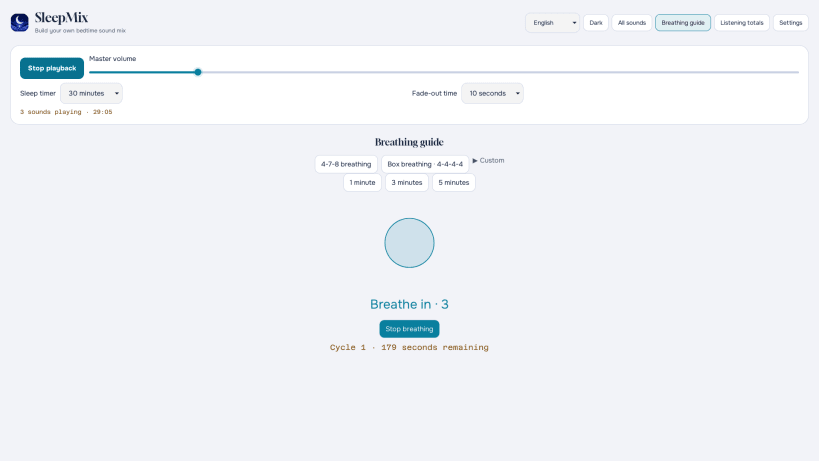
Start with any of 20 ready-made mixes, or build your own and save it as a preset for later. A sleep timer can stop playback after the time you choose, with an optional fade-out. The app also includes a 4-7-8 breathing guide that you can start or stop when you want. Local listening totals show your completed sessions and minutes listened.
SleepMix has no ads or purchases in this edition. Your mixes, presets, and listening totals stay on your device. Start at a quiet volume and adjust by ear; the volume slider cannot tell you how loud the sound is at your ears.
Want SleepMix on your phone? Visit https://whitenoisegeneratoronline.com/ for links to the iPhone and Android apps.
You are about to open
Do you wish to proceed?
Thank you for your report. Information you provided will help us investigate further.
There was an error while sending your report. Please try again later.
Snaps are applications packaged with all their dependencies to run on all popular Linux distributions from a single build. They update automatically and roll back gracefully.
Snaps are discoverable and installable from the Snap Store, an app store with an audience of millions.
If you’re running Ubuntu 16.04 LTS (Xenial Xerus) or later, including Ubuntu 18.04 LTS (Bionic Beaver) and Ubuntu 20.04 LTS (Focal Fossa), you don’t need to do anything. Snap is already installed and ready to go.
For versions of Ubuntu between 14.04 LTS (Trusty Tahr) and 15.10 (Wily Werewolf), as well as Ubuntu flavours that don’t include snap by default, snap can be installed from the Ubuntu Software Centre by searching for snapd.
Alternatively, snapd can be installed from the command line:
sudo apt update
sudo apt install snapd
Either log out and back in again, or restart your system, to ensure snap’s paths are updated correctly.
To install SleepMix, simply use the following command:
sudo snap install sleepmix
Browse and find snaps from the convenience of your desktop using the snap store snap.
Interested to find out more about snaps? Want to publish your own application? Visit snapcraft.io now.