SMARAN.AI is your free, private, local-first AI assistant, coding agent, and automation workspace for Linux, Windows, and Android. Zero telemetry, zero ads, and no paid tier — your chats, memory, documents, and API keys stay strictly on your own device.
COMPATIBLE LINUX DISTRIBUTIONS (x86-64, glibc 2.28+)
Works natively across Ubuntu, Kali Linux, Debian, Fedora, Arch Linux, Manjaro, RHEL, Rocky Linux, AlmaLinux, openSUSE, Linux Mint, Pop!_OS, Kubuntu, KDE Neon, and elementary OS.
LOCAL & CLOUD MODEL HUB + HUGGINGFACE GGUF
- Run local AI models offline via Ollama or pull quantized GGUF models directly from Hugging Face.
- Or bring your own API keys (BYOK) for Google Gemini, Groq, OpenRouter, Cerebras, Mistral, Together, Cohere, SiliconFlow, DeepSeek, OpenAI, Anthropic, and NVIDIA.
ALL AGENTS & STUDIO WORKBENCHES
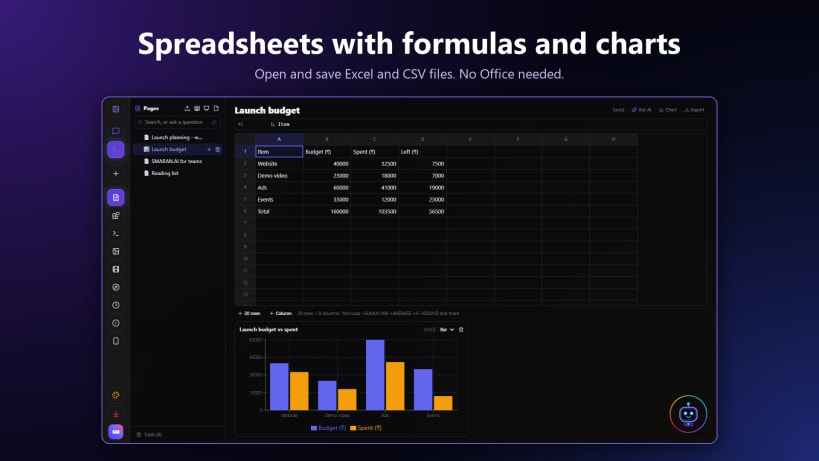
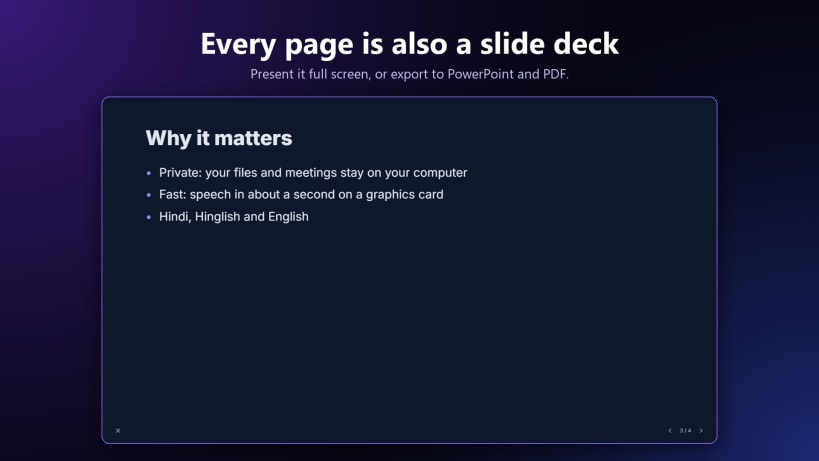
- Office Document Exporter Workbench: Real-time 16:9 PowerPoint (.pptx), tabular Excel (.xlsx), and A4 Word (.docx) live previews with starter templates and local Pages & Drive export.
- Executive Dashboards & CRM: Live KPI metrics, Pipeline Kanban board, All Deals Table, Follow-Up Tasks, and .xlsx / Design Studio export.
- Media & Audio Studio: Voiceover Studio, Clip Highlight Studio, Two-Host Podcast Producer, and Custom Agent Builder.
- Polyglot Translator (25+ global & Indian languages), Verification Studio fact-check scorecard, Phone Dispatch, and Drive Auto-Fetcher.
SPEAK, VOICE COMPANIONS & OFFLINE DICTATION
- Hands-free, interruptible voice conversations with Amarya, Myra, and Energy Core in English, Hindi, Hinglish, Tamil, Telugu, Marathi, Gujarati, Bengali, Kannada, Malayalam, and more.
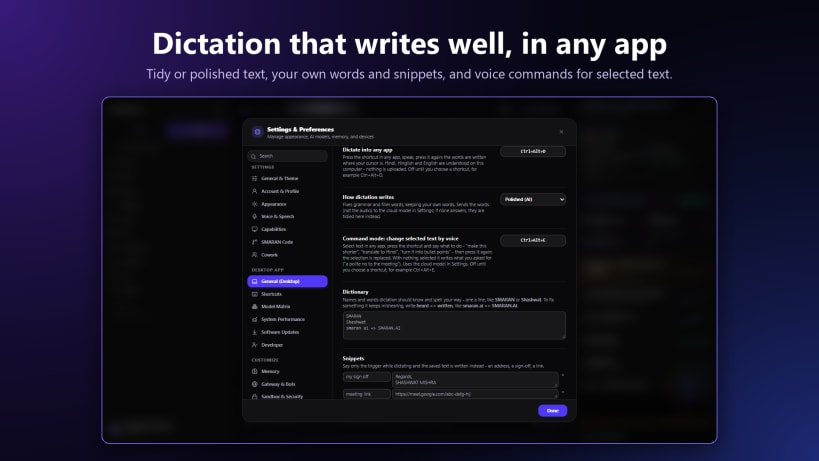
- Local Kokoro English TTS, online Indian voices, Gemini Live screen/camera vision calls, and offline dictation.
SMARAN CODE, SANDBOX & LIVE BROWSER
- Autonomous software engineering agent with repo_map, multi_edit, run_python, integrated terminal, file checkpoints, and one-click undo.
- Interactive Sandbox Mode (STRICT / PERMISSIVE / OFF), approval gates, emergency stop, and a built-in Live Browser for inspecting local web apps.
2-WAY WHATSAPP, TELEGRAM & SLACK GATEWAYS
- Scan the official WhatsApp Web Linked Devices QR right inside SMARAN.AI for 2-way messaging and slash commands (/task, /dots, /status), alongside Telegram and Slack Socket Mode bots.
WEB RESEARCH, PRIVATE RAG & CLOUD MEDIA
- Deep Research & Sparkpages with verified inline citations ([n]), plus strict file-grounded Document RAG (PDF, DOCX, XLSX, Markdown).
- Free Cloud Images (FLUX, NVIDIA, Gemini), Video (Wan 2.2, LTX-Video with video extensions), and Music (Lyria, MusicGen, plus built-in local synthesizer).
DRIVE, PAGES, DOTS, MAIL, TEAM, ANALYTICS & CLI
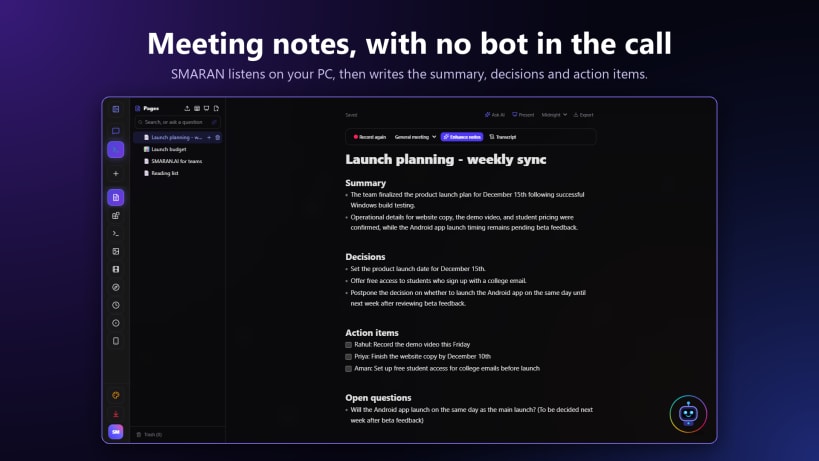
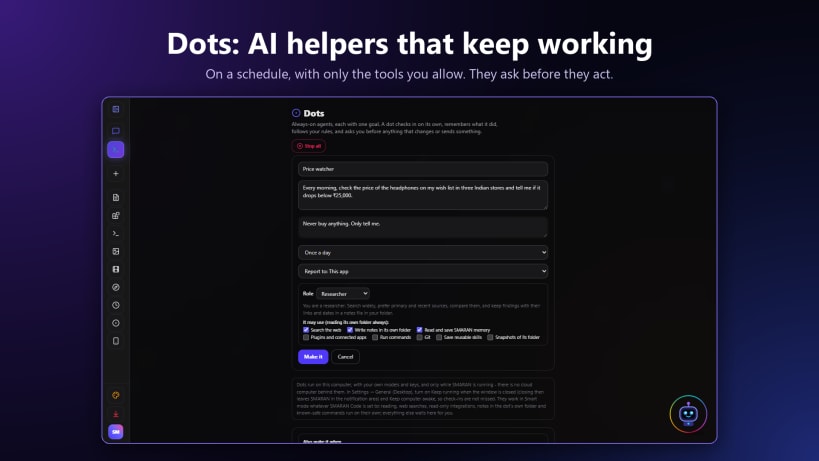
- Pages (rich notes + Record meeting transcription & Enhance notes), Slides, Sheets, Design Studio HTML sites, Dots autonomous scheduled/webhook helpers, IMAP/SMTP Mail inbox, Wi-Fi Team workspace, PC-to-Android Dispatch, Deep Analytics & latency telemetry, and the single-file
smaran CLI.
Official Website & Docs: https://smaran-ai-os.vercel.app/
Documentation: https://smaran-ai-os.vercel.app/docs
Feature Showcase: https://smaran-ai-os.vercel.app/showcase
Privacy Policy: https://smaran-ai-os.vercel.app/privacy