

smaran-ai
Install latest/stable of smaran-ai
Ubuntu 16.04 or later?
Make sure snap support is enabled in your Desktop store.
Details for smaran-ai
Package name
- smaran-ai
License
- Proprietary
Last updated
- Today - latest/stable
Websites
Contact
Report a bug
External link warning
You are about to open
Do you wish to proceed?
Report a Snap Store violation
Report smaran-ai for a Snap Store violation
Snap Store Violation Report submitted successfully
Thank you for your report. Information you provided will help us investigate further.
Error submitting report
There was an error while sending your report. Please try again later.
Share this snap
Generate an embeddable card to be shared on external websites.
Private, local-first AI assistant, coding agent & WhatsApp/Telegram gateway
SMARAN.AI is your free, private, local-first AI assistant, coding agent, and automation workspace for Linux, Windows, and Android. Zero telemetry, zero ads, and no paid tier — your chats, memory, documents, and API keys stay strictly on your own device.
COMPATIBLE LINUX DISTRIBUTIONS (x86-64, glibc 2.28+) Works natively across Ubuntu, Kali Linux, Debian, Fedora, Arch Linux, Manjaro, RHEL, Rocky Linux, AlmaLinux, openSUSE, Linux Mint, Pop!_OS, Kubuntu, KDE Neon, and elementary OS.
LOCAL & CLOUD MODEL HUB + HUGGINGFACE GGUF
- Run local AI models offline via Ollama or pull quantized GGUF models directly from Hugging Face.
- Or bring your own API keys (BYOK) for Google Gemini, Groq, OpenRouter, Cerebras, Mistral, Together, Cohere, SiliconFlow, DeepSeek, OpenAI, Anthropic, and NVIDIA.
ALL AGENTS & STUDIO WORKBENCHES
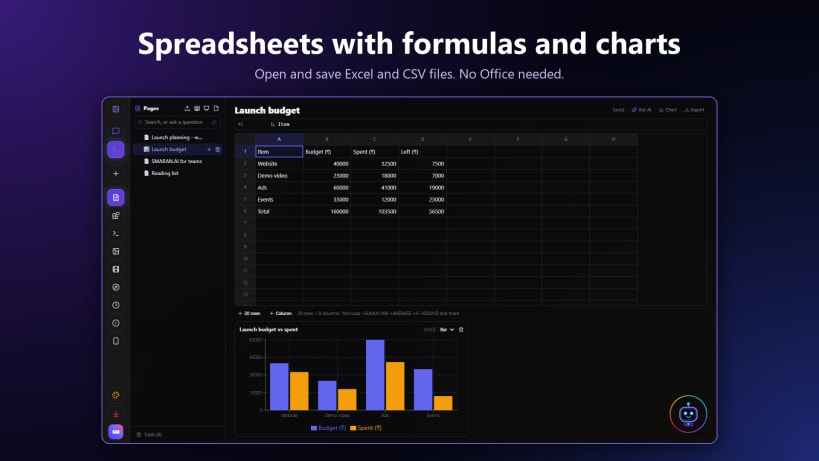
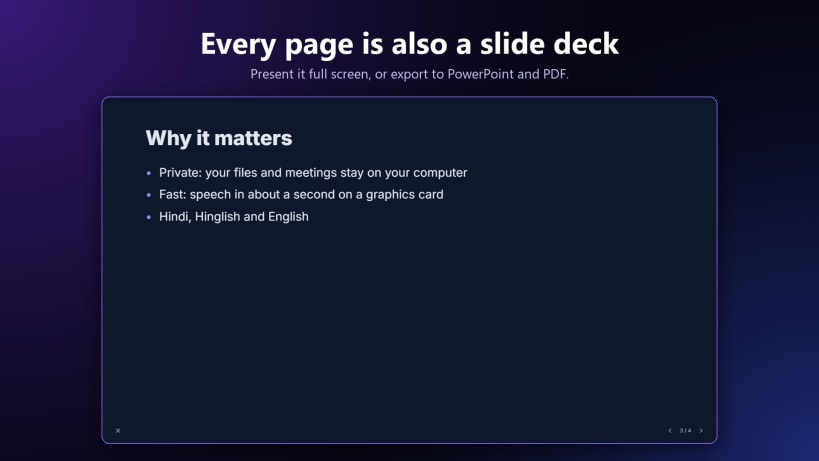
- Office Document Exporter Workbench: Real-time 16:9 PowerPoint (.pptx), tabular Excel (.xlsx), and A4 Word (.docx) live previews with starter templates and local Pages & Drive export.
- Executive Dashboards & CRM: Live KPI metrics, Pipeline Kanban board, All Deals Table, Follow-Up Tasks, and .xlsx / Design Studio export.
- Media & Audio Studio: Voiceover Studio, Clip Highlight Studio, Two-Host Podcast Producer, and Custom Agent Builder.
- Polyglot Translator (25+ global & Indian languages), Verification Studio fact-check scorecard, Phone Dispatch, and Drive Auto-Fetcher.
SPEAK, VOICE COMPANIONS & OFFLINE DICTATION
- Hands-free, interruptible voice conversations with Amarya, Myra, and Energy Core in English, Hindi, Hinglish, Tamil, Telugu, Marathi, Gujarati, Bengali, Kannada, Malayalam, and more.
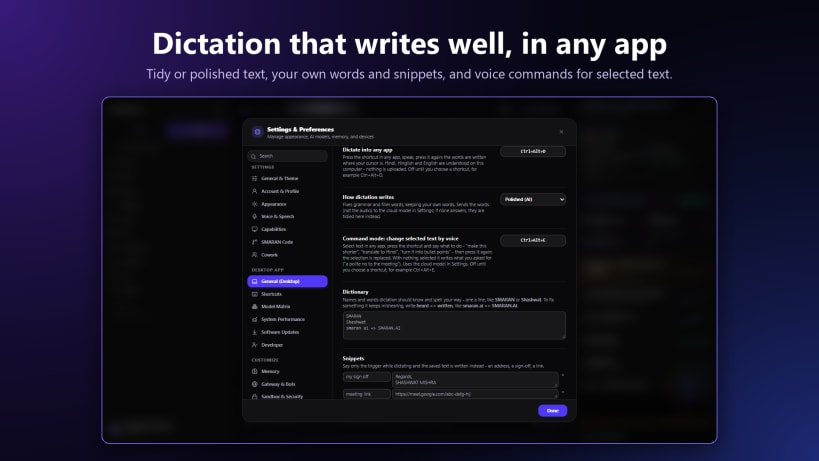
- Local Kokoro English TTS, online Indian voices, Gemini Live screen/camera vision calls, and offline dictation.
SMARAN CODE, SANDBOX & LIVE BROWSER
- Autonomous software engineering agent with repo_map, multi_edit, run_python, integrated terminal, file checkpoints, and one-click undo.
- Interactive Sandbox Mode (STRICT / PERMISSIVE / OFF), approval gates, emergency stop, and a built-in Live Browser for inspecting local web apps.
2-WAY WHATSAPP, TELEGRAM & SLACK GATEWAYS
- Scan the official WhatsApp Web Linked Devices QR right inside SMARAN.AI for 2-way messaging and slash commands (/task, /dots, /status), alongside Telegram and Slack Socket Mode bots.
WEB RESEARCH, PRIVATE RAG & CLOUD MEDIA
- Deep Research & Sparkpages with verified inline citations ([n]), plus strict file-grounded Document RAG (PDF, DOCX, XLSX, Markdown).
- Free Cloud Images (FLUX, NVIDIA, Gemini), Video (Wan 2.2, LTX-Video with video extensions), and Music (Lyria, MusicGen, plus built-in local synthesizer).
DRIVE, PAGES, DOTS, MAIL, TEAM, ANALYTICS & CLI
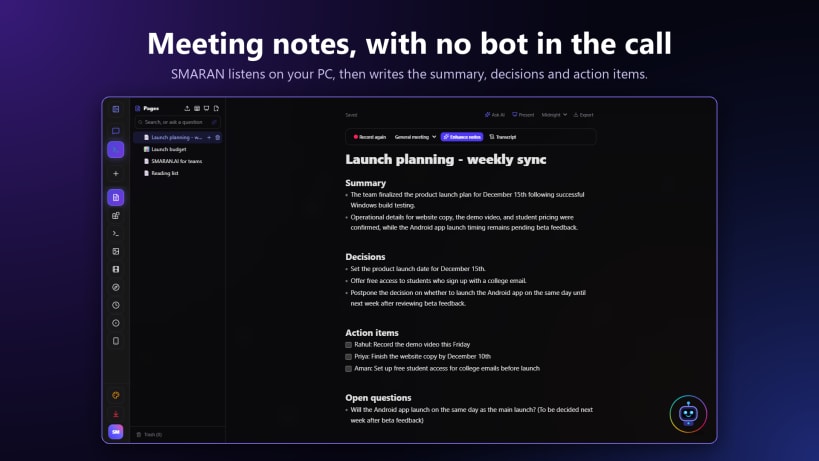
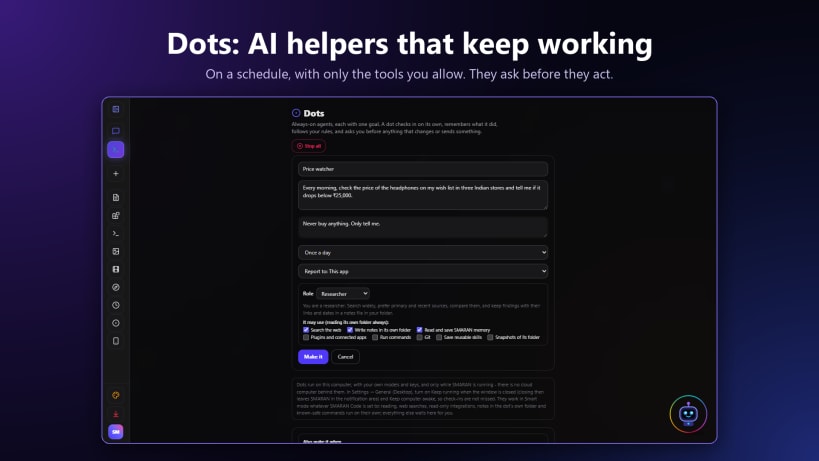
- Pages (rich notes + Record meeting transcription & Enhance notes), Slides, Sheets, Design Studio HTML sites, Dots autonomous scheduled/webhook helpers, IMAP/SMTP Mail inbox, Wi-Fi Team workspace, PC-to-Android Dispatch, Deep Analytics & latency telemetry, and the single-file
smaranCLI.
Official Website & Docs: https://smaran-ai-os.vercel.app/ Documentation: https://smaran-ai-os.vercel.app/docs Feature Showcase: https://smaran-ai-os.vercel.app/showcase Privacy Policy: https://smaran-ai-os.vercel.app/privacy
| Revision | Channel | Version | Build | Commit | Download SBOM |
|---|
The build and commit information is derived from build infrastructure records.
Install smaran-ai on your Linux distribution
Choose your Linux distribution to get detailed installation instructions. If yours is not shown, get more details on the installing snapd documentation.


