An independent open-source Linux alternative to WinRAR for multi-format archiving, split volumes, and XOR parity recovery. Not affiliated with, sponsored by, or endorsed by RARLAB.
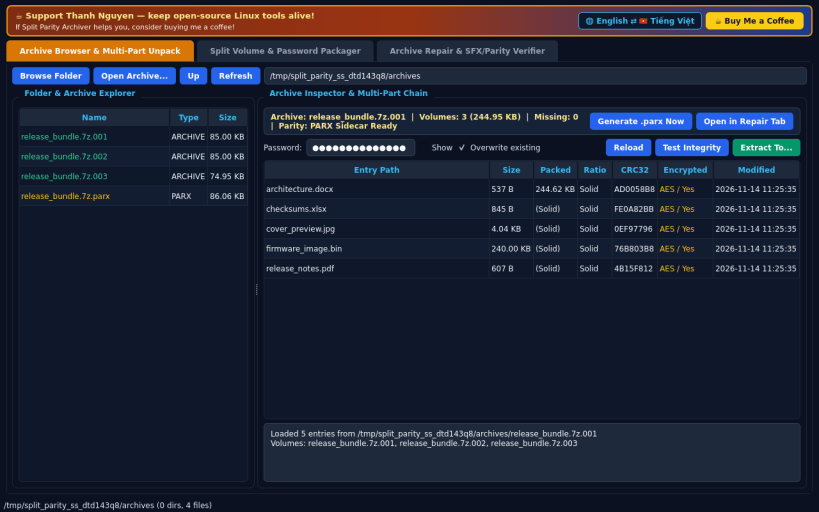
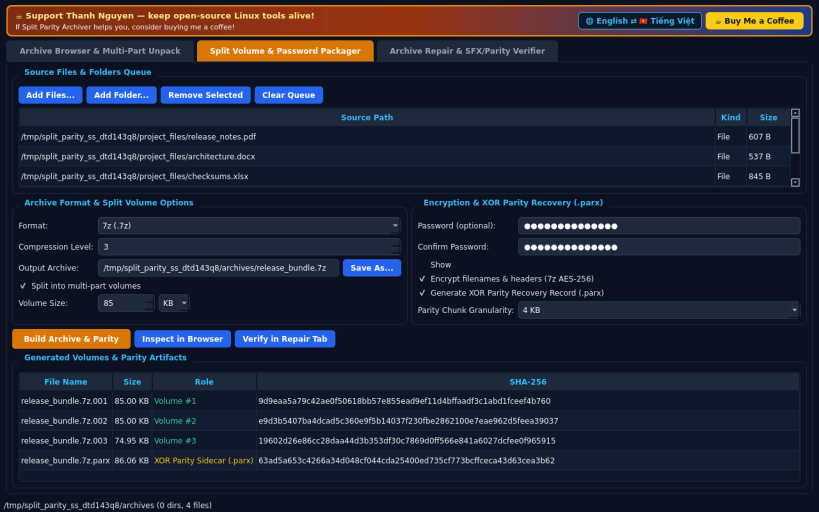
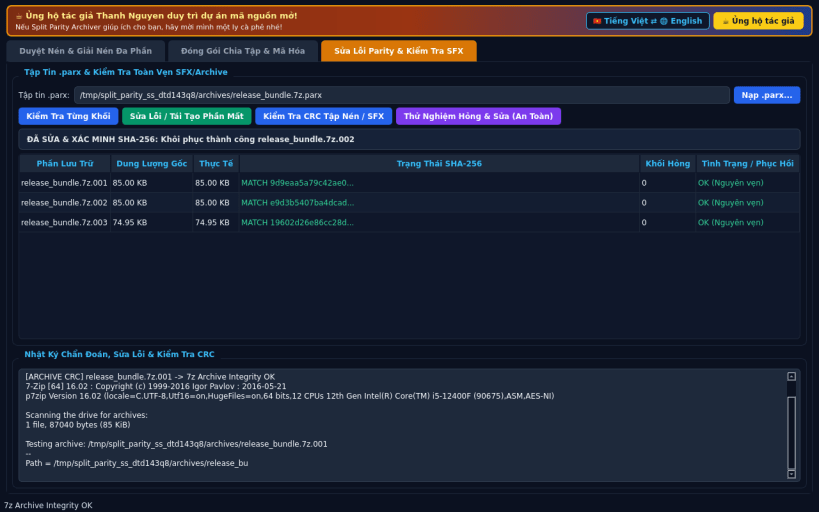
FEATURES • Archive Browser & Multi-Part Unpack: browse folders and inspect .7z, .zip, .rar, .tar, .tar.gz, .tar.xz, .tar.zst, .sfx, and split volume chains (.7z.001/.002, .zip.001/.002, .tar.zst.001/.002) with CRC32, encryption status, integrity testing, and password-prompted extraction. Extracts .rar archives via bundled unrar-free and 7z backends. • Split Volume & Password Packager: create .7z, .zip, .tar.zst, and Linux .sfx self-extracting archives with custom KB/MB split volume sizes, AES-256 encryption (including -mhe filename/header encryption for .7z), and optional .parx XOR parity recovery sidecar files. • Archive Repair & SFX/Parity Verifier: scan .parx sidecar files and split volumes chunk-by-chunk, detect bit-flips, truncation, or missing shards, reconstruct damaged or deleted volumes via XOR parity, and verify restored SHA-256 and archive CRC integrity. • Bilingual EN/VI Interface: defaults to English with instant Vietnamese UI toggle.
SUPPORT & DONATE • Created by Thanh Nguyen — https://buymeacoffee.com/thanhnv128b
You are about to open
Do you wish to proceed?
Thank you for your report. Information you provided will help us investigate further.
There was an error while sending your report. Please try again later.
Snaps are applications packaged with all their dependencies to run on all popular Linux distributions from a single build. They update automatically and roll back gracefully.
Snaps are discoverable and installable from the Snap Store, an app store with an audience of millions.
If you’re running Ubuntu 16.04 LTS (Xenial Xerus) or later, including Ubuntu 18.04 LTS (Bionic Beaver) and Ubuntu 20.04 LTS (Focal Fossa), you don’t need to do anything. Snap is already installed and ready to go.
For versions of Ubuntu between 14.04 LTS (Trusty Tahr) and 15.10 (Wily Werewolf), as well as Ubuntu flavours that don’t include snap by default, snap can be installed from the Ubuntu Software Centre by searching for snapd.
Alternatively, snapd can be installed from the command line:
sudo apt update
sudo apt install snapd
Either log out and back in again, or restart your system, to ensure snap’s paths are updated correctly.
To install Split Parity Archiver, simply use the following command:
sudo snap install split-parity-archiver
Browse and find snaps from the convenience of your desktop using the snap store snap.
Interested to find out more about snaps? Want to publish your own application? Visit snapcraft.io now.