

Split Parity Archiver
Install latest/stable of Split Parity Archiver
Ubuntu 16.04 or later?
Make sure snap support is enabled in your Desktop store.
Install using the command line
sudo snap install split-parity-archiverDon't have snapd? Get set up for snaps.
Details for Split Parity Archiver
Package name
- split-parity-archiver
License
- MIT
Last updated
- Today - latest/stable
Websites
Contact
External link warning
You are about to open
Do you wish to proceed?
Report a Snap Store violation
Report Split Parity Archiver for a Snap Store violation
Snap Store Violation Report submitted successfully
Thank you for your report. Information you provided will help us investigate further.
Error submitting report
There was an error while sending your report. Please try again later.
Share this snap
Generate an embeddable card to be shared on external websites.
Multi-format archiver with split volumes, AES-256 & XOR parity recovery
An independent open-source Linux alternative to WinRAR for multi-format archiving, split volumes, and XOR parity recovery. Not affiliated with, sponsored by, or endorsed by RARLAB.
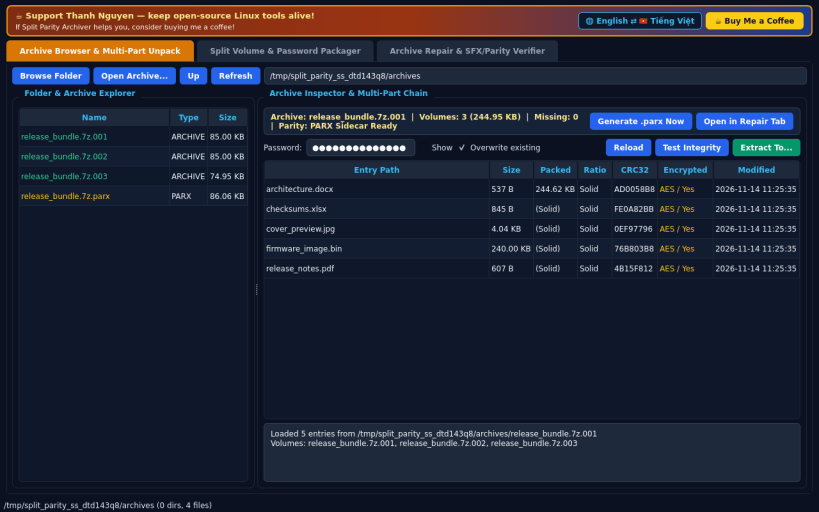
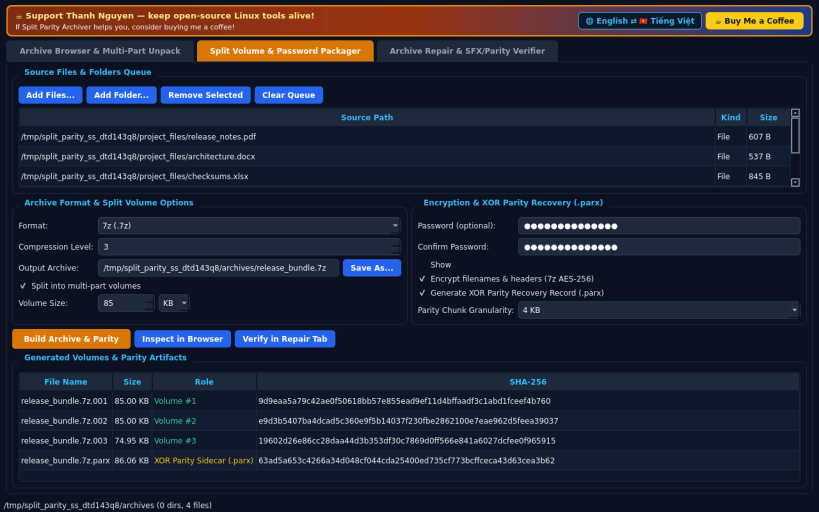
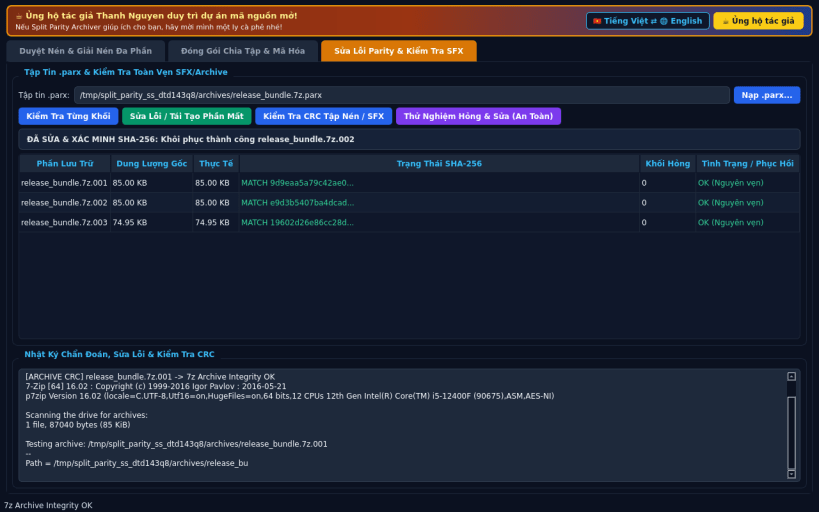
FEATURES • Archive Browser & Multi-Part Unpack: browse folders and inspect .7z, .zip, .rar, .tar, .tar.gz, .tar.xz, .tar.zst, .sfx, and split volume chains (.7z.001/.002, .zip.001/.002, .tar.zst.001/.002) with CRC32, encryption status, integrity testing, and password-prompted extraction. Extracts .rar archives via bundled unrar-free and 7z backends. • Split Volume & Password Packager: create .7z, .zip, .tar.zst, and Linux .sfx self-extracting archives with custom KB/MB split volume sizes, AES-256 encryption (including -mhe filename/header encryption for .7z), and optional .parx XOR parity recovery sidecar files. • Archive Repair & SFX/Parity Verifier: scan .parx sidecar files and split volumes chunk-by-chunk, detect bit-flips, truncation, or missing shards, reconstruct damaged or deleted volumes via XOR parity, and verify restored SHA-256 and archive CRC integrity. • Bilingual EN/VI Interface: defaults to English with instant Vietnamese UI toggle.
SUPPORT & DONATE • Created by Thanh Nguyen — https://buymeacoffee.com/thanhnv128b
| Revision | Channel | Version | Build | Commit | Download SBOM |
|---|
The build and commit information is derived from build infrastructure records.
Install Split Parity Archiver on your Linux distribution
Choose your Linux distribution to get detailed installation instructions. If yours is not shown, get more details on the installing snapd documentation.


