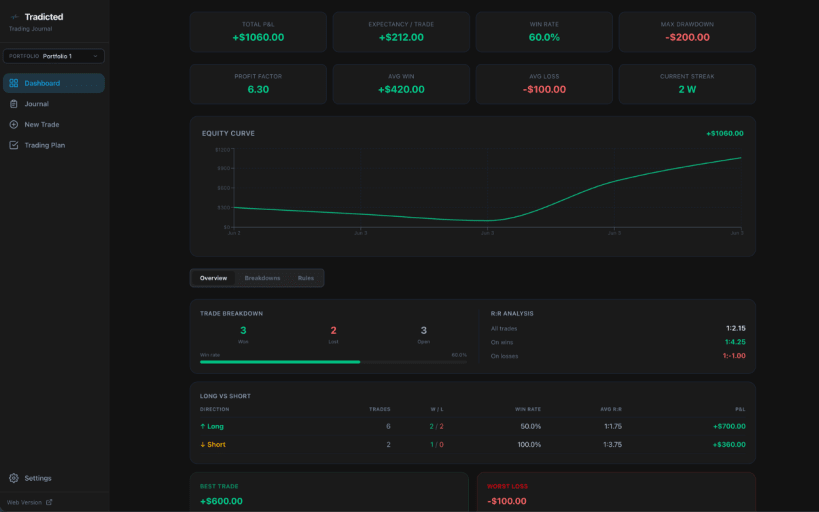
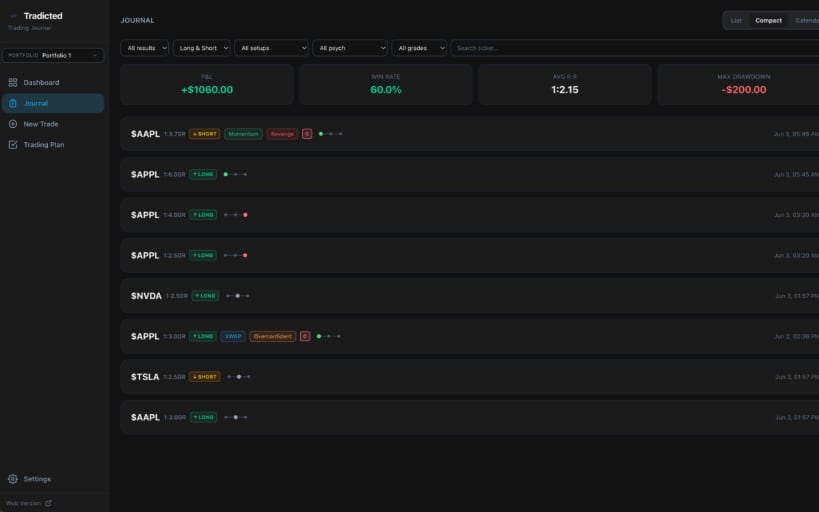
Tradicted Journal is a trade logging and analysis tool for active traders.
Log trades at entry with automatic position sizing based on account size and risk percentage. R:R ratio, dollar risk, dollar reward, total position value, and breakeven win rate all calculate in real time as you type.
The dashboard surfaces key metrics once 5 or more trades are recorded: total P&L, win rate, profit factor, expectancy, max drawdown, average R:R, win/loss streaks, performance by ticker, by day of week, and monthly P&L. An equity curve plots cumulative P&L over time.
The journal supports list, compact, and calendar views with filters for result, direction, setup type, psychology tag, grade, and ticker. All fields edit inline with automatic saving.
The trading plan lets you build a rule-based checklist tied to each portfolio. Rules are checked off before logging a trade and stored with the trade record. The dashboard shows per-rule win rates and adherence data across all trades.
The position size calculator runs independently — no trade is saved unless you choose to log it.
Multiple portfolios are supported, each with its own trades, journal, trading plan, and settings. Trade data can be exported and imported as CSV.
You are about to open
Do you wish to proceed?
Thank you for your report. Information you provided will help us investigate further.
There was an error while sending your report. Please try again later.
Snaps are applications packaged with all their dependencies to run on all popular Linux distributions from a single build. They update automatically and roll back gracefully.
Snaps are discoverable and installable from the Snap Store, an app store with an audience of millions.
Snap is available for CentOS 7.6+, and Red Hat Enterprise Linux 7.6+, from the Extra Packages for Enterprise Linux (EPEL) repository. The EPEL repository can be added to your system with the following command:
sudo yum install epel-release
Snap can now be installed as follows:
sudo yum install snapd
Once installed, the systemd unit that manages the main snap communication socket needs to be enabled:
sudo systemctl enable --now snapd.socket
To enable classic snap support, enter the following to create a symbolic link between /var/lib/snapd/snap and /snap:
sudo ln -s /var/lib/snapd/snap /snap
Either log out and back in again, or restart your system, to ensure snap’s paths are updated correctly.
To install Tradicted Journal, simply use the following command:
sudo snap install tradicted-trading-journal
Browse and find snaps from the convenience of your desktop using the snap store snap.

Interested to find out more about snaps? Want to publish your own application? Visit snapcraft.io now.