Offline multi-screen UI wireframe, prototype, and export studio
Wireframe UI Studio is an offline multi-screen UI wireframing, flow
prototyping, and code export workbench for Linux desktops.
Key features:
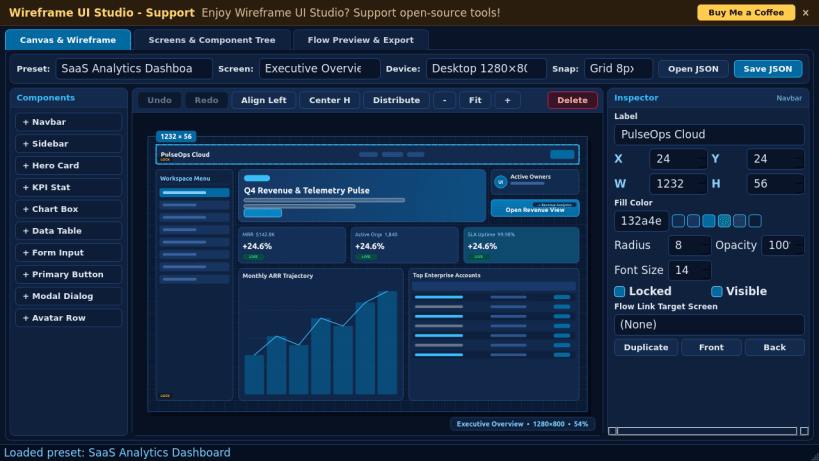
Interactive Blueprint Canvas: Design across Desktop (1280x800), Tablet
(768x1024), and Mobile (390x844) artboards with 8px/16px snap-to-grid,
alignment guides, drag-to-move, 8-handle resize, zoom/pan, and full
Undo/Redo history.
Component Palette & Inspector: Insert Navbar, Sidebar, Hero Card, KPI
Stat, Chart Box, Data Table, Form Input, Primary Button, Modal Dialog, and
Avatar Row components, then tune geometry, fill, border radius, opacity,
font size, lock state, and screen flow links.
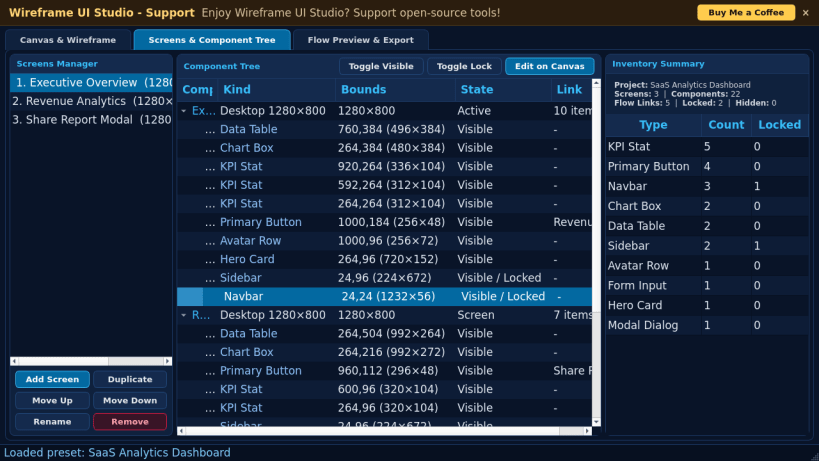
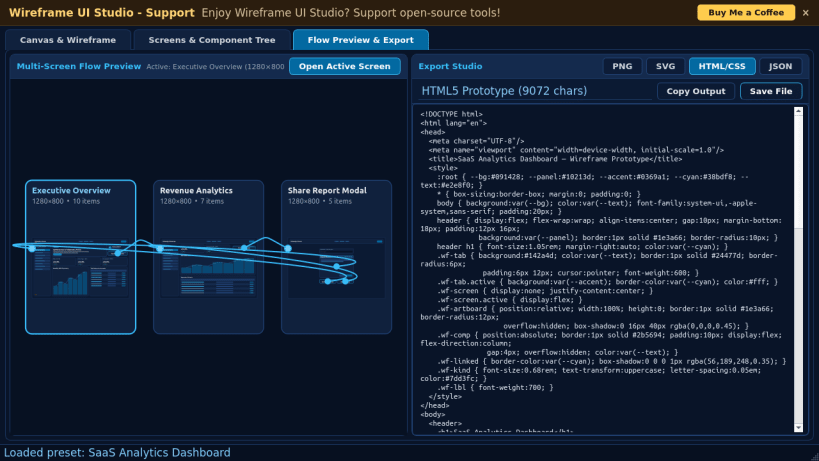
Multi-Screen Tree & Exports: Manage multiple screens in a synchronized
component tree, preview interactive screen-to-screen flows, and export
high-DPI PNG, standalone SVG, responsive HTML/CSS, and JSON locally.
(Ownership verified)
The publisher has verified that they own this domain.
It does not guarantee the Snap is an official upload
from the upstream project.
Enable snaps on KDE Neon and install Wireframe UI Studio
Snaps are applications packaged with all their dependencies to run on all popular Linux distributions from a single build. They update automatically and roll back gracefully.
Snaps are discoverable and installable from the Snap Store, an app store with an audience of millions.
Enable snapd
Snap can be installed from the command line. Open the Konsole terminal and enter the following:
sudo apt update
sudo apt install snapd
Install Wireframe UI Studio
To install Wireframe UI Studio, simply use the following command: