

Wireframe UI Studio
Install latest/stable of Wireframe UI Studio
Ubuntu 16.04 or later?
Make sure snap support is enabled in your Desktop store.
Install using the command line
sudo snap install wireframe-ui-studioDon't have snapd? Get set up for snaps.
Details for Wireframe UI Studio
Package name
- wireframe-ui-studio
License
- MIT
Last updated
- Today - latest/stable
Websites
Contact
External link warning
You are about to open
Do you wish to proceed?
Report a Snap Store violation
Report Wireframe UI Studio for a Snap Store violation
Snap Store Violation Report submitted successfully
Thank you for your report. Information you provided will help us investigate further.
Error submitting report
There was an error while sending your report. Please try again later.
Share this snap
Generate an embeddable card to be shared on external websites.
Offline multi-screen UI wireframe, prototype, and export studio
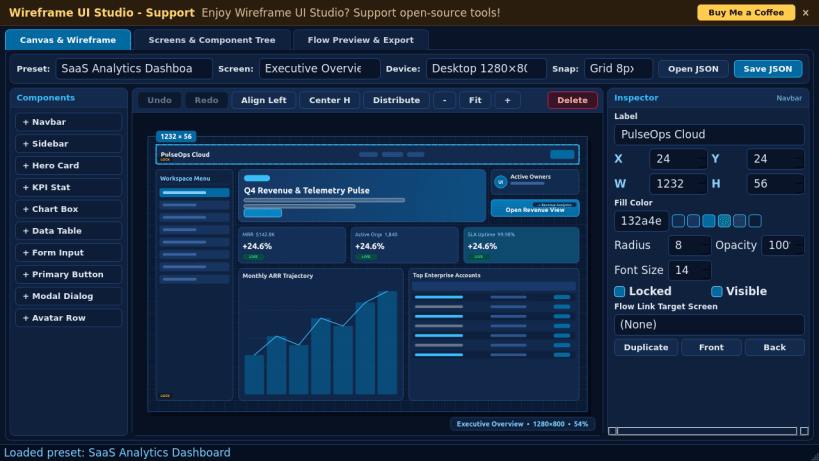
Wireframe UI Studio is an offline multi-screen UI wireframing, flow prototyping, and code export workbench for Linux desktops.
Key features:
- Interactive Blueprint Canvas: Design across Desktop (1280x800), Tablet (768x1024), and Mobile (390x844) artboards with 8px/16px snap-to-grid, alignment guides, drag-to-move, 8-handle resize, zoom/pan, and full Undo/Redo history.
- Component Palette & Inspector: Insert Navbar, Sidebar, Hero Card, KPI Stat, Chart Box, Data Table, Form Input, Primary Button, Modal Dialog, and Avatar Row components, then tune geometry, fill, border radius, opacity, font size, lock state, and screen flow links.
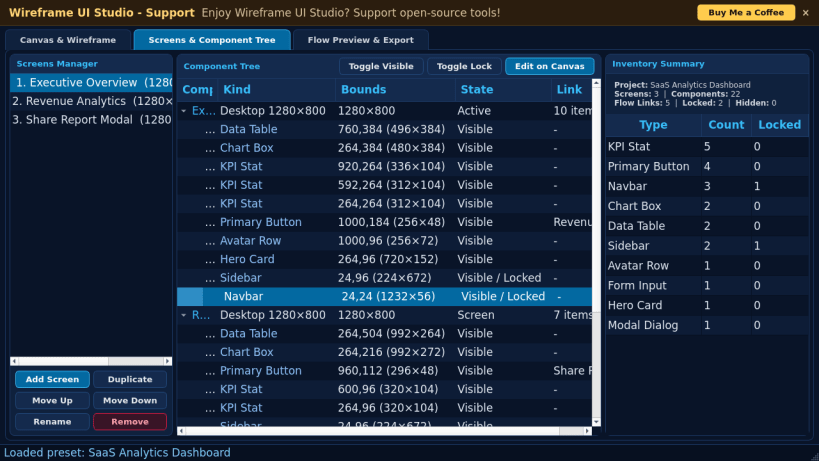
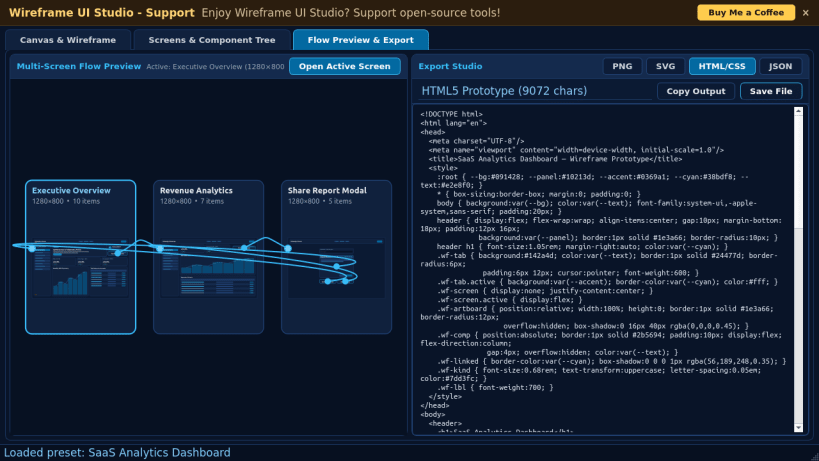
- Multi-Screen Tree & Exports: Manage multiple screens in a synchronized component tree, preview interactive screen-to-screen flows, and export high-DPI PNG, standalone SVG, responsive HTML/CSS, and JSON locally.
| Revision | Channel | Version | Build | Commit | Download SBOM |
|---|
The build and commit information is derived from build infrastructure records.
Install Wireframe UI Studio on your Linux distribution
Choose your Linux distribution to get detailed installation instructions. If yours is not shown, get more details on the installing snapd documentation.











