
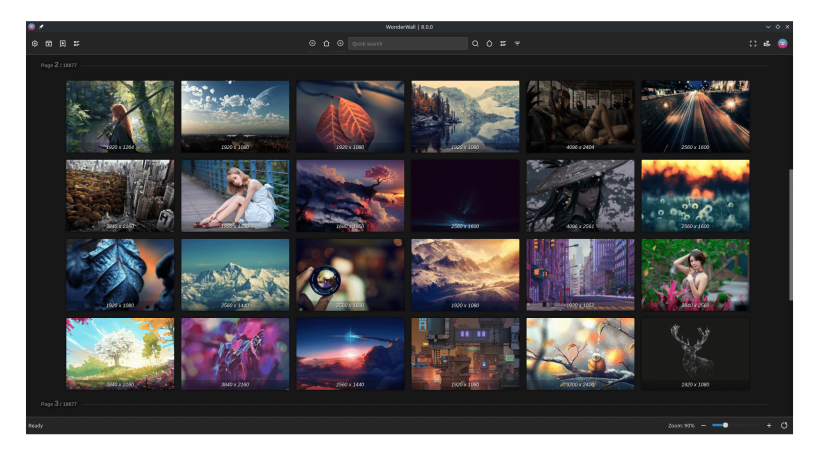
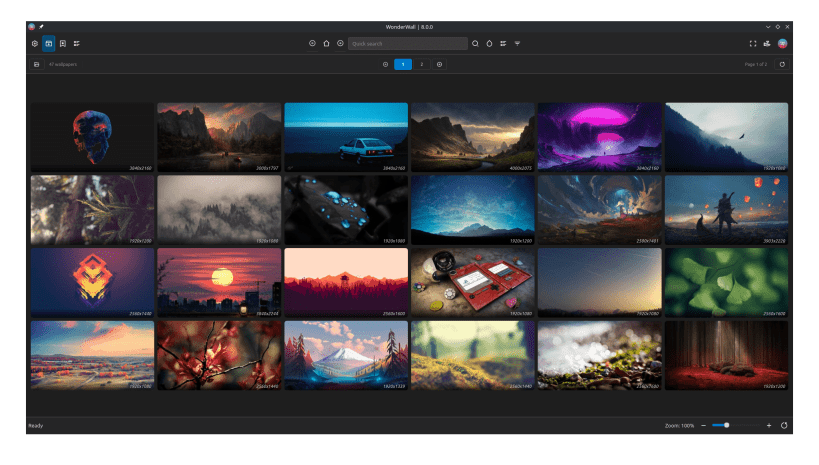
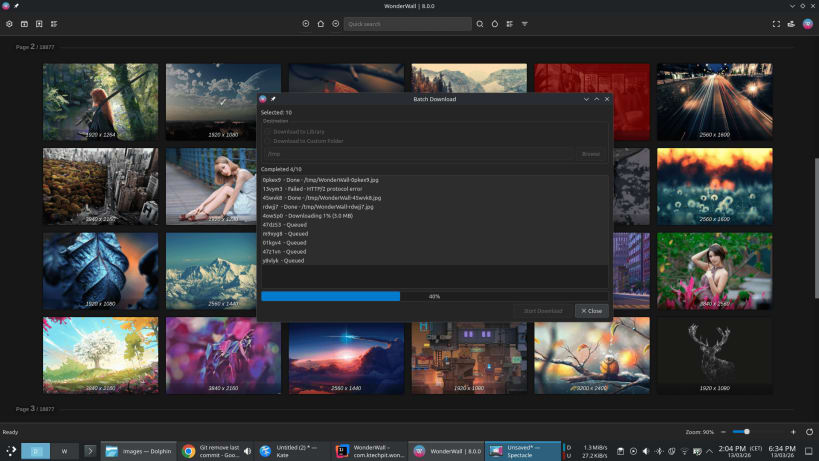
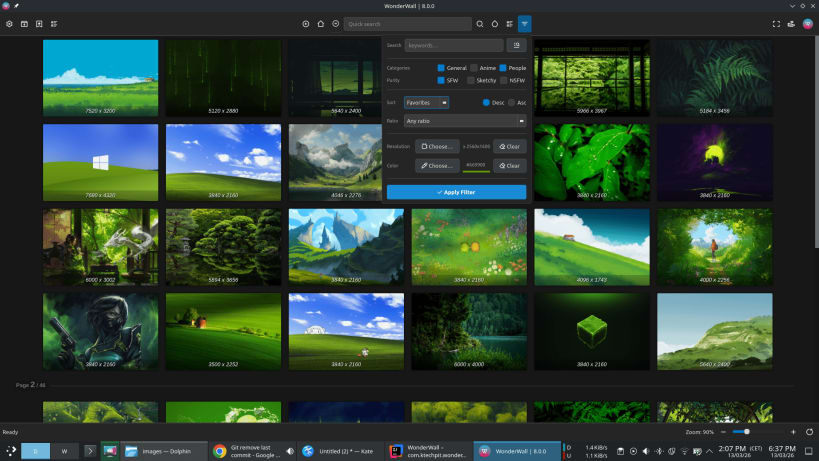
Transform the way you discover, organize, and apply wallpapers with WonderWall — a powerful desktop wallpaper manager built for speed, simplicity, and control. 🎨✨
WonderWall makes it effortless to explore stunning wallpapers, build your personal collection, and apply the perfect background in just a few clicks. Whether you enjoy minimal aesthetics, vibrant artwork, or ultra-high-resolution photography, WonderWall provides practical tools to help you browse efficiently and keep your wallpaper library beautifully organized.
Designed with a clean interface and productivity-focused workflows, the app ensures smooth browsing, smart filtering, and seamless wallpaper management — all from one unified desktop experience. 🖥️⚡
### Key Features
WonderWall is ideal for users who want a fast, modern wallpaper browser combined with powerful library management — all while maintaining a distraction-free desktop workflow.
Keywords: wallpaper manager, desktop wallpapers, wallpaper downloader, wallpaper browser, wallpaper organizer, wallpaper library, HD wallpapers, 4K wallpapers, wallpaper search, wallpaper filter, wallpaper preview, wallpaper crop tool, wallpaper batch download, wallpaper favorites, Linux wallpaper app, Flatpak wallpaper app, Snap wallpaper app, wallpaper portal support, lock screen wallpaper, wallpaper customization, wallpaper manager linux, wallpaper downloader linux, wallpaper browser linux, wallpaper library manager, desktop wallpaper app linux, wallpaper changer linux, set wallpaper linux, wallpaper app ubuntu, wallpaper app fedora, wallpaper app arch linux, wallpaper app linux mint, wallpaper app manjaro, wallpaper app pop os, wallpaper app zorin os, wallpaper app debian, wallpaper app elementary os, gnome wallpaper manager, kde wallpaper manager, xfce wallpaper changer, cinnamon wallpaper app, 4k wallpapers download, uhd wallpapers, 8k wallpapers download, hd wallpapers app, ultra hd wallpaper downloader, high resolution wallpapers linux, dual monitor wallpaper linux, ultrawide wallpapers download, 1920x1080 wallpapers, 3840x2160 wallpapers, wallpaper search by color, wallpaper search by resolution, wallpaper filter by category, tag based wallpaper search, bulk wallpaper downloader, wallpaper download manager, offline wallpaper library, 4kwall linux, resize wallpaper to screen, fit wallpaper to screen linux, lock screen wallpaper linux, change lock screen wallpaper ubuntu, auto change wallpaper linux, daily wallpaper linux, wallhaven downloader, wallhaven client linux, unsplash wallpaper app, minimal wallpapers, aesthetic wallpapers, free wallpaper app, wallpaper app no ads, offline wallpaper app, variety wallpaper, hydrapaper, waypaper, komorebi wallpaper
You are about to open
Do you wish to proceed?
Thank you for your report. Information you provided will help us investigate further.
There was an error while sending your report. Please try again later.
Snaps are applications packaged with all their dependencies to run on all popular Linux distributions from a single build. They update automatically and roll back gracefully.
Snaps are discoverable and installable from the Snap Store, an app store with an audience of millions.
Snap can be installed from the command line on openSUSE Leap 15.x and Tumbleweed.
You need first add the snappy repository from the terminal. Choose the appropriate command depending on your installed openSUSE flavor.
Tumbleweed:
sudo zypper addrepo --refresh https://download.opensuse.org/repositories/system:/snappy/openSUSE_Tumbleweed snappy
Leap 15.x:
sudo zypper addrepo --refresh https://download.opensuse.org/repositories/system:/snappy/openSUSE_Leap_15.6 snappy
If needed, Swap out openSUSE_Leap_15. for, openSUSE_Leap_16.0 if you’re using a different version of openSUSE.
With the repository added, import its GPG key:
sudo zypper --gpg-auto-import-keys refresh
Finally, upgrade the package cache to include the new snappy repository:
sudo zypper dup --from snappy
Snap can now be installed with the following:
sudo zypper install snapd
You then need to either reboot, logout/login or source /etc/profile to have /snap/bin added to PATH.
Additionally, enable and start both the snapd and the snapd.apparmor services with the following commands:
sudo systemctl enable --now snapd
sudo systemctl enable --now snapd.apparmor
To install WonderWall - UHD Wallpapers App, simply use the following command:
sudo snap install wonderwall
Browse and find snaps from the convenience of your desktop using the snap store snap.

Interested to find out more about snaps? Want to publish your own application? Visit snapcraft.io now.