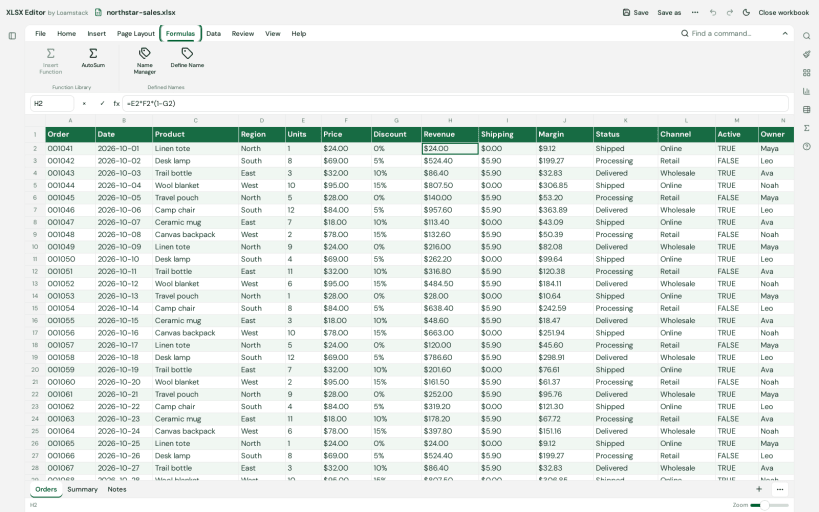
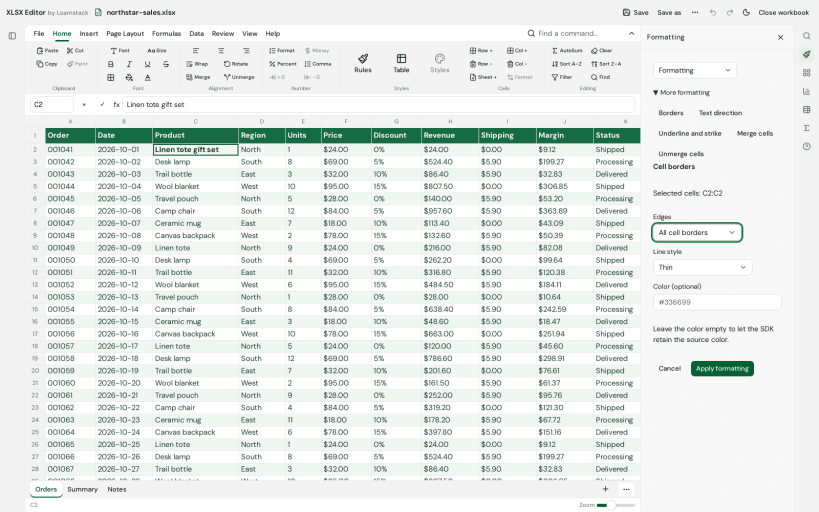
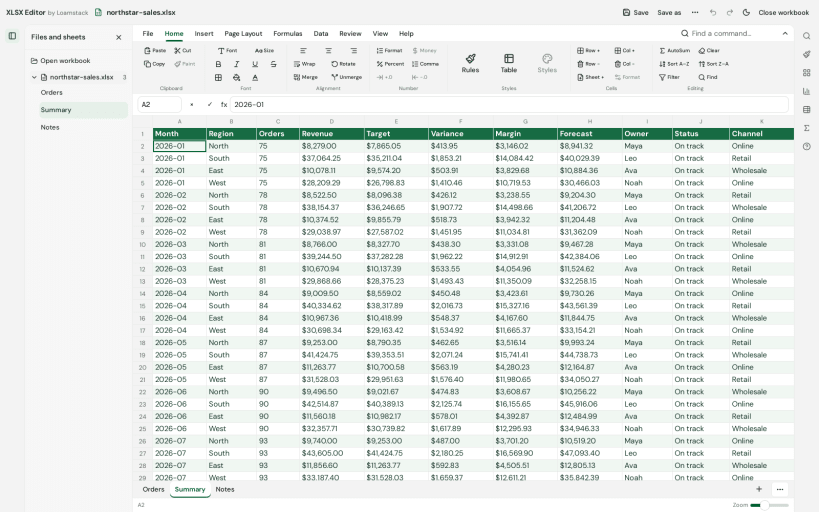
XLSX Editor by Loam is a local workbook editor for .xlsx files. Open a workbook, navigate between worksheets, edit typed cell values and formulas, apply common formatting and save supported changes locally without creating an account.
Use a familiar ribbon, formula bar, worksheet tabs and sparse worksheet view. Supported edits are written into the original XLSX package. Cell entry recalculates supported formulas automatically. Imported formula caches are preserved until a cell edit. Calculation and formatting coverage are partial. Unsupported edits and advanced Excel features may not behave as they do in Microsoft Excel. Keep a backup and check the saved workbook before relying on it.
Workbook processing takes place on your device. Selected workbook contents and file names are not uploaded. Production builds send bounded app-start analytics to PostHog and error/lifecycle diagnostics to Sentry. Analytics use the application version, a random app-scoped installation identifier stored locally and a fresh launch identifier; they do not create a person profile. Routine analytics and diagnostics exclude workbook names, sheet names, cell values and formula contents. Network requests expose ordinary network information, and PostHog may retain IP addresses and derive approximate location. The app does not request precise device location. See https://workbook.tools/privacy for the privacy disclosure and https://workbook.tools/support for help.
Snap permissions control file access. Ordinary non-hidden files you own in your home directory are accessible through the home permission. For external drives under /media, /run/media or /mnt, connect the optional interface with: sudo snap connect xlsx-editor:removable-media. If a selected file cannot be saved, keep your edits open and use Save As in an accessible home folder.
This app is independently developed by Shipit Software Limited and is not affiliated with or endorsed by Microsoft. Microsoft Excel is a trademark of Microsoft Corporation.
You are about to open
Do you wish to proceed?
Thank you for your report. Information you provided will help us investigate further.
There was an error while sending your report. Please try again later.
Snaps are applications packaged with all their dependencies to run on all popular Linux distributions from a single build. They update automatically and roll back gracefully.
Snaps are discoverable and installable from the Snap Store, an app store with an audience of millions.
Snap is available for Red Hat Enterprise Linux (RHEL) 8 and RHEL 7, from the 7.6 release onward.
The packages for RHEL 7, RHEL 8, and RHEL 9 are in each distribution’s respective Extra Packages for Enterprise Linux (EPEL) repository. The instructions for adding this repository diverge slightly between RHEL 7, RHEL 8 and RHEL 9, which is why they’re listed separately below.
The EPEL repository can be added to RHEL 9 with the following command:
sudo dnf install https://dl.fedoraproject.org/pub/epel/epel-release-latest-9.noarch.rpm
sudo dnf upgrade
The EPEL repository can be added to RHEL 8 with the following command:
sudo dnf install https://dl.fedoraproject.org/pub/epel/epel-release-latest-8.noarch.rpm
sudo dnf upgrade
The EPEL repository can be added to RHEL 7 with the following command:
sudo rpm -ivh https://dl.fedoraproject.org/pub/epel/epel-release-latest-7.noarch.rpm
Adding the optional and extras repositories is also recommended:
sudo subscription-manager repos --enable "rhel-*-optional-rpms" --enable "rhel-*-extras-rpms"
sudo yum update
Snap can now be installed as follows:
sudo yum install snapd
Once installed, the systemd unit that manages the main snap communication socket needs to be enabled:
sudo systemctl enable --now snapd.socket
To enable classic snap support, enter the following to create a symbolic link between /var/lib/snapd/snap and /snap:
sudo ln -s /var/lib/snapd/snap /snap
Either log out and back in again or restart your system to ensure snap’s paths are updated correctly.
To install XLSX Editor by Loam, simply use the following command:
sudo snap install xlsx-editor

Browse and find snaps from the convenience of your desktop using the snap store snap.

Interested to find out more about snaps? Want to publish your own application? Visit snapcraft.io now.