

XLSX Editor by Loam (xlsx-editor)
Install latest/stable of XLSX Editor by Loam
Ubuntu 16.04 or later?
Make sure snap support is enabled in your Desktop store.
Install using the command line
sudo snap install xlsx-editorDon't have snapd? Get set up for snaps.

Details for XLSX Editor by Loam
Package name
- xlsx-editor
License
- unset
Last updated
- 29 October 2026 - latest/stable
- 29 October 2026 - latest/edge
Websites
Contact
External link warning
You are about to open
Do you wish to proceed?
Report a Snap Store violation
Report XLSX Editor by Loam for a Snap Store violation
Snap Store Violation Report submitted successfully
Thank you for your report. Information you provided will help us investigate further.
Error submitting report
There was an error while sending your report. Please try again later.
Share this snap
Generate an embeddable card to be shared on external websites.
Open XLSX workbooks, edit cells and formulas, and save locally.
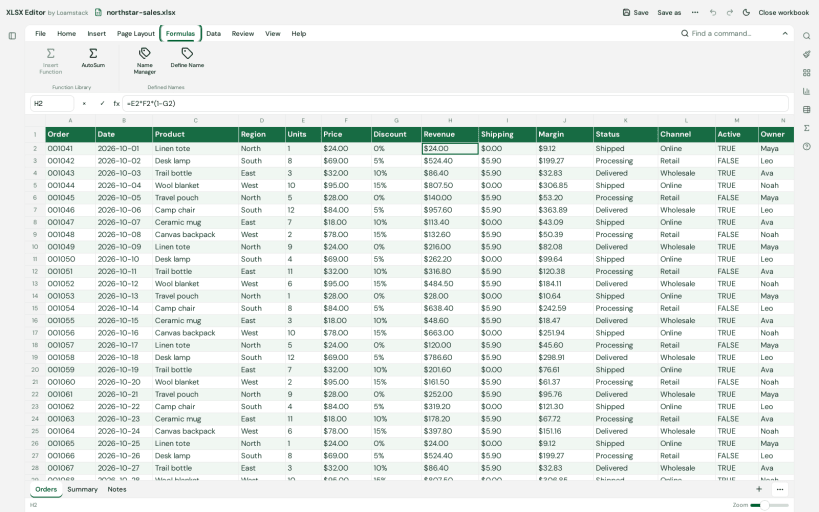
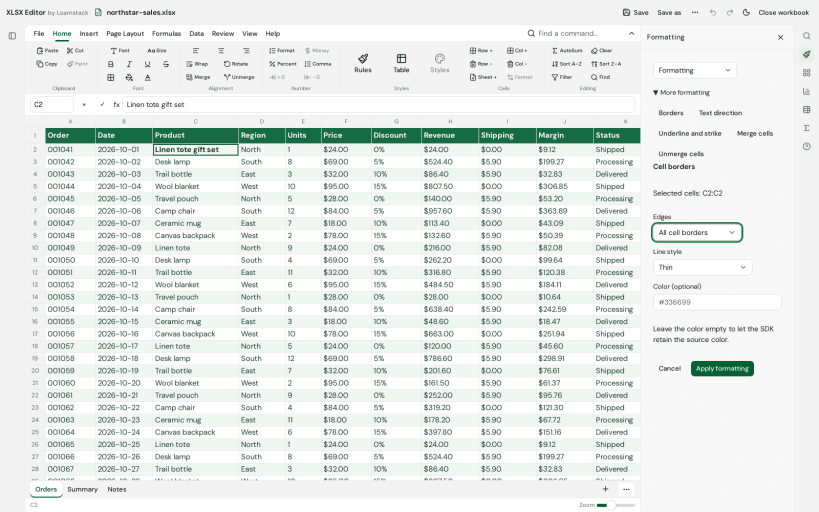
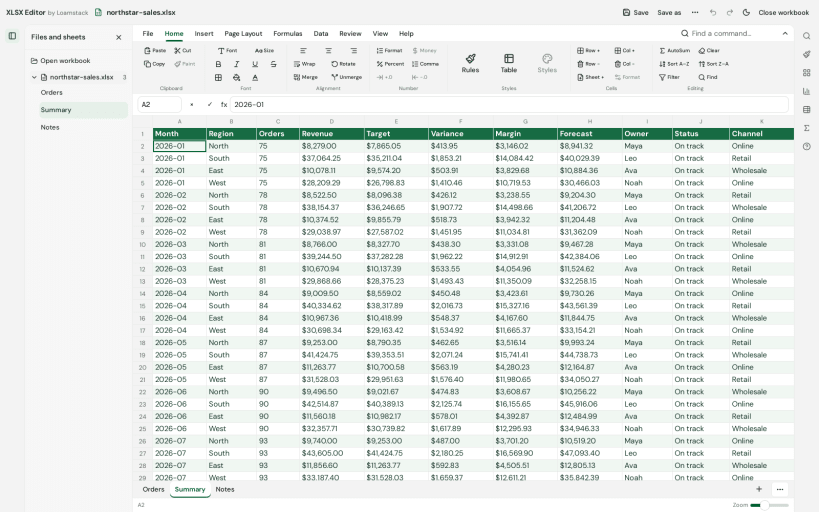
XLSX Editor by Loam is a local workbook editor for .xlsx files. Open a workbook, navigate between worksheets, edit typed cell values and formulas, apply common formatting and save supported changes locally without creating an account.
Use a familiar ribbon, formula bar, worksheet tabs and sparse worksheet view. Supported edits are written into the original XLSX package. Cell entry recalculates supported formulas automatically. Imported formula caches are preserved until a cell edit. Calculation and formatting coverage are partial. Unsupported edits and advanced Excel features may not behave as they do in Microsoft Excel. Keep a backup and check the saved workbook before relying on it.
Workbook processing takes place on your device. Selected workbook contents and file names are not uploaded. Production builds send bounded app-start analytics to PostHog and error/lifecycle diagnostics to Sentry. Analytics use the application version, a random app-scoped installation identifier stored locally and a fresh launch identifier; they do not create a person profile. Routine analytics and diagnostics exclude workbook names, sheet names, cell values and formula contents. Network requests expose ordinary network information, and PostHog may retain IP addresses and derive approximate location. The app does not request precise device location. See https://workbook.tools/privacy for the privacy disclosure and https://workbook.tools/support for help.
Snap permissions control file access. Ordinary non-hidden files you own in your home directory are accessible through the home permission. For external drives under /media, /run/media or /mnt, connect the optional interface with: sudo snap connect xlsx-editor:removable-media. If a selected file cannot be saved, keep your edits open and use Save As in an accessible home folder.
This app is independently developed by Shipit Software Limited and is not affiliated with or endorsed by Microsoft. Microsoft Excel is a trademark of Microsoft Corporation.
| Revision | Channel | Version | Build | Commit | Download SBOM |
|---|
The build and commit information is derived from build infrastructure records.
Install XLSX Editor by Loam on your Linux distribution
Choose your Linux distribution to get detailed installation instructions. If yours is not shown, get more details on the installing snapd documentation.











