

Network Data Usage Monitor (interface-bandwidth-monitor)
Install latest/stable of Network Data Usage Monitor
Ubuntu 16.04 or later?
Make sure snap support is enabled in your Desktop store.
Install using the command line
sudo snap install interface-bandwidth-monitorDon't have snapd? Get set up for snaps.
Details for Network Data Usage Monitor
Package name
- interface-bandwidth-monitor
License
- MIT
Last updated
- Today - latest/stable
Report a Snap Store violation
Report Network Data Usage Monitor for a Snap Store violation
Snap Store Violation Report submitted successfully
Thank you for your report. Information you provided will help us investigate further.
Error submitting report
There was an error while sending your report. Please try again later.
Share this snap
Generate an embeddable card to be shared on external websites.
Persistent SQLite network interface data usage & bandwidth monitor
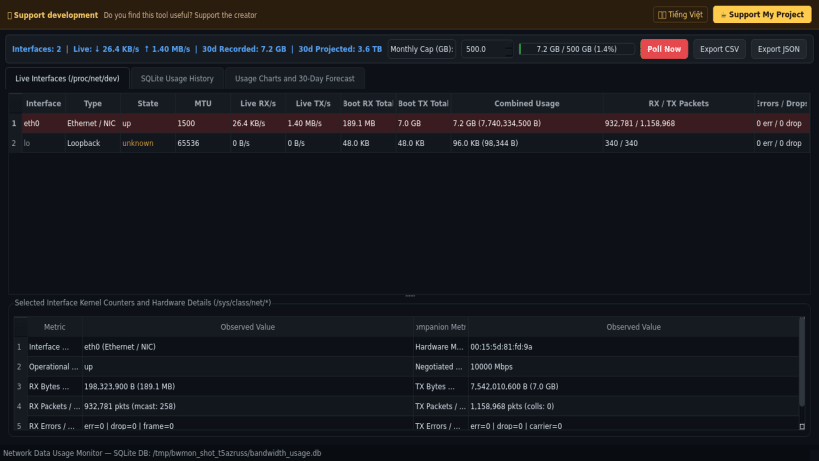
Network Data Usage Monitor is a desktop Linux network interface bandwidth accounting tool and real-time throughput viewer. An independent Linux alternative to network usage history utilities such as NetworkUsageView and vnStat, it polls kernel /proc/net/dev and /sys/class/net//statistics/ counters and records session, hourly, and daily byte and packet deltas into a persistent local SQLite database.
Key Features:
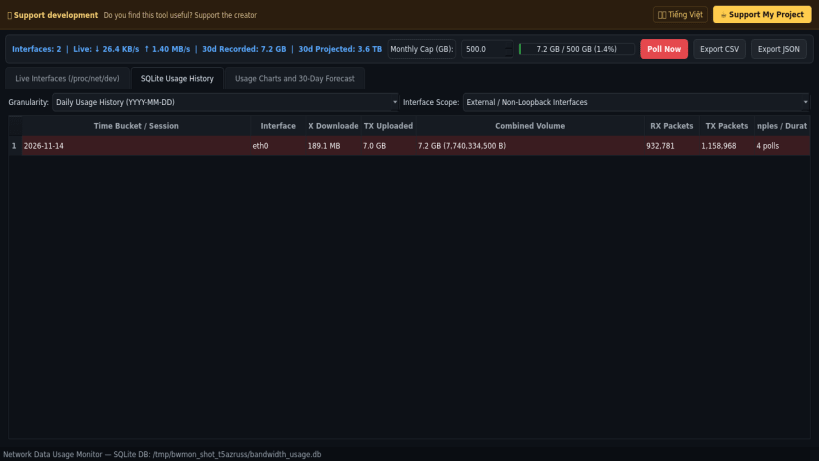
- Persistent SQLite Usage History: Automatically logs per-interface RX and TX byte and packet deltas by session, hour, and calendar day while cleanly handling kernel reboots, driver resets, and 32-bit counter wraparounds.
- Live Interface Telemetry: Displays real-time download and upload throughput, link state, MTU, hardware address, packet rates, and error/drop counters across Ethernet, Wi-Fi, virtual bridge, and loopback interfaces.
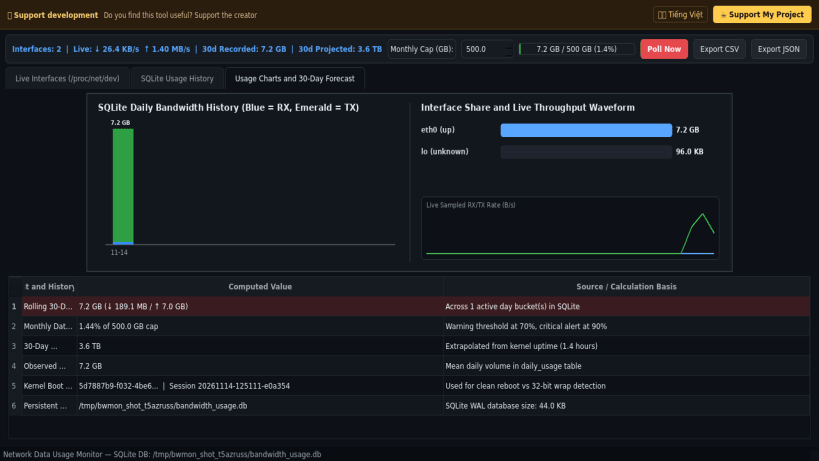
- Configurable Data Cap & 30-Day Forecast: Tracks cumulative usage against a customizable monthly data allowance with color-coded progress bars and extrapolated daily and 30-day bandwidth projections.
- Visual Usage Charts & Export: Renders historical RX/TX usage bar charts and live throughput waveforms, and exports usage histories to CSV and JSON.
Disclaimer: This project is an independent open-source tool and is not affiliated with, sponsored by, or endorsed by NirSoft or Microsoft Corporation.
| Revision | Channel | Version | Build | Commit | Download SBOM |
|---|
The build and commit information is derived from build infrastructure records.
Install Network Data Usage Monitor on your Linux distribution
Choose your Linux distribution to get detailed installation instructions. If yours is not shown, get more details on the installing snapd documentation.


