

File Unlocker & Handle Inspector (iobit-unlocker)
Install latest/stable of File Unlocker & Handle Inspector
Ubuntu 16.04 or later?
Make sure snap support is enabled in your Desktop store.
Install using the command line
sudo snap install iobit-unlockerDon't have snapd? Get set up for snaps.
Details for File Unlocker & Handle Inspector
Package name
- iobit-unlocker
License
- MIT
Last updated
- Today - latest/stable
Websites
Contact
External link warning
You are about to open
Do you wish to proceed?
Report a Snap Store violation
Report File Unlocker & Handle Inspector for a Snap Store violation
Snap Store Violation Report submitted successfully
Thank you for your report. Information you provided will help us investigate further.
Error submitting report
There was an error while sending your report. Please try again later.
Share this snap
Generate an embeddable card to be shared on external websites.
File, folder, busy USB mount, and system lock file resolver for Linux
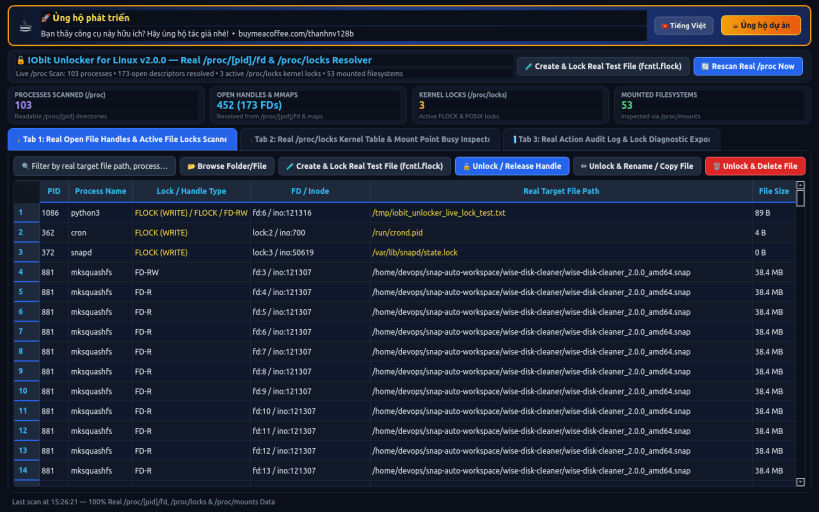
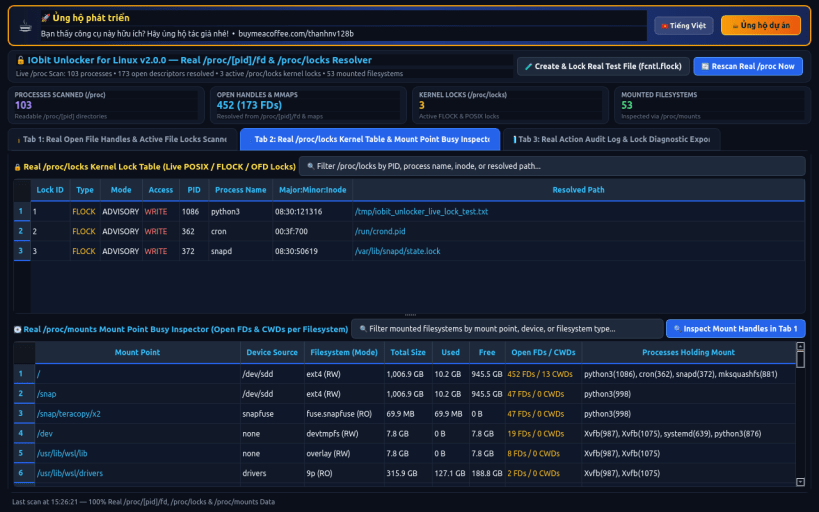
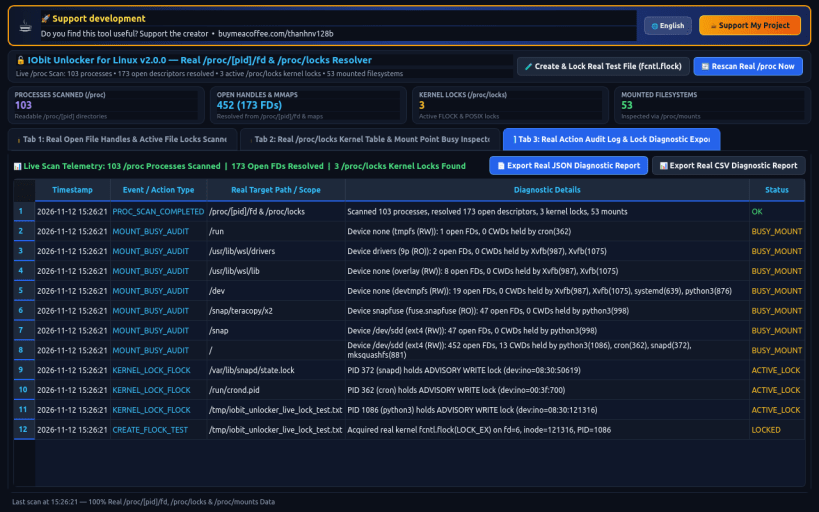
IObit Unlocker for Linux brings effortless file, folder, device, and mountpoint unlocking to Linux desktops and servers. Inspect /proc/*/fd and /proc/locks in real time to identify which processes hold open file descriptors or POSIX/FLOCK locks, resolve 'target is busy' USB unmount errors, and cure stale APT, Dpkg, Git, SQLite, and Browser profile locks with one click.
KEY FEATURES: • File & Folder Lock Scanner: Inspect locking Process, PID, User, FD #, and Lock Mode (READ, WRITE, FLOCK, MMAP) with 1-click Unlock Only, Unlock & Delete, Unlock & Rename, and Unlock & Move. • Busy Mounts & USB Drive Unlocker: Diagnose 'umount: target is busy' errors across /mnt/, /media/, and loop devices by pinpointing open working directories (cwd) and file handles. • System Package & App Lock Doctor: Instant detector and safe resolver for APT/Dpkg lock-frontend, Pacman db.lck, Snapd state lock, Git index.lock, SQLite WAL locks, and Browser SingletonLock.
SUPPORT & DONATE: • Created by Thanh Nguyen — Support ongoing development: https://buymeacoffee.com/thanhnv128b
| Revision | Channel | Version | Build | Commit | Download SBOM |
|---|
The build and commit information is derived from build infrastructure records.
Install File Unlocker & Handle Inspector on your Linux distribution
Choose your Linux distribution to get detailed installation instructions. If yours is not shown, get more details on the installing snapd documentation.


