

JFXChess
Install latest/stable of JFXChess
Ubuntu 16.04 or later?
Make sure snap support is enabled in your Desktop store.


Details for JFXChess
Package name
- jfxchess
License
- GPL-2.0-or-later
Last updated
- 21 April 2026 - latest/stable
Websites
Contact
External link warning
You are about to open
Do you wish to proceed?
Report a Snap Store violation
Report JFXChess for a Snap Store violation
Snap Store Violation Report submitted successfully
Thank you for your report. Information you provided will help us investigate further.
Error submitting report
There was an error while sending your report. Please try again later.
Share this snap
Generate an embeddable card to be shared on external websites.
A UCI compatible chess GUI
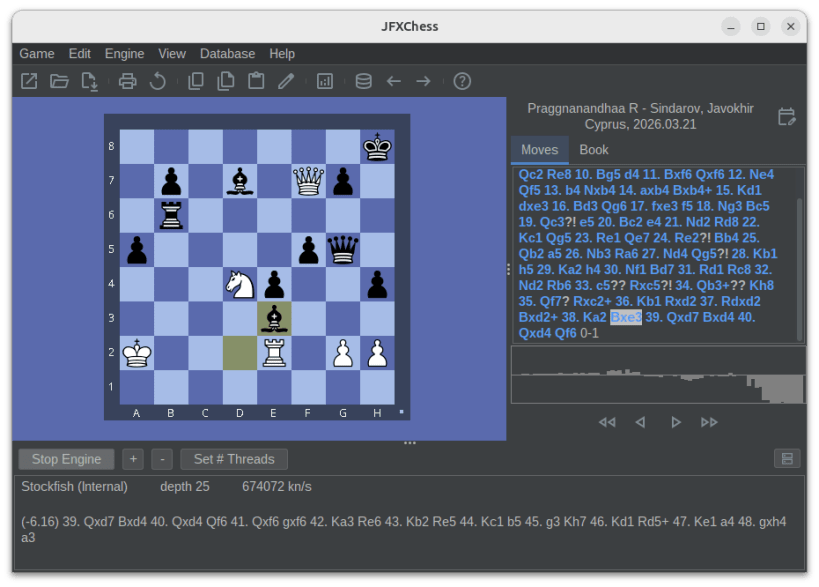
JFXChess is a chess graphical user interface with the following features:
- based around world's best chess program Stockfish
- play against the computer & various bots
- adjust strength levels to match your skill
- enter, edit and analyse games
- automatic game analysis
- read and save games in standard pgn format
- copy and paste FEN positions and pgn games from clipboard
- cross-platform, available for Linux and Windows
- easy and intuitive GUI
Note: Grant permissions
- to read/write PGN files from removable media:
sudo snap connect jfxchess:removable-media - to print:
sudo snap connect jfxchess:cups
The snap version of JFXChess does not allow to add UCI engines due to sandboxing restrictions. For that feature, install the .deb from the homepage instead.
| Revision | Channel | Version | Build | Commit | Download SBOM |
|---|
The build and commit information is derived from build infrastructure records.
Install JFXChess on your Linux distribution
Choose your Linux distribution to get detailed installation instructions. If yours is not shown, get more details on the installing snapd documentation.











