

Install latest/stable of jsBudbrainFirewall
Ubuntu 16.04 or later?
Make sure snap support is enabled in your Desktop store.
Install using the command line
sudo snap install jsbudbrainfirewallDon't have snapd? Get set up for snaps.
Details for jsBudbrainFirewall
Package name
- jsbudbrainfirewall
License
- Proprietary
Last updated
- Yesterday - latest/stable
Websites
Contact
External link warning
You are about to open
Do you wish to proceed?
Report a Snap Store violation
Report jsBudbrainFirewall for a Snap Store violation
Snap Store Violation Report submitted successfully
Thank you for your report. Information you provided will help us investigate further.
Error submitting report
There was an error while sending your report. Please try again later.
Share this snap
Generate an embeddable card to be shared on external websites.
The firewall that asks before a program goes online
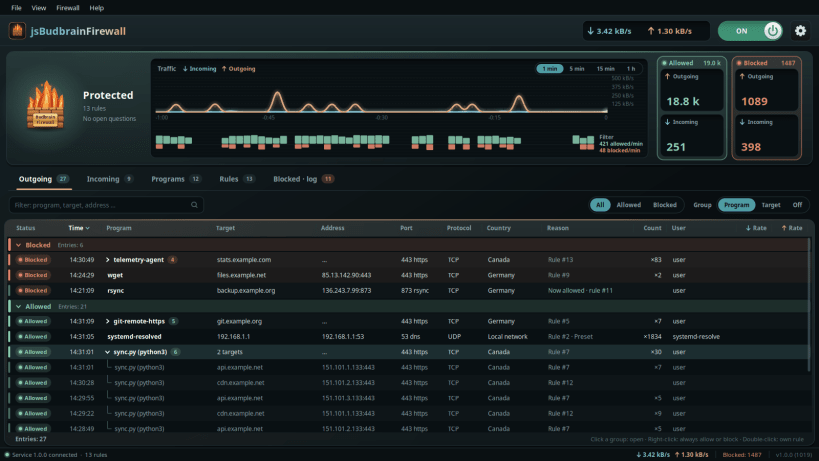
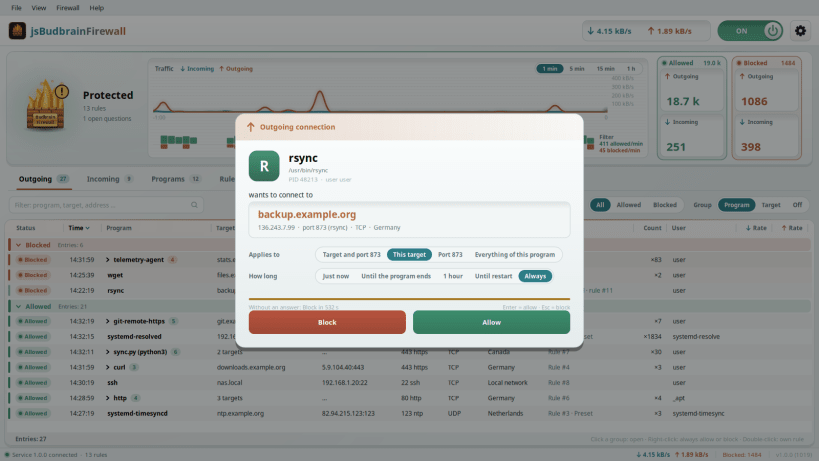
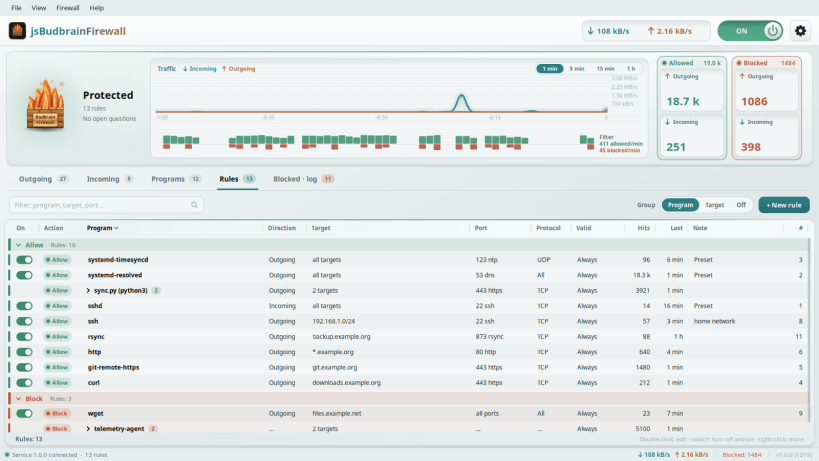
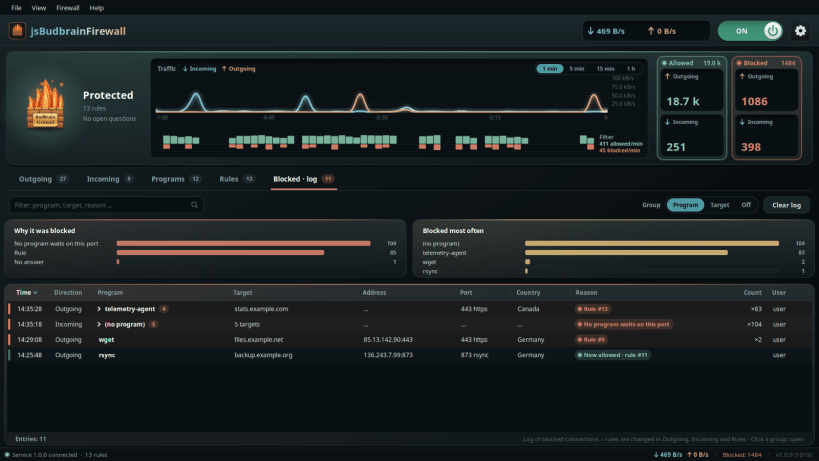
jsBudbrainFirewall asks you before a program goes online. When an application wants to connect to the internet – or accept a connection from outside – a clear question appears: which program, which destination, which port. You choose: allow or block, just now, for an hour, until the program ends, or for good. Your answers become rules you can change at any time.
- One question at a time, even when many programs knock at once
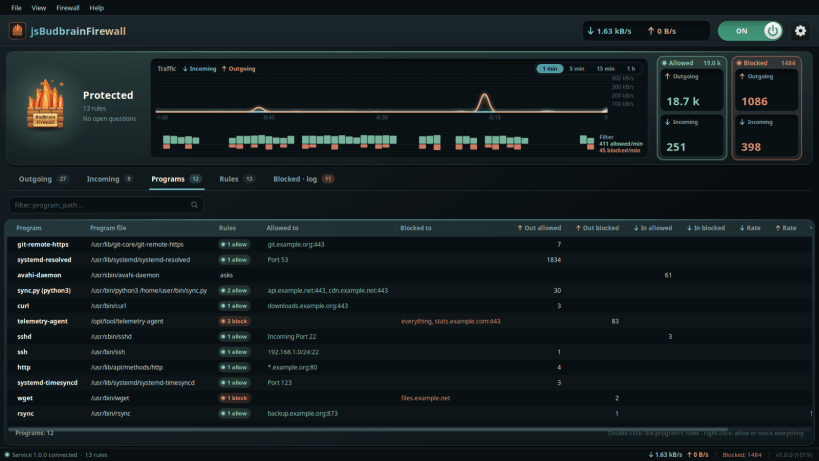
- Every connection, in and out, neatly grouped by program
- Turn a rule from allow to block – and back – with one click
- Everything that was blocked – and why
- Live traffic of your computer at the top of the window
- One switch turns the whole firewall off and on
Available in 83 languages.
The firewall needs three permissions. Paste this one line into a terminal and press Enter:
sudo sh -c 'for i in firewall-control network-observe system-observe; do snap connect jsbudbrainfirewall:$i; done; snap restart jsbudbrainfirewall'
Keywords: firewall, application firewall, outbound firewall, network security, block connections, allow connections, internet access, privacy, network monitor
Also available as .deb, RPM and for Arch at www.budbrain.de
| Revision | Channel | Version | Build | Commit | Download SBOM |
|---|
The build and commit information is derived from build infrastructure records.
Install jsBudbrainFirewall on your Linux distribution
Choose your Linux distribution to get detailed installation instructions. If yours is not shown, get more details on the installing snapd documentation.


