

JSON Graph Visualizer
Install latest/stable of JSON Graph Visualizer
Ubuntu 16.04 or later?
Make sure snap support is enabled in your Desktop store.
Install using the command line
sudo snap install json-graph-visualizerDon't have snapd? Get set up for snaps.
Details for JSON Graph Visualizer
Package name
- json-graph-visualizer
License
- Apache-2.0
Last updated
- Today - latest/stable
Websites
Contact
External link warning
You are about to open
Do you wish to proceed?
Report a Snap Store violation
Report JSON Graph Visualizer for a Snap Store violation
Snap Store Violation Report submitted successfully
Thank you for your report. Information you provided will help us investigate further.
Error submitting report
There was an error while sending your report. Please try again later.
Share this snap
Generate an embeddable card to be shared on external websites.
Interactive JSON, YAML, CSV, and XML data graph visualizer
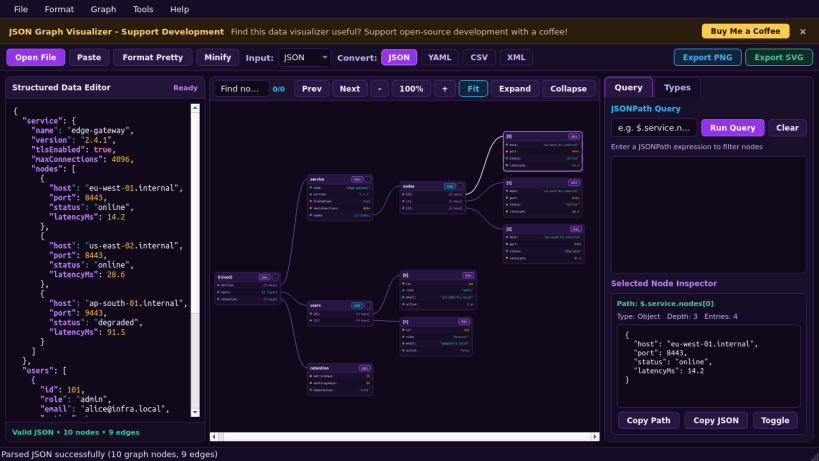
JSON Graph Visualizer is an offline structured data workspace for Linux desktops that turns raw JSON, YAML, CSV, and XML documents into an interactive left-to-right node-edge graph.
Key features:
- Interactive Node-Edge Graph Canvas: Explore nested objects and arrays with color-coded type badges (Object, Array, String, Number, Bool, Null), smooth Bezier connectors, zoom/pan/fit controls, subtree collapse toggles, and spotlight node search.
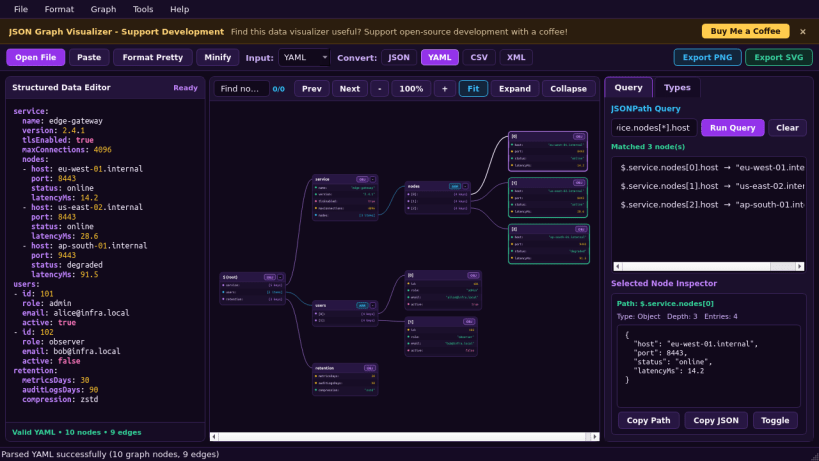
- Multi-Format Converter and Validator: Parse, pretty-format, minify, and convert seamlessly between JSON, YAML, CSV, and XML with live line and column syntax diagnostics.
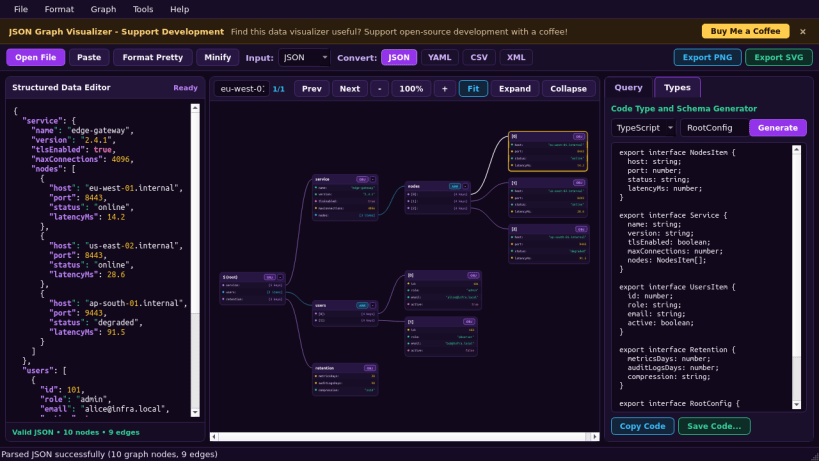
- JSONPath Query & Type Generator: Filter matching nodes with JSONPath expressions, inspect node metadata, generate Python dataclass, TypeScript interface, JSON Schema, or SQL CREATE TABLE definitions, and export crisp PNG or SVG diagrams locally.
| Revision | Channel | Version | Build | Commit | Download SBOM |
|---|
The build and commit information is derived from build infrastructure records.
Install JSON Graph Visualizer on your Linux distribution
Choose your Linux distribution to get detailed installation instructions. If yours is not shown, get more details on the installing snapd documentation.











