

LAN Keyboard Mouse Bridge (lan-cursor-bridge)
Install latest/stable of LAN Keyboard Mouse Bridge
Ubuntu 16.04 or later?
Make sure snap support is enabled in your Desktop store.
Install using the command line
sudo snap install lan-cursor-bridgeDon't have snapd? Get set up for snaps.
Details for LAN Keyboard Mouse Bridge
Package name
- lan-cursor-bridge
License
- MIT
Last updated
- Yesterday - latest/stable
Websites
Contact
External link warning
You are about to open
Do you wish to proceed?
Report a Snap Store violation
Report LAN Keyboard Mouse Bridge for a Snap Store violation
Snap Store Violation Report submitted successfully
Thank you for your report. Information you provided will help us investigate further.
Error submitting report
There was an error while sending your report. Please try again later.
Share this snap
Generate an embeddable card to be shared on external websites.
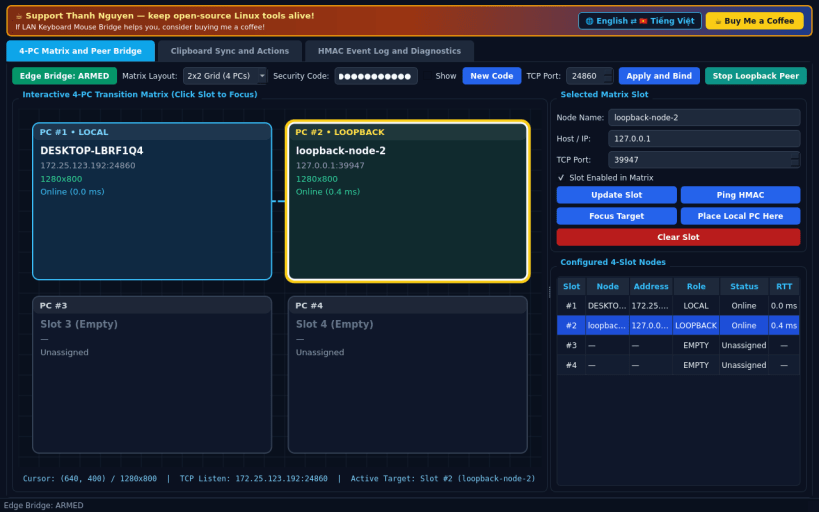
4-PC LAN keyboard, mouse, and clipboard matrix bridge
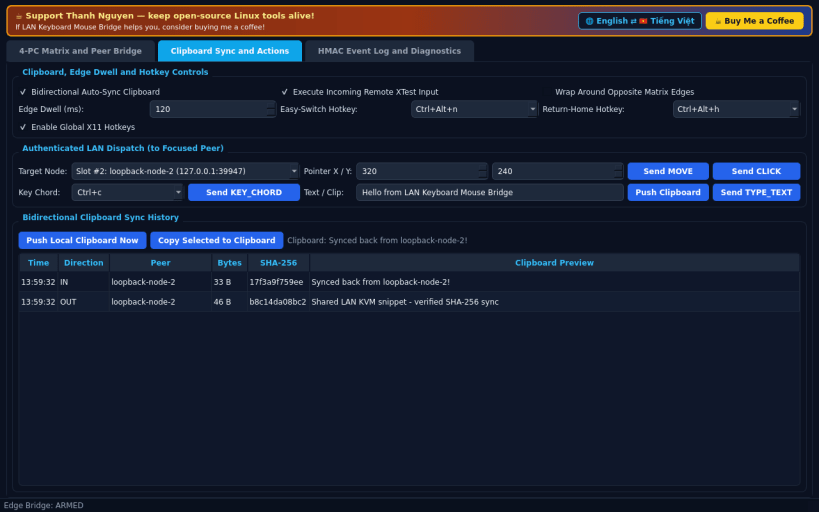
A Linux X11 multi-computer LAN keyboard, mouse, and clipboard bridge inspired by Mouse Without Borders workflows. Disclaimer: Independent open-source project, not affiliated with, sponsored by, or endorsed by Microsoft Corporation.
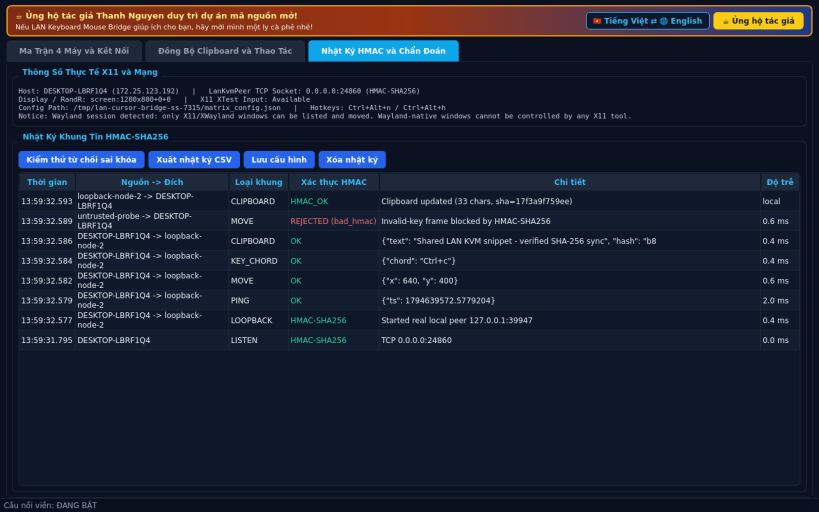
FEATURES • 4-PC Matrix Layout (2x2 & 1x4): Arrange up to four Linux hosts in a configurable 2x2 grid or 1x4 horizontal strip with edge-crossing cursor transitions and interactive slot selection. • HMAC-SHA256 Authenticated TCP Relay: Sign and verify every pointer, key chord, text, and clipboard frame using a shared security code. • Bidirectional Clipboard & Easy-Switch Shortcuts: Synchronize clipboard text across linked workstations, switch focus via global X11 hotkeys (XGrabKey), and drive receiving sessions through X11 XTest.
SUPPORT & DONATE • Created by Thanh Nguyen — https://buymeacoffee.com/thanhnv128b
| Revision | Channel | Version | Build | Commit | Download SBOM |
|---|
The build and commit information is derived from build infrastructure records.
Install LAN Keyboard Mouse Bridge on your Linux distribution
Choose your Linux distribution to get detailed installation instructions. If yours is not shown, get more details on the installing snapd documentation.


