

LAN Magic Packet Sender (lan-wake-sender)
Install latest/stable of LAN Magic Packet Sender
Ubuntu 16.04 or later?
Make sure snap support is enabled in your Desktop store.
Install using the command line
sudo snap install lan-wake-senderDon't have snapd? Get set up for snaps.
Details for LAN Magic Packet Sender
Package name
- lan-wake-sender
License
- MIT
Last updated
- Today - latest/stable
Report a Snap Store violation
Report LAN Magic Packet Sender for a Snap Store violation
Snap Store Violation Report submitted successfully
Thank you for your report. Information you provided will help us investigate further.
Error submitting report
There was an error while sending your report. Please try again later.
Share this snap
Generate an embeddable card to be shared on external websites.
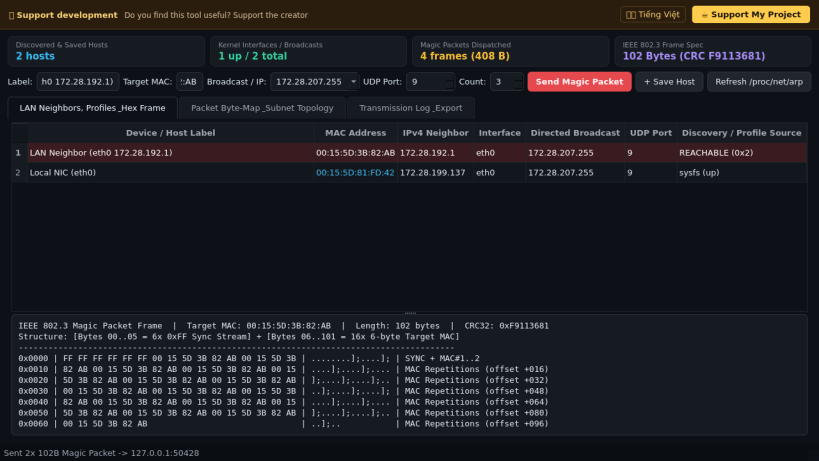
IEEE 802.3 Wake-on-LAN Magic Packet UDP broadcast and unicast sender
An IEEE 802.3 Wake-on-LAN (WoL) Magic Packet generator, subnet broadcast dispatcher, ARP neighbor importer, and hex frame inspector for Linux. A lightweight Linux alternative to NirSoft WakeMeOnLan and AquilaWakeOnLan for waking remote workstations, NAS appliances, and servers over local subnets.
Key features:
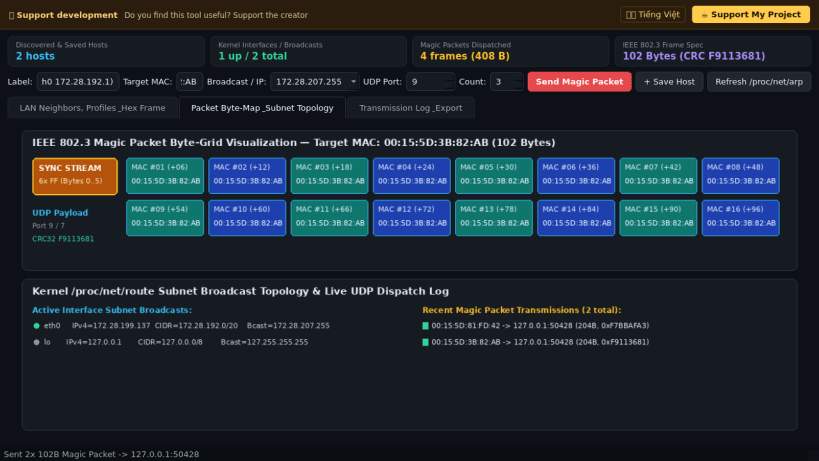
- Constructs standards-compliant 102-byte IEEE 802.3 Magic Packets (6x 0xFF synchronization stream followed by 16x 6-byte target MAC repetitions) with optional 4-byte or 6-byte SecureOn token support.
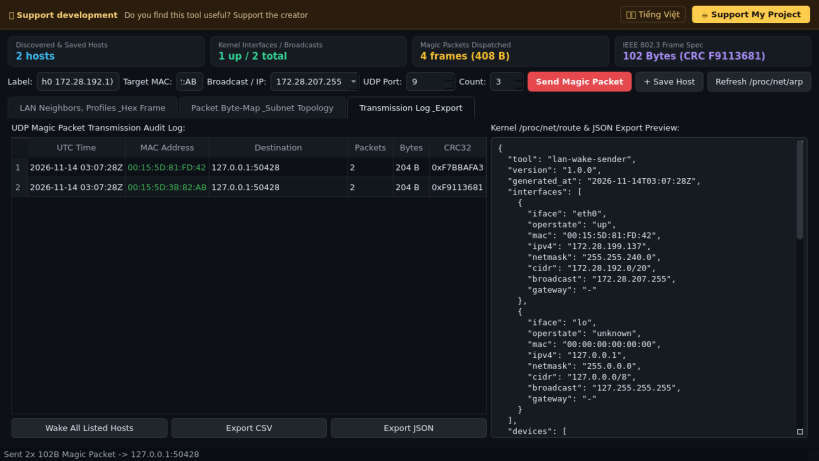
- Computes directed subnet broadcast addresses directly from Linux /proc/net/route and active network interface netmasks alongside 255.255.255.255 and unicast targets over UDP ports 9, 7, or custom ports.
- Imports live LAN neighbor MAC addresses from /proc/net/arp and inspects local /sys/class/net interfaces.
- Includes a byte-level Hex/ASCII Magic Packet frame inspector, persistent device wake profiles, and CSV/JSON dispatch audit exports.
Disclaimer: This project is an independent open-source tool and is not affiliated with, sponsored by, or endorsed by NirSoft, Aquila Technology, or Advanced Micro Devices (AMD).
| Revision | Channel | Version | Build | Commit | Download SBOM |
|---|
The build and commit information is derived from build infrastructure records.
Install LAN Magic Packet Sender on your Linux distribution
Choose your Linux distribution to get detailed installation instructions. If yours is not shown, get more details on the installing snapd documentation.


