

Leviate
Install latest/stable of Leviate
Ubuntu 16.04 or later?
Make sure snap support is enabled in your Desktop store.
Details for Leviate
Package name
- leviate
License
- AGPL-3.0-only
Last updated
- 21 October 2026 - latest/stable
Websites
Contact
Donations
Source code
Report a bug
External link warning
You are about to open
Do you wish to proceed?
Report a Snap Store violation
Report Leviate for a Snap Store violation
Snap Store Violation Report submitted successfully
Thank you for your report. Information you provided will help us investigate further.
Error submitting report
There was an error while sending your report. Please try again later.
Share this snap
Generate an embeddable card to be shared on external websites.
Move 3D programs and the mouse with your hand
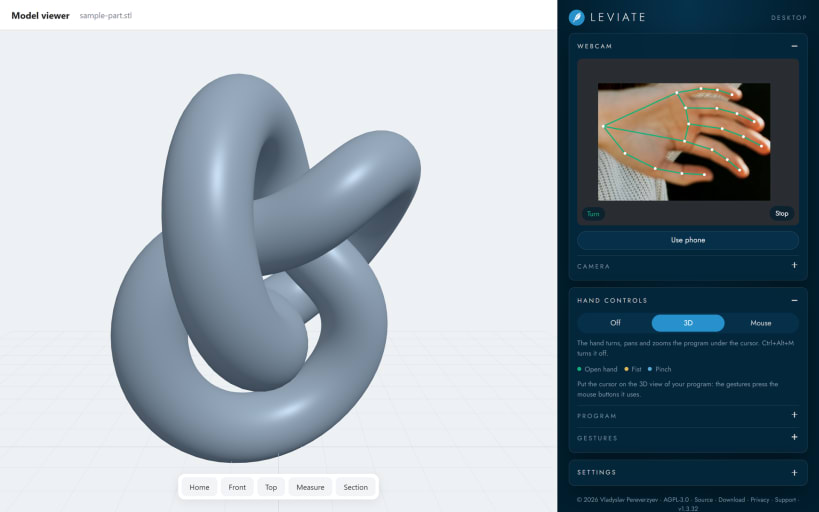
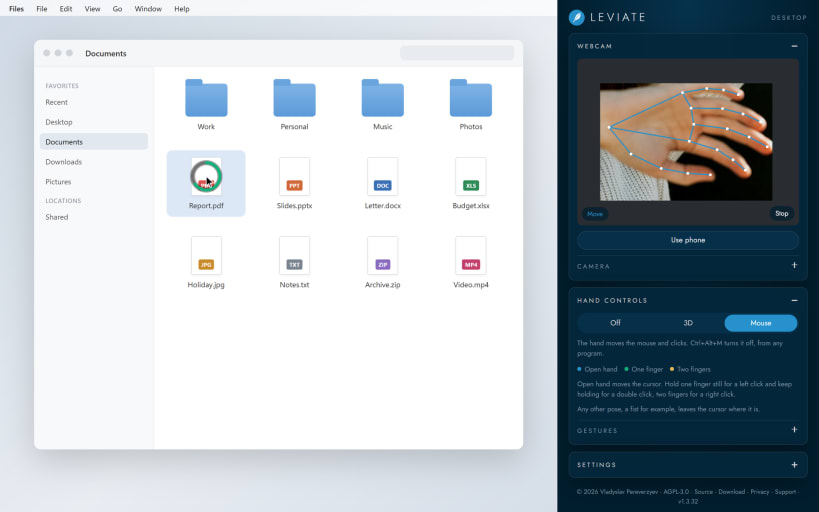
Leviate turns your hand into a controller. Raise your hand in front of the webcam and work without touching the mouse: useful when your hands are busy, gloved or not clean, in labs, workshops and presentations.
Two modules, one click to switch:
- 3D: the open hand turns, the fist pans and thumb and index zoom the 3D view of the program under the cursor. Leviate presses the mouse buttons that program uses, or the buttons you set yourself.
- Mouse: the open hand moves the cursor. Hold one finger still for a left click and keep holding for a double click; two fingers make a right click.
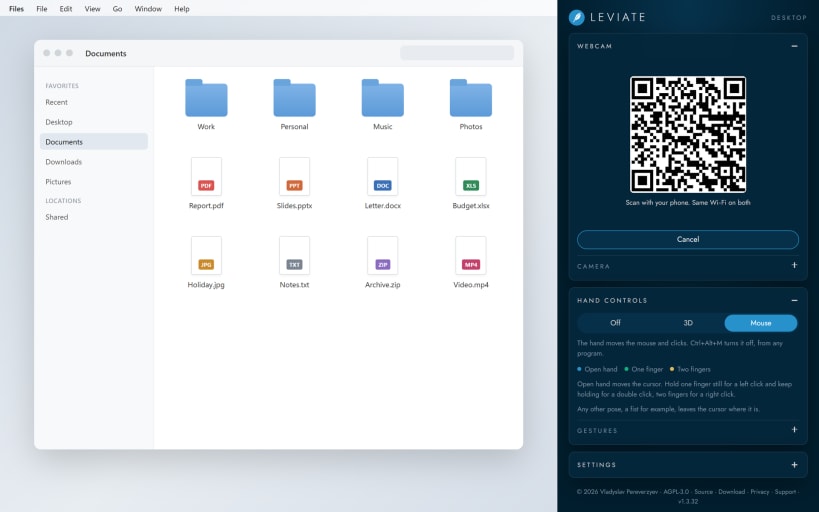
Ctrl+Alt+M turns the hand on and off from any program. A phone can be the camera too: scan the QR code and keep both devices on the same Wi-Fi.
The hand is tracked on your computer. The video is never recorded or sent anywhere. There are no accounts, no analytics and no advertising.
Moving the cursor and pressing the buttons of other programs works in an X11 session. Wayland does not let applications move the system cursor, so there the hand only reaches programs that run through XWayland.
| Revision | Channel | Version | Build | Commit | Download SBOM |
|---|
The build and commit information is derived from build infrastructure records.
Install Leviate on your Linux distribution
Choose your Linux distribution to get detailed installation instructions. If yours is not shown, get more details on the installing snapd documentation.











