

Ligora
Install latest/stable of Ligora
Ubuntu 16.04 or later?
Make sure snap support is enabled in your Desktop store.
Details for Ligora
Package name
- ligora
License
- MIT
Last updated
- 9 September 2026 - latest/stable
Websites
Contact
Source code
Report a bug
External link warning
You are about to open
Do you wish to proceed?
Report a Snap Store violation
Report Ligora for a Snap Store violation
Snap Store Violation Report submitted successfully
Thank you for your report. Information you provided will help us investigate further.
Error submitting report
There was an error while sending your report. Please try again later.
Share this snap
Generate an embeddable card to be shared on external websites.
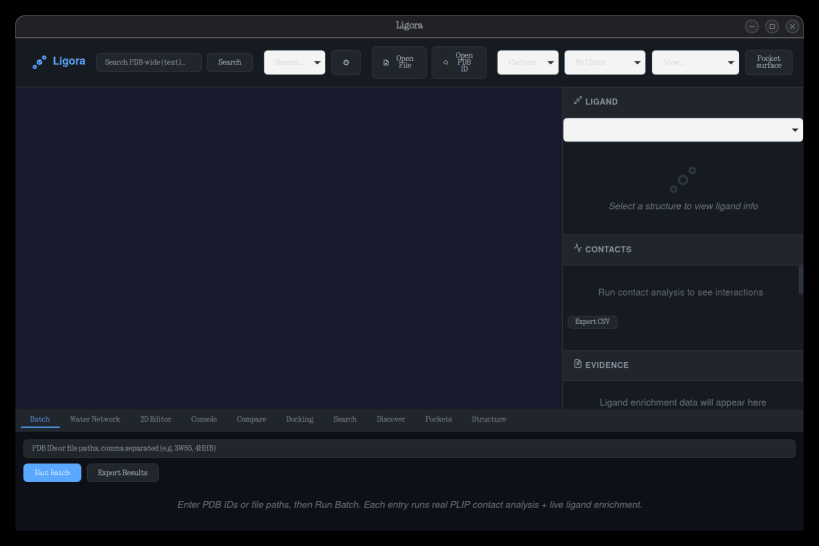
Molecular analysis workstation — PLIP contacts, Vina docking, live RCSB/PubChem/ChEMBL data
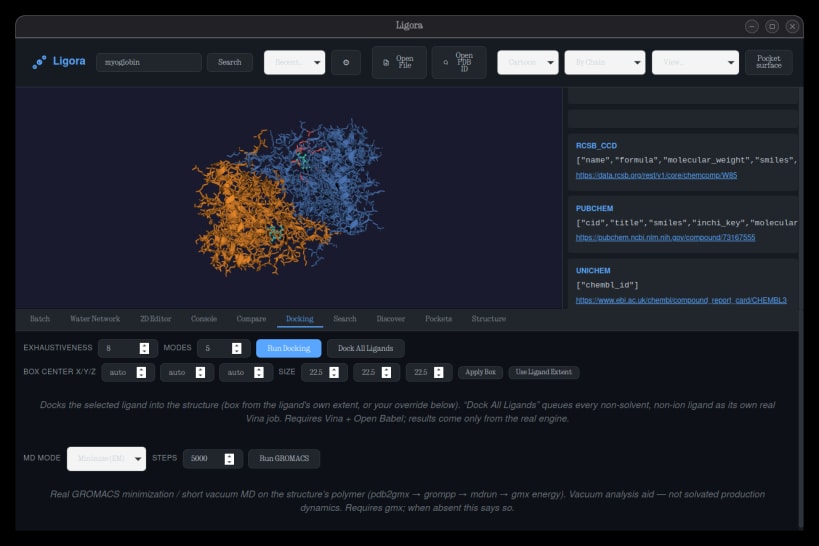
Ligora is a molecular analysis workstation for protein-ligand interaction analysis, molecular docking, and computational chemistry workflows — built entirely on open data sources and open engines.
Features:
- Open and visualize PDB, mmCIF, mol2, SDF/MOL, XYZ, GRO and PDBQT files
- Real protein-ligand contact analysis via PLIP (hydrogen bonds, hydrophobic, salt bridges, pi-stacking, metal coordination)
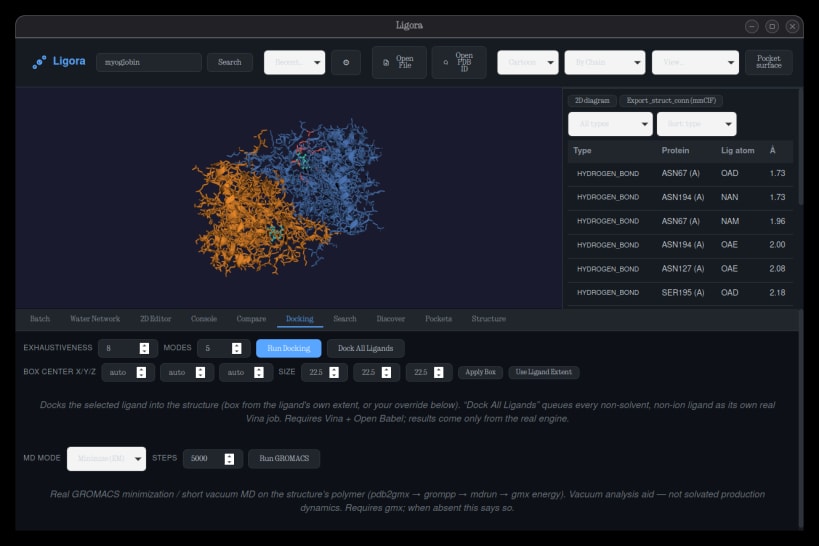
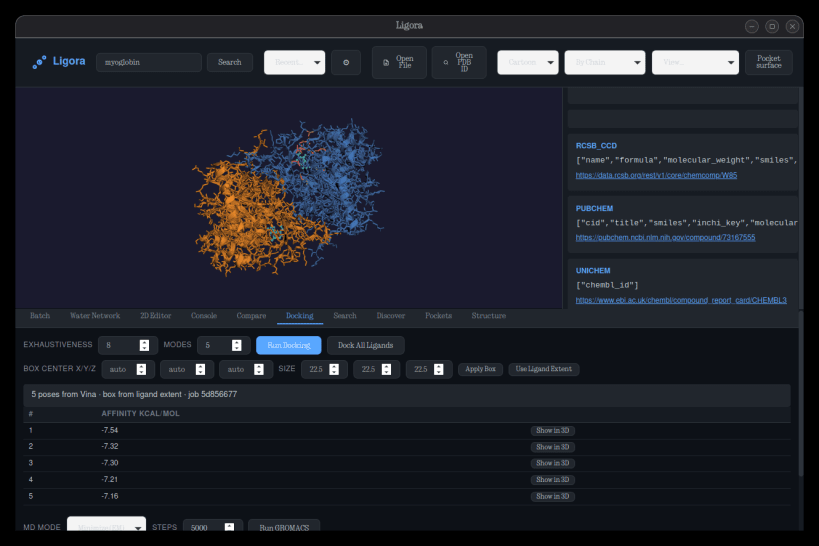
- Molecular docking with AutoDock Vina (real poses + affinities)
- GROMACS minimization and short-MD snippets
- Pocket detection, DSSP secondary structure, 2D interaction diagrams
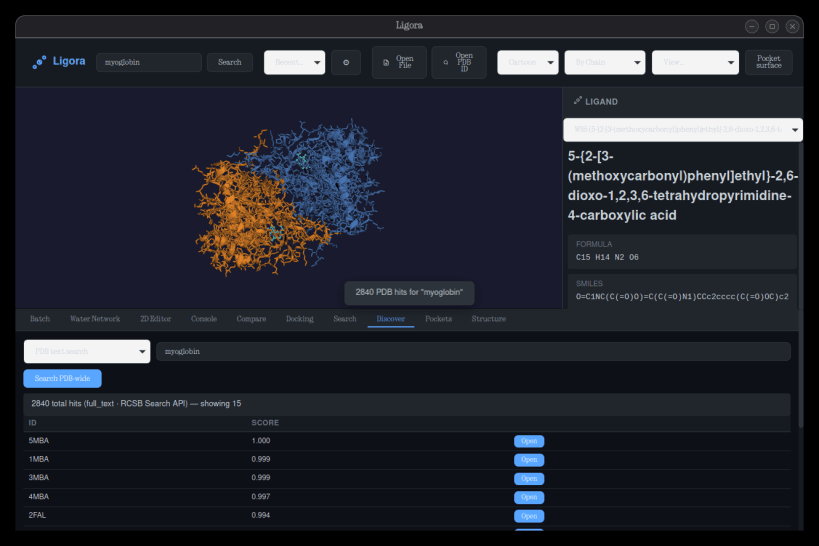
- Ligand identity resolution via PubChem, ChEMBL and CCD
- PDB-wide search, BindingDB enrichment, UniProt/AlphaFold context
- Batch analysis, pose comparison, water-network analysis, 2D ligand editor
- Scripting console and reproducibility manifests
Everything visible runs end-to-end against real data — no placeholders, no fakes.
| Revision | Channel | Version | Build | Commit | Download SBOM |
|---|
The build and commit information is derived from build infrastructure records.
Install Ligora on your Linux distribution
Choose your Linux distribution to get detailed installation instructions. If yours is not shown, get more details on the installing snapd documentation.











