

Unified Linux Game Library (linux-game-shelf)
Install latest/stable of Unified Linux Game Library
Ubuntu 16.04 or later?
Make sure snap support is enabled in your Desktop store.
Install using the command line
sudo snap install linux-game-shelfDon't have snapd? Get set up for snaps.
Details for Unified Linux Game Library
Package name
- linux-game-shelf
License
- MIT
Last updated
- Yesterday - latest/stable
Websites
Contact
External link warning
You are about to open
Do you wish to proceed?
Report a Snap Store violation
Report Unified Linux Game Library for a Snap Store violation
Snap Store Violation Report submitted successfully
Thank you for your report. Information you provided will help us investigate further.
Error submitting report
There was an error while sending your report. Please try again later.
Share this snap
Generate an embeddable card to be shared on external websites.
Multi-source Linux game library browser with playtime and tag tracking
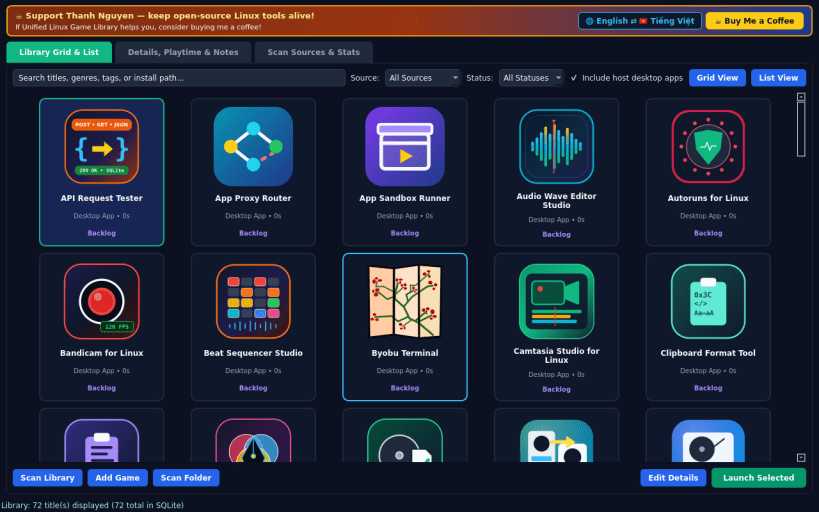
An independent open-source Linux game library organizer inspired by Playnite, unifying locally installed games, launchers, and metadata in one view. Disclaimer: This project is an independent open-source tool and is not affiliated with, sponsored by, or endorsed by Josef Nemec.
FEATURES
- Multi-Source Local Library Scanner: discovers installed titles from Steam appmanifest and libraryfolders files, Heroic installed manifests, Lutris local database records, host desktop entries, and custom game folders.
- Card Grid & Detail List Views: browse cover art and app icons, filter by platform or completion status, search instantly, and launch titles.
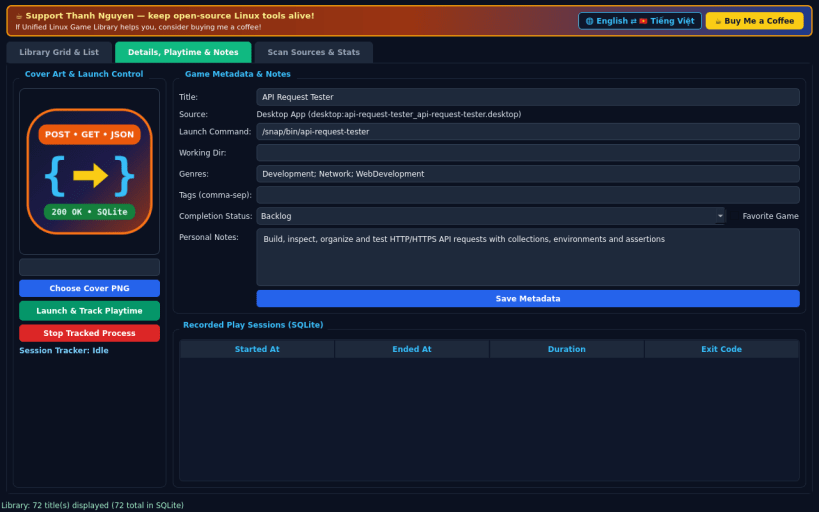
- Metadata, Cover Art & Playtime Tracker: edit tags, genres, completion status, custom cover PNG images, and notes, while recording real child process elapsed playtime and session history in SQLite.
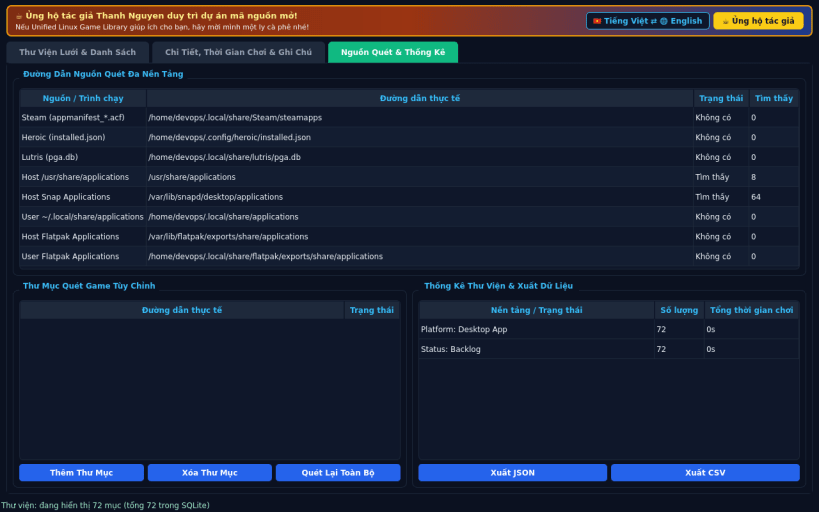
- Scan Sources, Stats & Export: manage custom scan directories, view per-platform statistics, and export your full library to JSON or CSV.
- Bilingual UI: English default with instant Vietnamese toggle.
SUPPORT & DONATE
- Created by Thanh Nguyen — https://buymeacoffee.com/thanhnv128b
| Revision | Channel | Version | Build | Commit | Download SBOM |
|---|
The build and commit information is derived from build infrastructure records.
Install Unified Linux Game Library on your Linux distribution
Choose your Linux distribution to get detailed installation instructions. If yours is not shown, get more details on the installing snapd documentation.


