

Linux Search Everything
Install latest/stable of Linux Search Everything
Ubuntu 16.04 or later?
Make sure snap support is enabled in your Desktop store.
Install using the command line
sudo snap install linux-search-everythingDon't have snapd? Get set up for snaps.
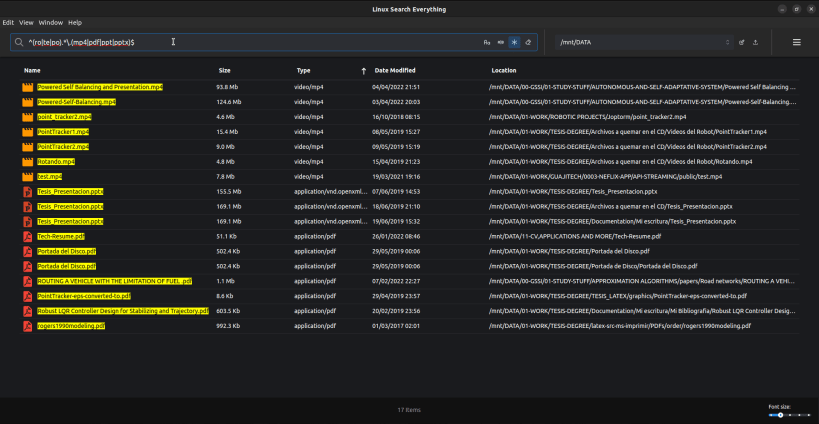
Details for Linux Search Everything
Package name
- linux-search-everything
License
- unset
Last updated
- 27 April 2022 - latest/stable
Websites
Contact
External link warning
You are about to open
Do you wish to proceed?
Report a Snap Store violation
Report Linux Search Everything for a Snap Store violation
Snap Store Violation Report submitted successfully
Thank you for your report. Information you provided will help us investigate further.
Error submitting report
There was an error while sending your report. Please try again later.
Share this snap
Generate an embeddable card to be shared on external websites.
A faster and more flexible File Browser for Linux
Linux Search Everything
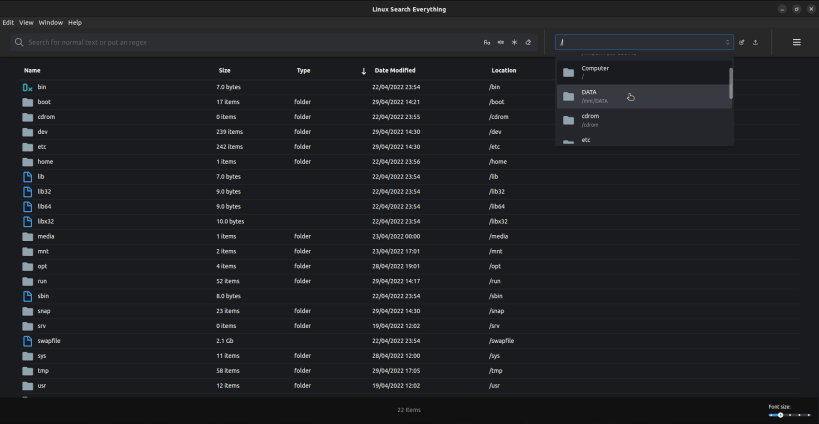
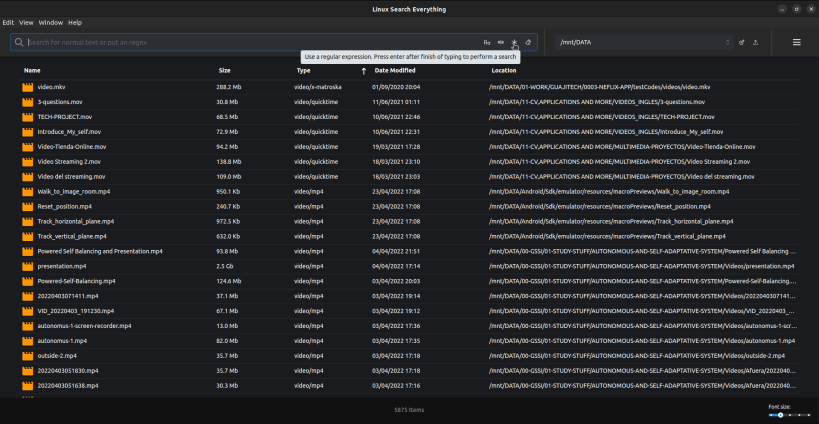
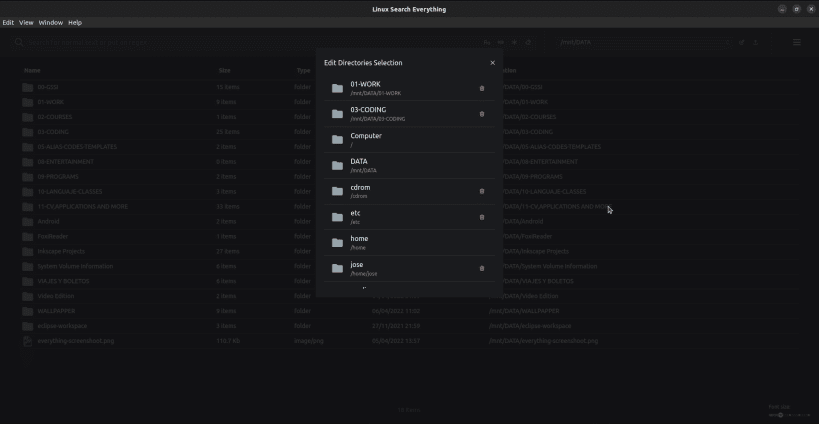
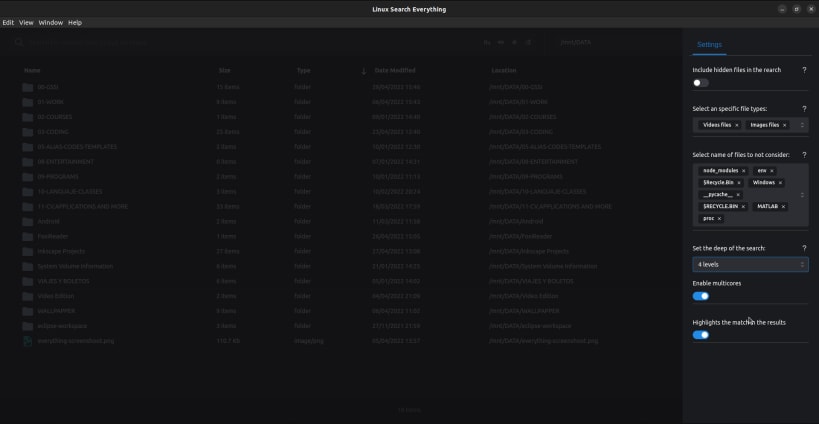
A faster and more flexible file browser for Linux, offering rich capabilities such as case sensitivity, regular expression based search, search by selecting multiple file types, selection of BFS algorithms based on multi threads, control of how deep the algorithms go, choice of custom files to not be taking into account in the search process to improve the search speed and more features.
Stack selected and architecture
It was made using the Electron framework. The UI was created with Reactjs version 18, using the new concurrency capabilities in this new release. Redux library was used as the global state feature.
For the features related to file search and shell command execution, Nodejs was used. The project is in the process of getting started, my goal is to achieve the capabilities of the windows "everything" software.
In this version we are not using indexing. But we are exploiting the multitasking capabilities offered by Nodejs to try to perform a search in the file tree as fast as possible. I use child_process, spawn, fork, and worker_threads.
Software Architecture
Electron is a framework for building desktop applications using JavaScript, HTML, and CSS. By embedding Chromium and Node.js into its binary, Electron allows you to maintain one JavaScript codebase and create cross-platform apps that work on Windows, macOS, and Linux — no native development experience required. It has two main processes, IcpMain and IcpRender. IcpMain is a node base environment where all Nodejs functionalities such as path, fs, EventEmitter, child_process, worker_threads, etc. can be accessed. IcpRender is in charge of the render ui.
I have implemented a multi threading BFS for search in the File System Tree.
Installers
https://drive.google.com/drive/folders/1BBPZhR-4YVGxHIWIV_JBFh-GS5-TREDv?usp=sharing
get the .deb package
https://drive.google.com/uc?id=1fHTbuU4ADu8ABc0QQGqzLms2h31dyXeU&export=download
get the .rpm package
https://drive.google.com/uc?id=15q_scY6eqB46XzNesJKxUopLk0ibmXAv&export=download
get the .zip package
https://drive.google.com/uc?id=1ssHkG142tZVPKv8cUMFAbmILDup-Waoy&export=download
| Revision | Channel | Version | Build | Commit | Download SBOM |
|---|
The build and commit information is derived from build infrastructure records.
Install Linux Search Everything on your Linux distribution
Choose your Linux distribution to get detailed installation instructions. If yours is not shown, get more details on the installing snapd documentation.











