

Loudio
Install latest/beta of Loudio
Ubuntu 16.04 or later?
Make sure snap support is enabled in your Desktop store.
Install using the command line
sudo snap install loudio --betaDon't have snapd? Get set up for snaps.

Details for Loudio
Package name
- loudio
License
- MIT
Last updated
- 24 August 2026 - latest/beta
Websites
Contact
Donations
Source code
Report a bug
External link warning
You are about to open
Do you wish to proceed?
Report a Snap Store violation
Report Loudio for a Snap Store violation
Snap Store Violation Report submitted successfully
Thank you for your report. Information you provided will help us investigate further.
Error submitting report
There was an error while sending your report. Please try again later.
Share this snap
Generate an embeddable card to be shared on external websites.
Offline transcription studio for audio files and microphone recordings
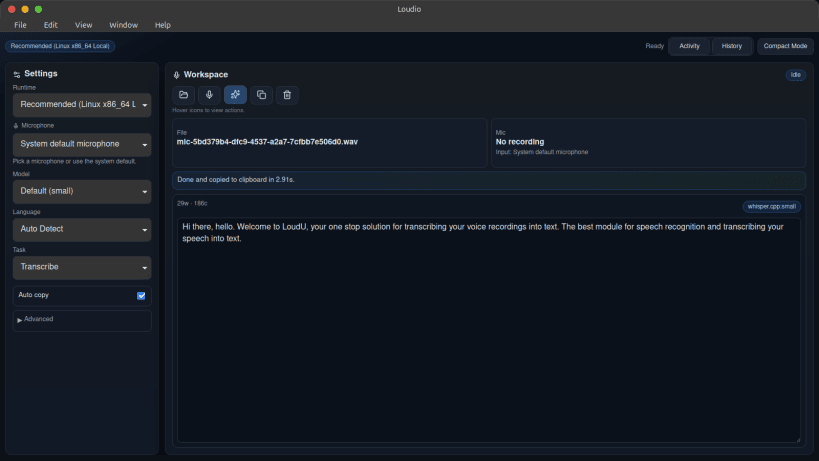
Loudio turns speech into text entirely on your own machine. Audio never leaves your computer: transcription runs locally through whisper.cpp, with an OpenAI Whisper Python runtime as a fallback, so the app keeps working without a network connection once its model is downloaded.
Features:
- Record from any microphone and transcribe automatically when you stop
- Transcribe existing audio files in MP3, WAV, M4A, FLAC, AAC and OGG
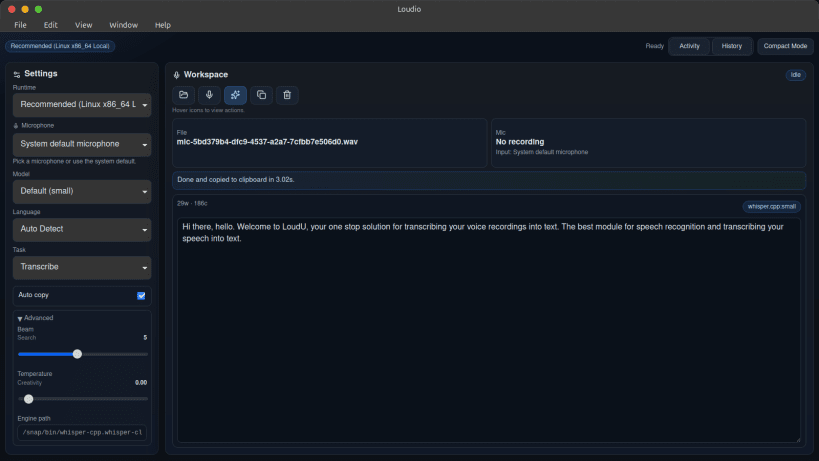
- Choose between speed and accuracy with selectable local runtime profiles
- Translate speech into English as an alternative to plain transcription
- Watch text appear live while the engine works, with optional timestamps
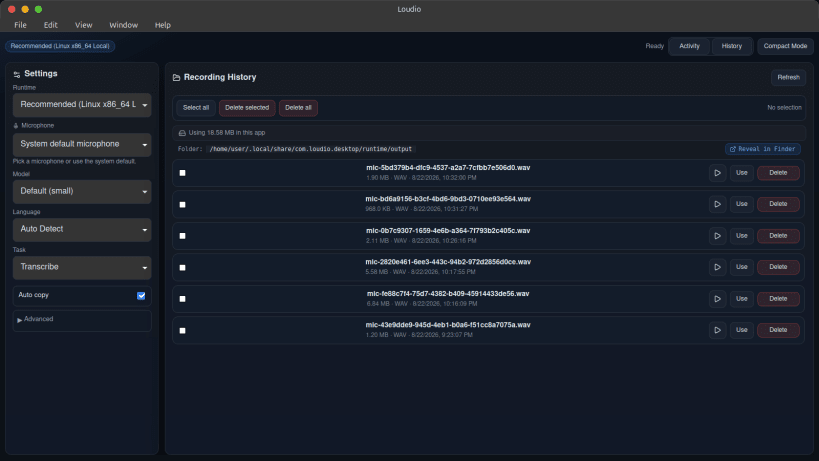
- Review, replay and manage past recordings from a built-in history view
- Copy transcripts to the clipboard in one click
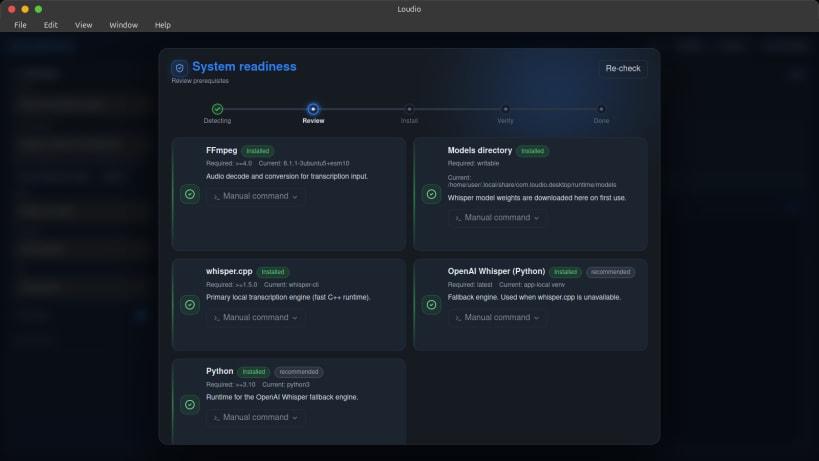
- Check and repair the local runtime from a guided readiness wizard
Loudio needs FFmpeg and a Whisper engine on your system. The built-in readiness wizard detects what is missing and installs it for you.
| Revision | Channel | Version | Build | Commit | Download SBOM |
|---|
The build and commit information is derived from build infrastructure records.
Install Loudio on your Linux distribution
Choose your Linux distribution to get detailed installation instructions. If yours is not shown, get more details on the installing snapd documentation.











