

MAC Vendor Lookup
Install latest/stable of MAC Vendor Lookup
Ubuntu 16.04 or later?
Make sure snap support is enabled in your Desktop store.
Install using the command line
sudo snap install mac-vendor-lookupDon't have snapd? Get set up for snaps.
Details for MAC Vendor Lookup
Package name
- mac-vendor-lookup
License
- MIT
Last updated
- Today - latest/stable
Report a Snap Store violation
Report MAC Vendor Lookup for a Snap Store violation
Snap Store Violation Report submitted successfully
Thank you for your report. Information you provided will help us investigate further.
Error submitting report
There was an error while sending your report. Please try again later.
Share this snap
Generate an embeddable card to be shared on external websites.
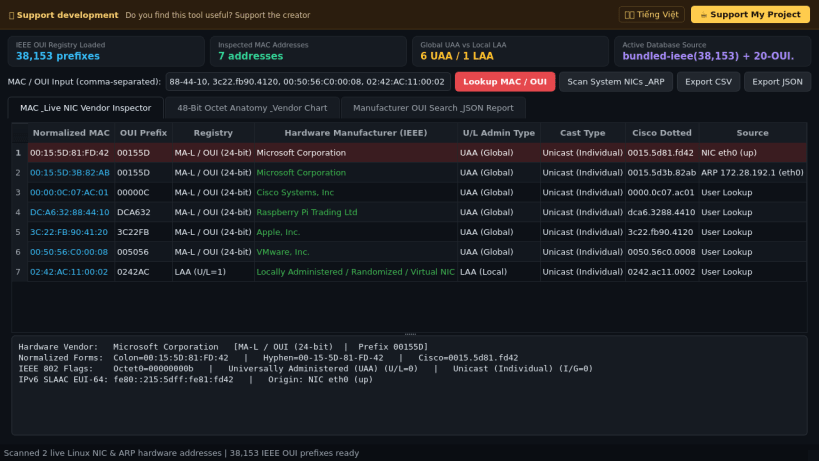
Offline IEEE OUI and MA-L MAC address hardware vendor lookup tool
An offline-capable IEEE MA-L, MA-M, and MA-S OUI hardware manufacturer lookup, batch MAC normalizer, and Linux NIC/ARP address inspector. A lightweight Linux alternative to NirSoft MACAddressView for identifying network adapter manufacturers, inspecting IEEE 802 U/L and multicast bits, and searching vendor OUI blocks.
Key features:
- Bundles over 38,000 real IEEE MA-L (24-bit), MA-M (28-bit), and MA-S (36-bit) OUI vendor assignments for 100% offline operation while also loading host /usr/share/ieee-data/oui.txt, /usr/share/misc/oui.txt, and /lib/udev/hwdb.d/20-OUI.hwdb when available.
- Inspects live Linux network interfaces (/sys/class/net/*/address) and ARP table neighbors (/proc/net/arp) automatically.
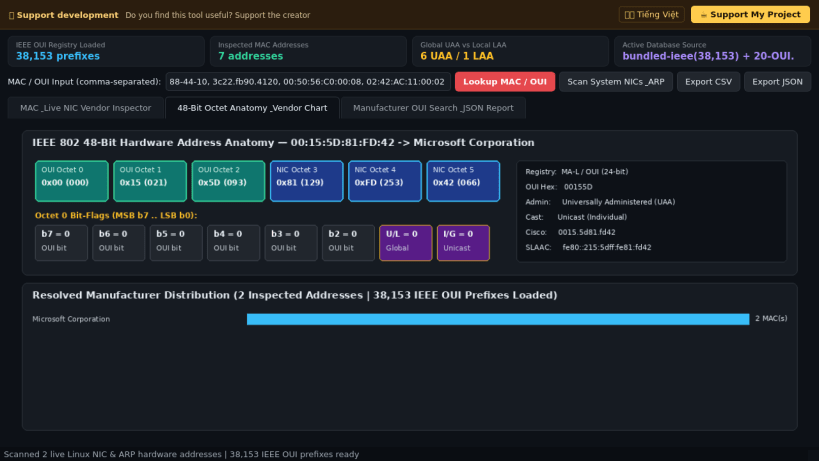
- Decodes IEEE 802 Universally vs Locally Administered (U/L) and Unicast vs Multicast (I/G) octet bits, normalizes Colon, Hyphen, and Cisco Dotted notations, and computes IPv6 EUI-64 interface identifiers.
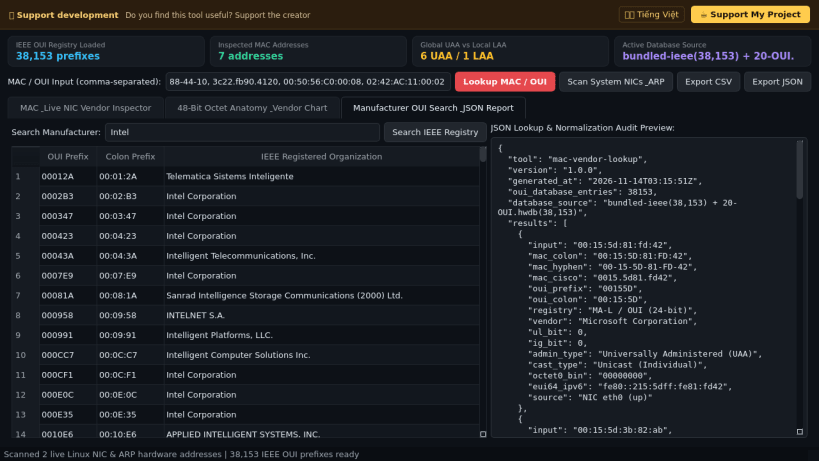
- Searches OUI blocks by hardware manufacturer name and exports structured CSV and JSON lookup reports.
Disclaimer: This project is an independent open-source tool and is not affiliated with, sponsored by, or endorsed by NirSoft or the Institute of Electrical and Electronics Engineers (IEEE).
| Revision | Channel | Version | Build | Commit | Download SBOM |
|---|
The build and commit information is derived from build infrastructure records.
Install MAC Vendor Lookup on your Linux distribution
Choose your Linux distribution to get detailed installation instructions. If yours is not shown, get more details on the installing snapd documentation.


